Christmas Countdown

Christmas Countdown Summary
Christmas Countdown is a ad-supported Android app in the Personalization category, developed by Filmmotion Studio. First released 1 year ago(Nov 2024), the app has accumulated 31.5K+ total installs and 326 ratings with a 3.91★ (average) average rating.
Data tracking: SDKs and third-party integrations were last analyzed on Nov 29, 2024.
Store info: Last updated on Google Play on Jul 19, 2025 .
3.91★
Ratings: 326
Screenshots

App Description
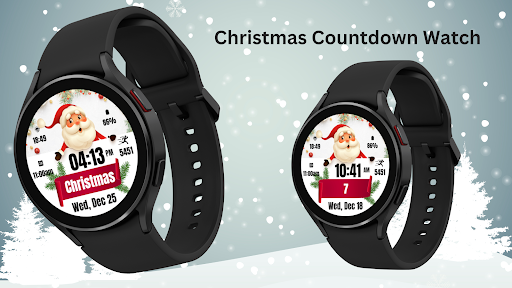
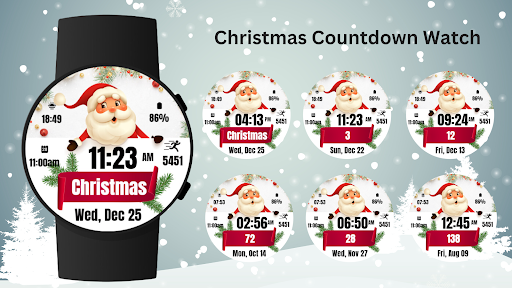
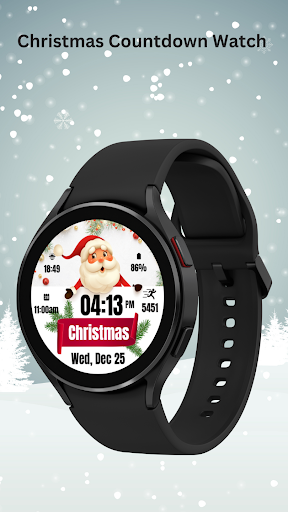
Festive Christmas Countdown Watch Face with Santa, date, time & more !
Get into the holiday spirit with the Christmas Countdown Watch Face for Wear OS! This festive watch face features a cheerful Santa Claus, a countdown to Christmas, and customizable widgets to display time, date, battery level, steps, and more.
Perfect for adding a bit of joy to your wrist as you count down to December 25th.
🎅 Santa Claus design 🎄 Christmas countdown 📅 Date, time, battery, and steps display ✨ Customizable complications 🌟 Works with all Wear OS devices API 33+ including Google Pixel Watch and Samsung Galaxy Watch.
Celebrate Christmas in style with this fun and festive watch face!
⚙️ Watch Face Features
• Date, month and day of the week.
• Battery %
• Sunrise & Sunset
• Steps Counter
• Customizable Complications
• Ambient Mode
• Always-on Display (AOD)
• Long tap to customize
🎨 Christmas Countdown Watch Face Customization
1 - Touch and hold display
2 - Tap on Customize option
🎨 Christmas Countdown Watch Face Complications
Touch and hold display to open customization mode. You can customize the field with any data you want.
🔋 Battery
For better battery performance of the watch, we recommend disabling the "Always On Display" mode.
After installing the Christmas Countdown Watch Face , follow these steps:
1. Open the Companion App on your phone.
2. Tap "Install on Watch".
3 .On your watch, select the Christmas Countdown Watch Face from your settings or watch face gallery.
Your watch face is now ready to use !
✅ Compatible with all Wear OS devices API 33+ including such as Google Pixel Watch, Samsung Galaxy Watch etc.
Not suitable for rectangular watches.
Thank you !