Floral Art Watch Face
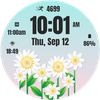

Floral Art Watch Face Summary
Floral Art Watch Face is a ad-supported Android app in the Personalization category, developed by Filmmotion Studio. First released 1 year ago(Oct 2024), the app has accumulated 2.4K+ total installs and 16 ratings with a 4.56★ (excellent) average rating.
Recent activity: 53 installs this week (159 over 4 weeks) showing above average growth View trends →
Store info: Last updated on Google Play on Jul 19, 2025 .
4.56★
Ratings: 16
Screenshots

App Description
Stylish floral art combining elegance and functionality for everyday wear.
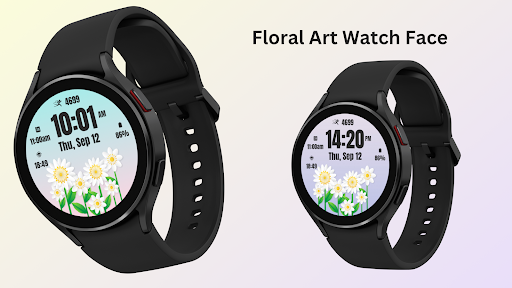
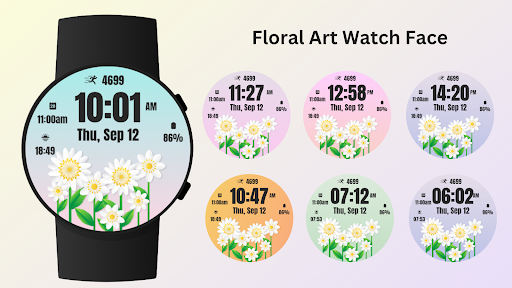
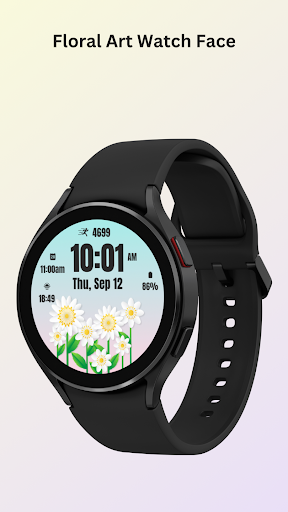
Floral Art Watch Face app for Add an artistic touch to your smartwatch with the Floral Art Watch Face. This beautifully crafted design features intricate floral patterns, making it perfect for women who love to express their style through elegant, nature-inspired art. Whether you're headed to a casual outing or a special event, this watch face enhances your look with its unique, artistic flair.
Not just about aesthetics, the Floral Art Watch Face includes practical features to help you stay on top of your day with style and ease.
Perfect for women who want to showcase their artistic side while maintaining everyday functionality with a stunning floral watch face.
⚙️ Watch Face Features
• Artistic floral design
• Date, month and day of the week.
• Battery %
• Sunrise & Sunset
• Steps Counter
• Customizable Complications
• Ambient Mode
• Always-on Display (AOD)
• Long tap to customize
🎨 Floral Art Watch Face Customization
1 - Touch and hold display
2 - Tap on Customize option
🎨 Floral Art Watch Face Complications
Touch and hold display to open customization mode. You can customize the field with any data you want.
🔋 Battery
For better battery performance of the watch, we recommend disabling the "Always On Display" mode.
After installing the Floral Art Watch Face , follow these steps:
1. Open the Companion App on your phone.
2. Tap "Install on Watch".
3 .On your watch, select the Floral Art Watch Face from your settings or watch face gallery.
Your watch face is now ready to use !
✅ Compatible with all Wear OS devices API 33+ including such as Google Pixel Watch, Samsung Galaxy Watch etc.
Not suitable for rectangular watches.
Thank you !