Earth & Moon 3D Watch Face

Earth & Moon 3D Watch Face Summary
Earth & Moon 3D Watch Face is a ad-supported Android app in the Personalization category, developed by Filmmotion Studio. First released 11 months ago(Dec 2024), the app has accumulated 19.5K+ total installs and 209 ratings with a 4.55★ (excellent) average rating.
Recent activity: 161 installs this week (2K over 4 weeks) showing above average growth , and 5 new ratings this week (22 over 4 weeks) with healthy momentum. View trends →
Data tracking: SDKs and third-party integrations were last analyzed on Jan 29, 2025.
Store info: Last updated on Google Play on Jul 14, 2025 .
Earth & Moon 3D Watch Face was last scanned for SDKs 2025-01-29. Below is the overview of third party companies detected in the app. The full list of raw SDKs, app permissions and unknown SDKs is available here.
 Firebase
 Facebook
 Google
 Bumptech
 Kotlin
 Square
4.55★
Ratings: 209
Screenshots


App Description
Experience Earth's beauty from the moon with a 3D animated spinning moon.
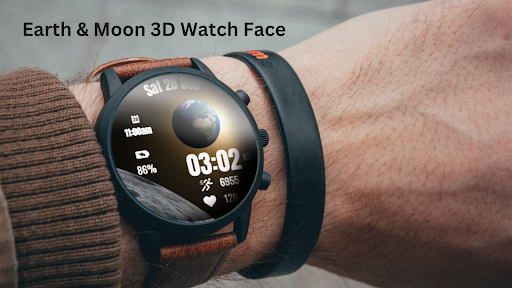
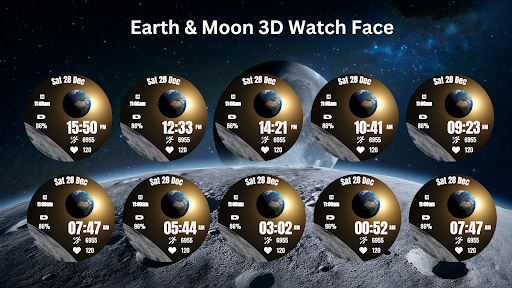
Immerse yourself in the cosmic beauty of space with the Earth & Moon 3D Watch Face for Wear OS! This unique watch face features a 3D animation of the moon spinning, while showcasing a stunning view of Earth rising above the lunar surface. Perfect for space enthusiasts or those who appreciate a dynamic, celestial theme.
⚙️ Watch Face Features
🌍 3D Animation – Watch the moon spin while Earth slowly rises in the background.
🕒 Essential Stats – Display time, date, battery percentage, steps, and heart rate.
✨ Space-Inspired Design – Minimal yet captivating, designed to reflect the wonders of space.
• Date, month and day of the week.
• Heart Rate
• Battery %
• Steps Counter
• Ambient Mode
• Always-on Display (AOD)
• Tap to measure heart rate
🎨 Earth & Moon 3D Watch Face Customization
1 - Touch and hold display
2 - Tap on Customize option
🎨 Earth & Moon 3D Watch Face Complications
Touch and hold display to open customization mode. You can customize the field with any data you want.
🔋 Battery
For better battery performance of the watch, we recommend disabling the "Always On Display" mode.
After installing the Earth & Moon 3D Watch Face , follow these steps:
1.Open the Companion App on your phone.
2.Tap "Install on Watch".
3.On your watch, select the Earth & Moon 3D Watch Face from your settings or watch face gallery.
Your watch face is now ready to use !
✅ Compatible with all Wear OS devices API 30+ including such as Google Pixel Watch, Samsung Galaxy Watch etc.
Not suitable for rectangular watches.
Thank you !