Touch Screen Lock: Pocket Lock


Touch Screen Lock: Pocket Lock Summary
Touch Screen Lock: Pocket Lock is a free, ad-supported, with in-app purchases Android app in Personalization by Expressway Apps. Released in May 2021 (5 years ago). It has about 57K+ installs and 172 ratings with a 3.51★ (average) average. Based on AppGoblin estimates, it reaches roughly 506 monthly active users and generates around $<10K monthly revenue (57% IAP / 43% ads). Store last updated Jul 30, 2026
Recent activity: 98 installs this week (320 over 4 weeks) showing steady growth View trends →
Touch Screen Lock: Pocket Lock SDKs Summary
App not yet scanned for SDKs.
3.51★
Ratings: 172
Screenshots
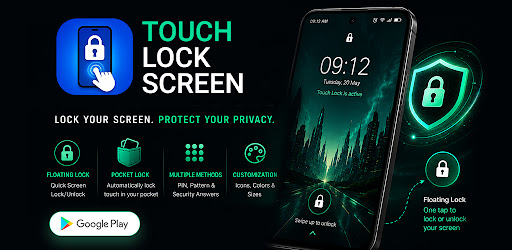


App Description
Touch lock to prevent accidental touches while watching videos or using apps
🔒 Enjoy Uninterrupted Screen Control
Use touch lock to disable touch screen input and help prevent accidental touches while watching videos, reading, gaming, using learning apps, or handing your phone to children. Enjoy reliable touch protection with quick and easy screen control whenever you need it.
Whether you're streaming videos, reading documents, viewing presentations, or using everyday apps, Touch Lock helps reduce unwanted screen interactions for a smoother experience.
━━━━━━━━━━━━━━━━━━
⭐ Why You'll Love This App
✔ Lock your screen touch with a single tap
✔ Enjoy uninterrupted videos and streaming
✔ Hand your phone to children with confidence
✔ Read books without accidental scrolling
✔ Protect selected apps from unwanted touches
✔ Turn touch lock on or off in seconds
━━━━━━━━━━━━━━━━━━
🔒 Touch Screen Lock & Touch Blocker
Instantly disable touch screen input whenever you need it.
• One-tap touch lock
• Full-screen touch blocking
• Transparent or dark touch overlay
• Quick enable and disable
• Smooth and easy operation
Perfect for videos, presentations, reading, and streaming. Use it as a video touch lock for movies, online streaming, and other video content without unwanted taps.
━━━━━━━━━━━━━━━━━━
🛡️ App Protection
Add a touch-blocking layer to selected apps.
• Protect chosen apps automatically
• Activate when selected apps open
• Optional PIN or Pattern protection
• Help prevent accidental touches while using selected apps
━━━━━━━━━━━━━━━━━━
👖 Pocket Lock
Help prevent accidental screen interactions while carrying your phone.
• Automatic Pocket Lock
• Uses your device's proximity sensor
• Helpful while walking or travelling
• Help reduce accidental screen touches inside pockets or bags.
━━━━━━━━━━━━━━━━━━
🔐 PIN & Pattern Security
Help prevent unwanted changes to app settings.
• PIN protection
• Pattern lock support
• Help protect important settings from unintended changes.
━━━━━━━━━━━━━━━━━━
👆 Tap-to-Unlock
Unlock touch control your way.
• Double tap
• Triple tap
• Four tap
━━━━━━━━━━━━━━━━━━
⭕ Floating Touch Lock Button
Control touch lock from anywhere.
• Floating touch lock button for quick and easy access
• Resize the button
• Change button colour
• Drag and position anywhere on screen
━━━━━━━━━━━━━━━━━━
🎯 Custom Touch Blocking Areas
Choose how you want to block touch input.
• Lock the entire screen
• Create custom touch-blocking areas
• Block only the parts of the screen you choose
Ideal for:
• Watching videos
• Gaming
• Reading eBooks and PDFs
• Presentations
• Learning apps
• Children's entertainment
━━━━━━━━━━━━━━━━━━
🔒 Permissions
Display Over Other Apps
Required to display the touch-blocking overlay.
Usage Access
Optional and used only for the App Protection feature to detect selected apps.
Proximity Sensor
Used by Pocket Lock to detect when the device is inside a pocket or covered area. Feature availability depends on device hardware.
Notifications
Used to display the foreground service notification while touch lock is active.
Run at Startup
Restarts Touch Lock services automatically after device reboot when enabled.
These permissions are used only to provide the app's features and functionality.
No personal information is collected or shared. You can enable or disable permissions at any time.
━━━━━━━━━━━━━━━━━━
⚠️ Important Information
Some features depend on your Android version, device manufacturer, and available hardware.
Pocket Lock requires a supported proximity sensor.
App Protection requires optional Usage Access permission.
Touch Lock works by displaying a touch-blocking overlay and does not replace Android's built-in security features.
━━━━━━━━━━━━━━━━━━
📲 Download Today
Download Touch Lock : Screen Touch Lock today to lock touch input with a single tap and enjoy uninterrupted videos, reading, gaming, learning, and everyday phone use.