Opus To Mp3 Converter


Opus To Mp3 Converter Summary
Opus To Mp3 Converter is a ad-supported, with in-app purchases Android app in the Music And Audio category, developed by The AppGuru. First released 9 years ago(Jun 2016), the app has accumulated 2.6M+ total installs and 9.2K ratings with a 4.22★ (good) average rating.
Recent activity: 2.4K installs this week (7K over 4 weeks) showing steady growth , and 2 new ratings this week (16 over 4 weeks) with stable momentum. View trends →
Advertising: The app has been identified as showing monetized advertisements based on detected ad network creatives.
Data tracking: SDKs and third-party integrations were last analyzed on May 12, 2025. The app's network data flows (API traffic to/from the app and its SDKs) were last crawled on May 24, 2025.
Store info: Last updated on Google Play on Oct 6, 2024 (version 110).
Opus To Mp3 Converter was last scanned for SDKs 2025-05-12. Below is the overview of third party companies detected in the app. The full list of raw SDKs, app permissions and unknown SDKs is available here.
 Firebase
 Google
 Start.io
 Bumptech
 Kotlin
4.22★
Ratings: 9.2K
Screenshots


App Description
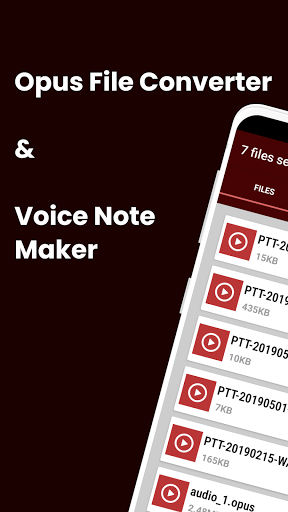
Super-fast OPUS file converter and Voice note maker.
An OPUS file is an audio file created in the OPUS format (also known as "Ogg Opus"), a lossy audio format developed for Internet streaming. It supports variable bit rates..
OPUS To Mp3 Converter is a super-fast converter, that converts an opus file to other popular audio file formats ;
opus to aac
opus to amr
opus to m4a
opus to ogg
opus to mp3
opus to wav
Voice note maker to create your own voice notes on the go.
You can carry out ;
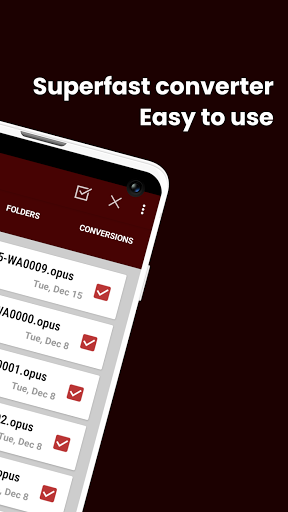
1.) Single file conversion
2.) Folder conversion
3.) Batch conversion
All conversions are done in the background with a notification that displays conversion progress.
Supported custom settings;
Audio Bitrate : -
[ 320 kbps, 256 kbps, 192 kbps, 160 kbps, 128 kbps, 96 kbps, 64 kbps, 32 kbps, 16 kbps, 12 kbps, 8 kbps, 6 kbps ]
Audio Sampling Rate :
[ 32000 Hz, 41000 Hz, 48000 Hz, 88200 Hz, 96100 Hz, 192000 Hz ]
Audio Channels :
[ Mono, Stereo ]
The following languages are supported : -
[ Arabic, Chinese, French, German, Hindi, Italian, Japanese, Korean, Persian, Portuguese, Russian, Spanish, Turkish, Urdu ]
PLEASE NOTE:
# All Converted files are saved to Music folder.
***This app uses FFMPEG library.