Engineering 8D
Engineering 8D Summary
Engineering 8D is a mobile iOS app in Productivity by DRH YAZILIM VE MUHENDISLIK HIZMETLERI LTD STI. Released in Dec 2015 (10 years ago). Store metadata: updated Dec 23, 2025.
Store info: Last updated on App Store on Dec 23, 2025 .
0★
Ratings: 0
Screenshots
App Description
Engineering 8D is designed for fast, structured engineering problem solving and professional documentation. The app’s primary goal is to support disciplined, systematic thinking throughout the problem-solving process.
It can also be used for incident reporting, rapid preparation of preliminary data for urgent meetings, creating team lists, managing engineering action items, and similar operational needs.
A built-in 8D tutorial project is automatically added to the project list upon first installation (clean install required).
Each project in the project list can be duplicated for faster reuse and consistency.
Reporting Capabilities
• The content of the full report can be customized using the settings options.
• A complete report preview is generated when the Report button is pressed.
• Each section also includes its own dedicated report button for partial reporting.
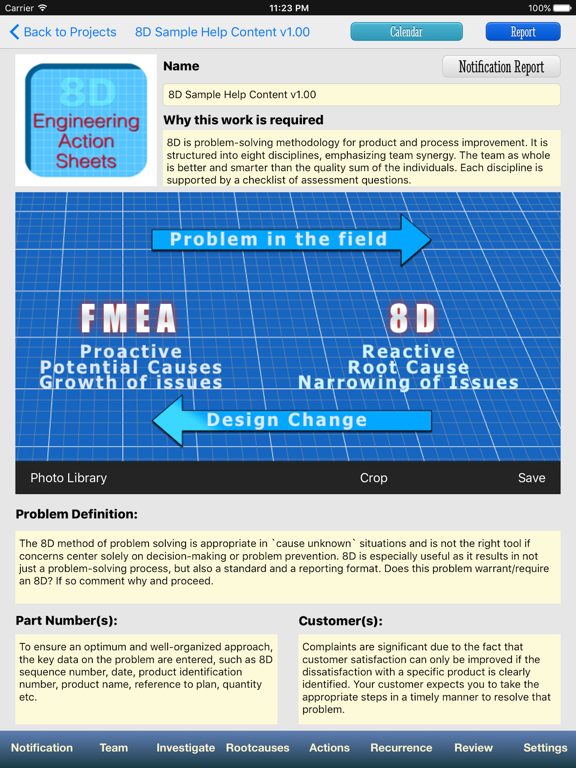
• Users can upload and save project-specific logo images by tapping the logo area on the notification page.
Supported 8D Sections
1. Notice Report with an editable photo
2. Team Management Table
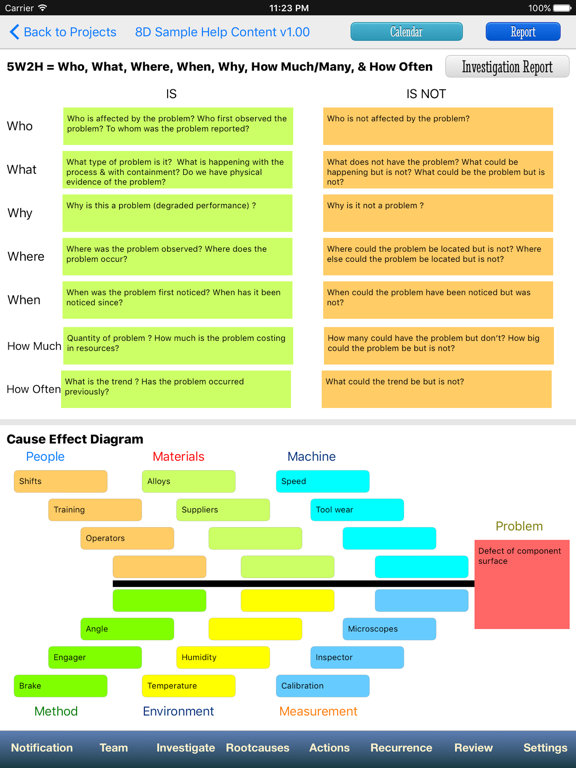
3. 5W2H and Ishikawa (Cause–Effect) Diagrams
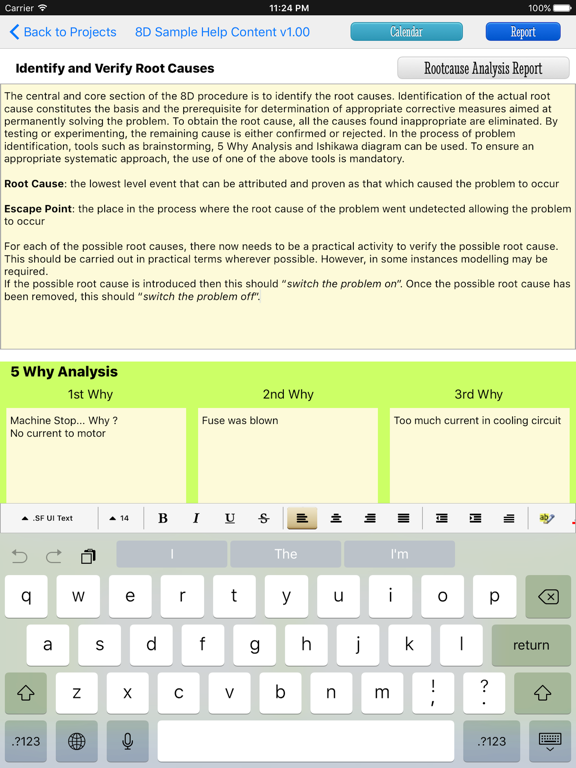
4. Root Cause Analysis, including 5 Why Analysis
5. Action Table covering containment, corrective, and preventive actions in a single organized view
6. Preventing Recurrence Report, including review of similar systems and processes
7. Document Review Table
8. Team Recognition Report
Data Editing & Reuse
Any previously entered record in a table can be recalled into the entry fields by selecting its row. After editing, changes can be saved or recorded as a new entry using the action buttons.
Help & Guidance
Context-specific help content is available in the Settings tab of each project.