KORG GEC5 Controller
KORG GEC5 Controller Summary
KORG GEC5 Controller is a mobile iOS app in Education by KORG INC.. Released in Apr 2016 (10 years ago). It has 4.00 ratings with a 5.00★ (excellent) average. Based on AppGoblin estimates, it reaches roughly 2.00 monthly active users . Store metadata: updated Jul 13, 2023.
Store info: Last updated on App Store on Jul 13, 2023 .
5★
Ratings: 4.00
Screenshots
App Description
GEC5 Lab System Controller
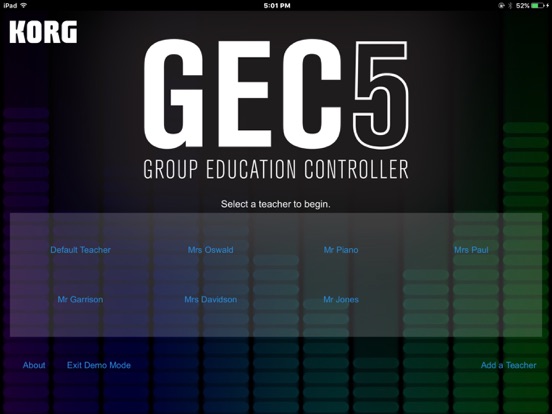
The Korg Group Education Controller (GEC5) represents the most advanced system in group instruction technology. With an intuitive, easy-to-use software user interface, multiple practice and instruction modes, fully-digital stereo sound - the Korg GEC5 Lab System will take any music, language or technology lab to a new level of high efficiency and create a superior classroom experience.
The advanced, yet easy-to-use audio routing in the GEC5 is compatible with any digital audio signal, so get creative and build a room with any combination of electronic instruments including digital pianos, guitars, synthesizers, and even MIDI-controlled software instruments. Want to do even more? Integrate computers with your lab and take learning to a new level of excitement and capability. Unlike other systems, the Korg GEC5 is completely open and allows you to use any curriculum that suits your classroom best. The sky is the limit!
For over 20 years Korg has worked extensively with educators all over the world with overwhelming success in thousands of music, language and technology labs. This expertise in educational technology has led to the development of the Korg GEC5 Lab System - the most user-friendly, flexible and powerful lab control system available.
Software Control Application
MULTIPLE MODES MEAN FLEXIBILITY
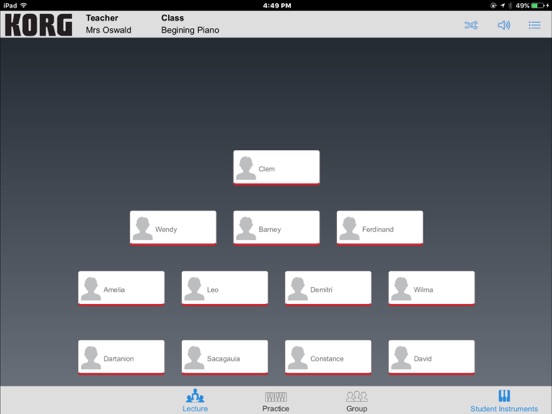
There are three main modes of GEC5 operation. Each of these can be selected within the software interface at the teacher’s station:
Lecture Mode:
Present material and instruction in a lecture format. All students hear the teacher’s microphone and instrument or computer allowing for a captive and quiet audience.
- Tap the Student Instrument/Student Stations button and allow the students to play along.
- Tap and hold to exclude a student from the lecture for independent work.
- Double tap to bring a student into the lecture for comments or questions.
Practice Mode:
Practice mode is used when the students are working independently. Each student hears only his or her own instrument or computer. In Practice Mode, the teacher has the option of “eavesdropping” on the student and initiating 2 way communication with the student for individualized instruction.
- Double-tap to eavesdrop, double-tap again to talk
- Tap All Call to call attention to the group
- Single tap to clear eavesdrop
- Performance Mode allows the teache