I'm here

I'm here Summary
I'm here is a mobile iOS app in Maps And Navigation by Masashi Sasaoka. Released in Jun 2016 (9 years ago). It has 1.00 ratings with a 4.00★ (good) average. Based on AppGoblin estimates, it reaches roughly 4.00 monthly active users . Store metadata: updated Dec 22, 2025.
Store info: Last updated on App Store on Dec 22, 2025 .
4★
Ratings: 1.00
Screenshots


App Description
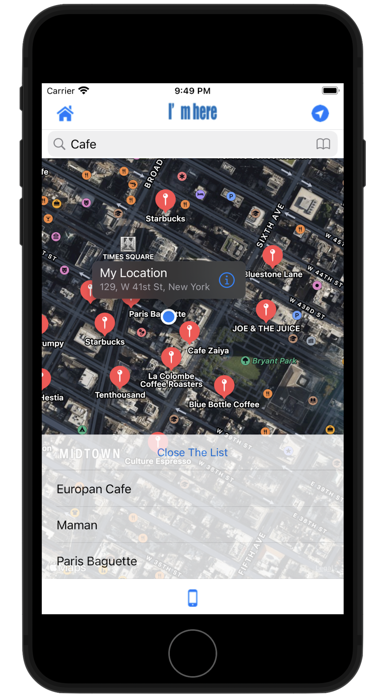
"I'm here" is a free map application with easy operation.
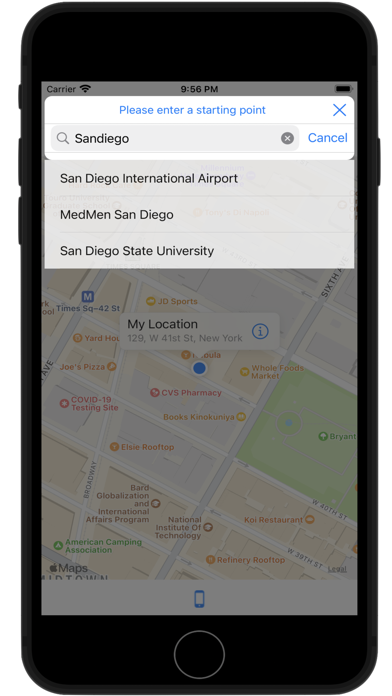
Equipped with a navigation function to the destination from the current location or the input start point.
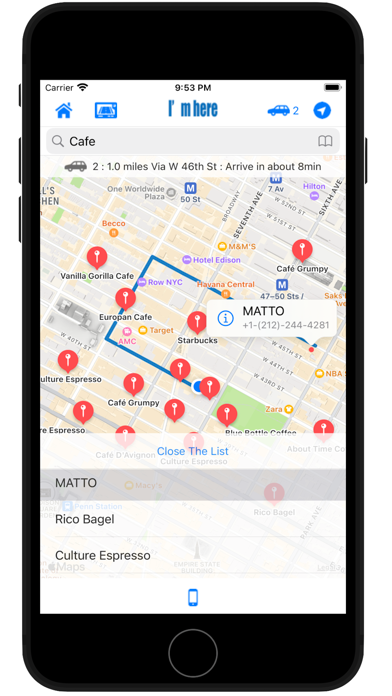
With a simple operation, you can check not only the route from your current location, but also the detailed route from the input start point to the destination in advance, so it is very convenient!
Only iPad version can be displayed horizontally.
◆ Route for each means of transportation can be selected:
· By tapping the transportation mode display button or the place name of the list, the route of each transportation method (walking, car etc) is displayed in order.
◆ Navigation function installed:
- You can also transition to the navigation screen by tapping the navigation button or by long pressing the place name in the search result list.
· The navigation function is displayed in list form at the point where the direction changes, and you can check the way from the current location by tapping that point.
· During navigation, tap the update button on the upper left to update the route from the current location you are moving.
◆ Automatic navigation function installation:
After transitioning to the navigation screen, when you tap the "AUTO" button in the upper right corner, automatic navigation with instruction indication popup at the corner and voice announcement (earphone OK) starts. Tap "OFF" to exit the automatic navigation mode.
As the map scrolls in rotation according to the direction in which you are walking, depending on the way you are walking, it will not be said "Which way are you heading?", You can go smoothly to your destination .
Also, in the case of the automatic navigation mode, even if you are using other applications, even if you turn off the screen, you are updating your location information so you will announce with an announcement when you reach the corner.
In other words, if you are walking with earphones inserted, the iPhone will tell you which way you can go next, even if it is in your pocket.
※Caution
Since the automatic navigation mode is always functioning to update the current location information, the battery consumption increases. If you do not use it, turn it off, please close the application and be careful not to waste the battery.
◆ Direct calling to the search result phone number:
· Equipped with call function from search result annotati