Earnings Season

Earnings Season Summary
Earnings Season is a with in-app purchases iOS app in the Finance category, developed by Point618 Design Inc.. First released 6 years ago(Jul 2019),
Data tracking: SDKs and third-party integrations were last analyzed on Feb 2, 2026.
Store info: Last updated on App Store on May 18, 2024 (version 1).
Earnings Season was last scanned for SDKs 2026-02-02. Below is the overview of third party companies detected in the app. The full list of raw SDKs, app permissions and unknown SDKs is available here.
 SDWebImage
0★
Ratings:
Screenshots
App Description
Crafted by a trader for traders, Earnings Season takes the scattered and tedious process of searching for reliable corporate earnings dates and turns it into an efficient, personal, and delightful experience for you.
"After 20 years of trading and navigating the wild swings of earnings season, Earnings Season has taken the belabored task of searching for earnings dates into a time-efficient, one-stop-task." —Kathy Donnelly, Co-author of The Lifecycle Trade: How to Win at Trading IPOs and Super Growth Stocks, TheLifecycleTrade.com
Create a custom watchlist, see verified corporate earnings dates and analyst estimates, quickly add dozens of stocks to your watchlist all at once, and so much more.
Once you have your watchlist setup, you don't even have to launch the app (or even unlock your iPhone), to see when your stocks are reporting. Instead, you can use Earnings Season's Today Widget and you can see when your stocks are reporting right from your iPhone's lock screen.
You'll never need to launch a web browser, or login to your trading platform to look up earnings dates again. Instead, with just a quick glance you'll know when your stocks are reporting and you'll never be caught off guard.
You can even tap and hold on the App Icon to view a widget with your stocks upcoming earnings dates.
Other Features:
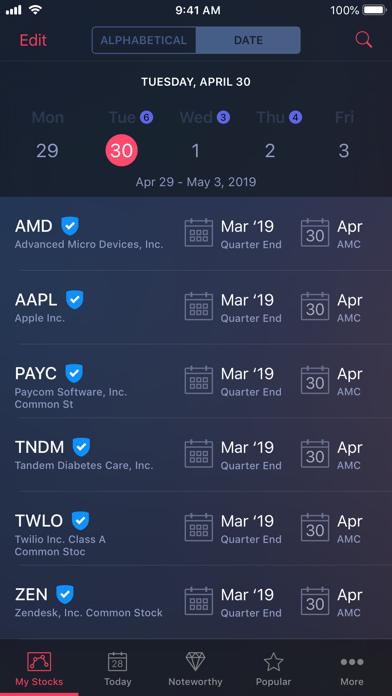
• Blue checkmarks indicate a company confirmed date.
• Time of day indicated with AMC and BMO (After Market Close, Before Market Open).
• View your watchlist either as a list or with a calendar view.
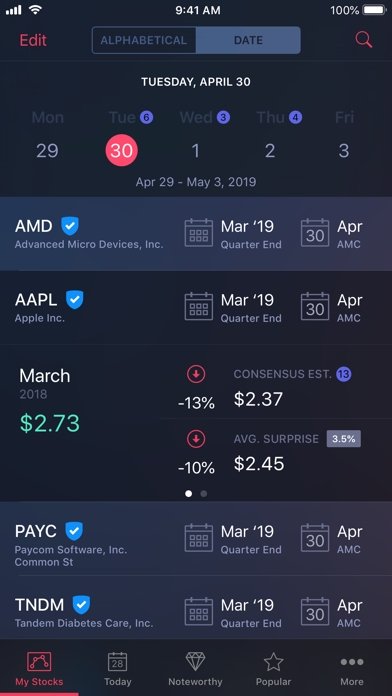
• Tapping on a stock will reveal additional data such as the earnings per share for the prior year-over-year quarter, the consensus estimate for the current quarter, and average surprise data.
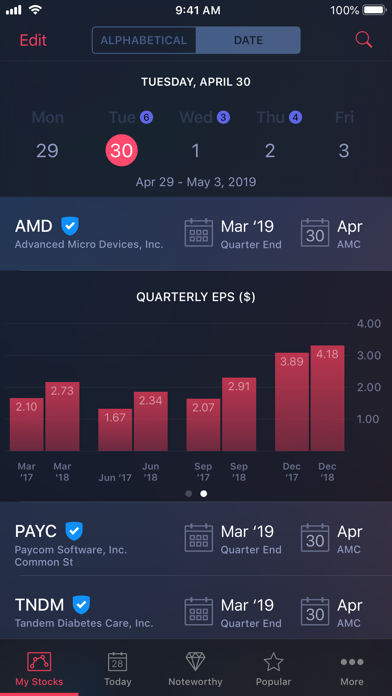
• When viewing the additional data, swiping to the left will reveal a Quarterly EPS graph.
• Quickly look up the earnings date for any stock with the Quick Lookup. Tap the magnifying glass icon at the top right of each screen, type the symbol and instantly see the earnings date. Swipe up on this screen to reveal an "Add to Watchlist" button to quickly add the stock to your watchlist.
• The "Today" tab shows you which stocks are reporting on that day. Tap the filter button at the top left of this screen to specify market caps, and an option for only showing company "confirmed" dates only.
• The "Noteworthy" tab will highlight stocks of inte