aWallet Password Manager

aWallet Password Manager Summary
aWallet Password Manager is a with in-app purchases iOS app in Productivity by Petr Synek. Released in Jun 2017 (8 years ago). It has 4.2K ratings with a 4.83★ (excellent) average. Based on AppGoblin estimates, it reaches roughly 17K monthly active users and generates around $<10K monthly revenue (100% IAP / 0% ads). Store metadata: updated Mar 30, 2025.
Recent activity: 4.00 new ratings this week View trends →
Data tracking: SDKs and third-party integrations were last analyzed on Apr 16, 2025.
Store info: Last updated on App Store on Mar 30, 2025 .
4.83★
Ratings: 4.2K
Screenshots


App Description
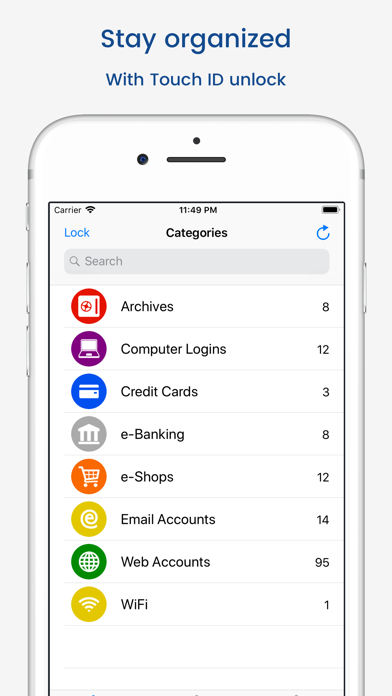
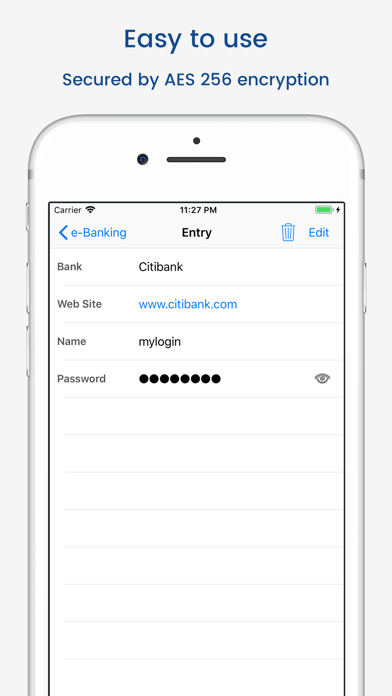
• Securely stores your passwords, credit card information, e-banking credentials, web accounts and other custom data.
• There is a built in Editor for changing or creating new data Categories.
• Search within fields.
• Contains no advertisements.
• Supports backup and restore of the encrypted data file to the iTunes File Sharing folder.
• Export of unencrypted data in CSV format to the iTunes File Sharing folder.
• There is an Auto lock feature that can be preconfigured for a specific period of time.
PRO FEATURES, available via single in-app purchase:
• Cloud synchronization
• Unlock with Face ID
• Unlock with Touch ID
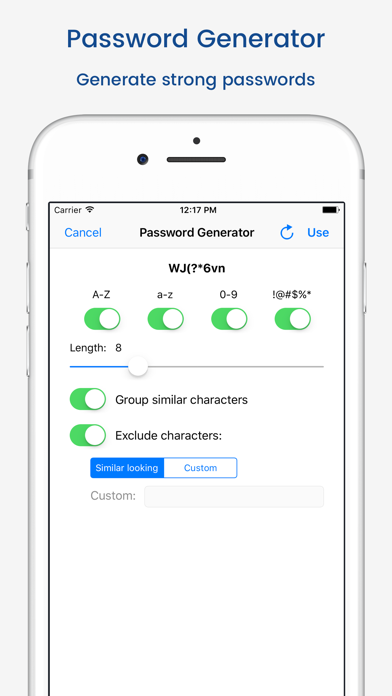
• Password Generator
• CSV Import
SECURITY FEATURES
• All data is encrypted, including Entry names, Category definitions and the data itself.
• Encrypts data using AES or Blowfish algorithms with key sizes of 256, 192 or 128 bits.
• When the data file is decrypted, up to all combinations of algorithm and key size are tried with the Master password to unlock the data file. The app itself does not store any hint to the actual cipher, key size or cipher mode of operation.
• Uses a randomly generated 'salt' combined with the Master password. Salt helps to protect from off-line dictionary attacks.
• The key to open the data file is created by combining your master password with the 512-bit 'salt'. The result is hashed 1000 times by SHA-256. Repetitive hashing makes a brute force attack more difficult.
• Supports auto destruction of the data file after a predefined number of unsuccessful unlocks have been tried.
For more info see http://www.awallet.org/
If you like this App, rate it in the App Store. If you have any suggestions, just let me know.