Python3IDE

Python3IDE Summary
Python3IDE is a with in-app purchases iOS app in Developer Tools by 辉 马. Released in Apr 2018 (7 years ago). It has 21 ratings with a 3.48★ (mixed) average. Based on AppGoblin estimates, generates around $<10K monthly revenue (100% IAP / 0% ads). Store metadata: updated Apr 25, 2025.
Store info: Last updated on App Store on Apr 25, 2025 .
3.48★
Ratings: 21
Screenshots



App Description
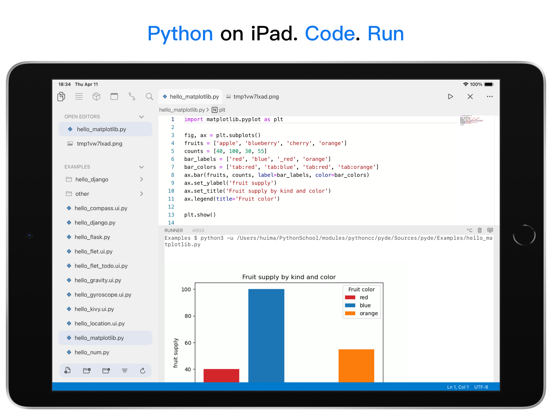
Python3IDE is an offline Python3.7 integrated development environment software with built-in common scientific libraries. It is a powerful helper for you to learn and practice Python.
New: add offline C/C++/PHP/Lua integrated development environment.
【Built-in module】
-tkinter
-turtle
Scientific computing, data analysis and machine learning library
-numpy-1.18.0
-pandas-0.25.3
-scipy-1.4.1
-scikit-learn-0.22.1
-statsmodels-0.11.1
-linearmodels-4.17
-sympy-1.5
-patsy-0.5.1
Visualization library
-notebook-5.7.4
-matplotlib-3.1.2
-seaborn-0.10.0
-plotly.py-4.8.1
-bokeh-2.0.1
-pyecharts-1.7.1
UI library
-kivy-2.0.0
-ipywidgets-7.4.2
Game library
-SDL2
-SDL2_image
-SDL2_gfx
-SDL2_mixer
-SDL2_ttf
-pysdl2-0.9.8
-pygame-2.0.1
Image processing library
-Pillow-7.0.0
-scikit_image-0.16.2
-imageio-2.8.0
-networkx-2.4
-opencv_python-4.2.0.32
Network library
-pycurl-7.43.0.5
-httpie-2.0.0
-requests-2.22.0
-flask-1.1.1
-django-3.0.4
Other libraries
-lxml-4.4.2
-simplejson-3.17.0
-tushare-1.2.48
【Features】
-Automatic association prompts, automatic indentation, and code highlighting.
-Run scripts offline and locally, support input
-Built-in common scientific computing library
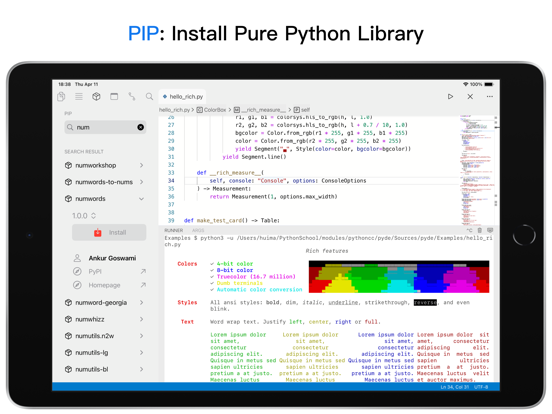
-Support Pip to install third-party libraries (line Python libraries)
-Support Jupyter NoteBook
-Built-in ipynb file previewer, so you can preview quickly without starting Jupyter Notebook service
-Built-in file download management, support background download, you can download many python codes and learning libraries on the Internet at any time, such as github, etc.
-Support file upload, share, download, etc. (via Jupyter Notebook service), support itunes to share documents
-Built-in browser, you can open Jupyter Notebook page directly in this App, or open other web pages
-Support multiple documents, you can open code editors, tutorial documents, interactive interpreters, browsers, etc. in multiple tabs, so that you can read the documents and learn while writing code
-Support Python interactive interpreter, allowing you to enter code while executing
-Built-in many Python learning tutorials, including python, numpy, matplotlib, pandas, scipy, sklearn, data analysis, machine learning, artificial intelligence, etc.
"Auto Subscription Member Instructions"
1. Service name: consecutive year
2. If you purchase an account of an automatic subscription member, your