FrameMovie - Shoot time-lapse

FrameMovie - Shoot time-lapse Summary
FrameMovie - Shoot time-lapse is a with in-app purchases iOS app in Tools by Masakiyo Tachikawa. Released in Jun 2018 (7 years ago). It has 1.00 ratings with a 5.00★ (excellent) average. Based on AppGoblin estimates, it reaches roughly 5.00 monthly active users and generates around $<10K monthly revenue (100% IAP / 0% ads). Store metadata: updated Oct 2, 2020.
Store info: Last updated on App Store on Oct 2, 2020 .
5★
Ratings: 1.00
Screenshots


App Description
Easy conversion of movie to frame-advance movie!
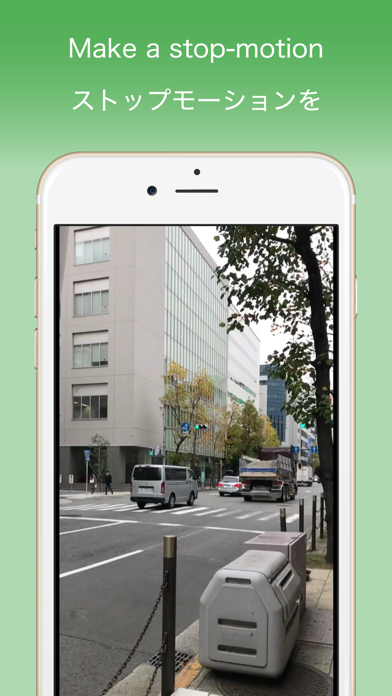
You can convert your favorite movie to a movie like stop motion movie or time lapse with just one button!
This application is available for free, so please try it once!
With simple operation, convert movie to frame-advance movie.
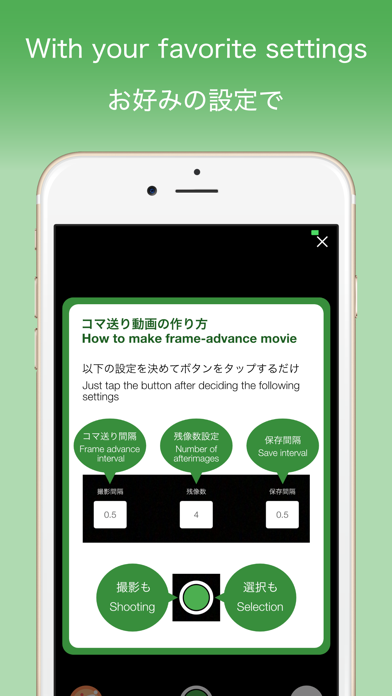
You can specify frame advance from 0.1 second increments.
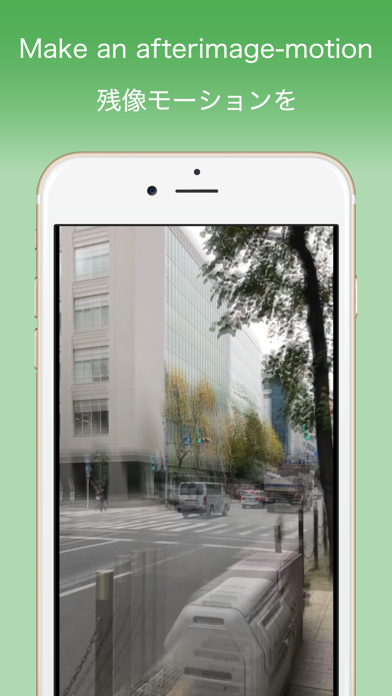
You can also leave the previous image as an afterimage, so you can create a flowing frame-advance movie.
Because it is a movie processing application, you may think that there are many complicated functions. However, since FrameMovie specializes in creating frame-advance movie, it can process movie with simple operation.
Advertisements will be displayed, but I think that you can use it enough for free.
If you want to create more beautiful high-definition movie (1920 * 1080), in-app billing is required.
【Features】
· If you shoot movie, automatically frame-advance movie!
Just tap the button and shoot a movie to create a frame-advance movie.
No complicated operation is necessary. Just by shooting movie with frame feed interval and save interval specified, frame-advance movie can be created.
· A cool movie leaving afterimages!
In addition to creating frame-advance movie, you can also leave afterimages.
You can also create a flowing frame-advance movie by specifying the desired value from the 10th step.
· A movie of camera roll as a frame-advance movie!
In addition to shooting, you can also create a frame-advance movie using the camera roll movie.
· Also reuse when shooting!
You can change the setting and use it as many times as you take a new movie.
You can also re-create by changing the number of afterimages of the created frame-advance movie, changing the frame advance interval and the interval to save.
Monthly billing is required to create high-quality movie (1920 * 1080), but you can use it enough for free, so please try it once.
[About in-app purchases]
Please read before purchasing in-app purchases.
After purchase, no matter what reason, refund can not be canceled.
If you purchase, please confirm the above contents and purchase only if agreed.
[About purchasing automatic subscription]
All saved sizes can be used, and the characters "FrameMovie By FABoLL" at the bottom right of the output video will be removed.
Also, all ads will be removed during the automatic subscription period.
When purchasing, ple