View Source Premier

View Source Premier Summary
View Source Premier is a mobile iOS app in Developer Tools by Andrey Uspanov. Released in Aug 2018 (7 years ago). It has 25 ratings with a 4.04★ (good) average. Based on AppGoblin estimates, it reaches roughly 100 monthly active users . Store metadata: updated Sep 19, 2023.
Store info: Last updated on App Store on Sep 19, 2023 .
4.04★
Ratings: 25
Screenshots

App Description
Welcome to a powerful tool for analyzing and viewing HTML, XML, JavaScript, CSS, JSON, RSS, and ATOM code. Our application provides you with all the necessary tools to work with code conveniently and increase your productivity.
In our application, you will find the following fantastic features:
• Support for Three Types of Devices: Now you can work with the application on iPhone, iPad, and Mac, enjoying an optimal user experience on each of them.
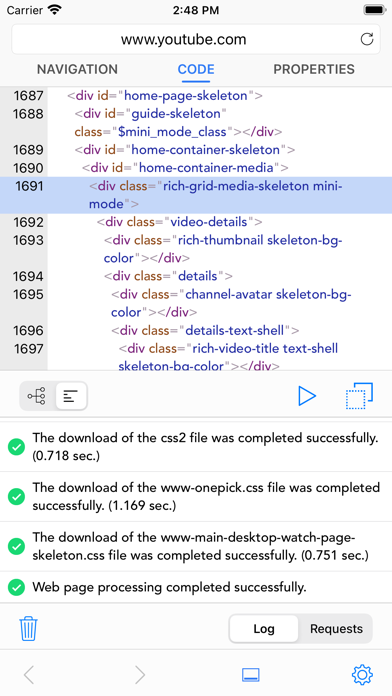
• Intuitive Code Viewing: Easily browse and analyze formatted HTML, XML, JSON, RSS, and ATOM code in both structured and plain text formats, making code interaction more convenient.
• Error Tracking: Our application will help you detect errors in the structure of HTML, XML, JSON, RSS, and ATOM code.
• Built-in Simulator: Effortlessly view web pages in the embedded simulator. You have access to templates of different screen sizes for devices and the ability to create custom device simulators with individual screen sizes.
• Terminal Testing: Conduct web page testing using the terminal to input JavaScript code and get instant results.
• Search: Use the text search or apply regular expressions to quickly find specific locations in the code or content within the simulator.
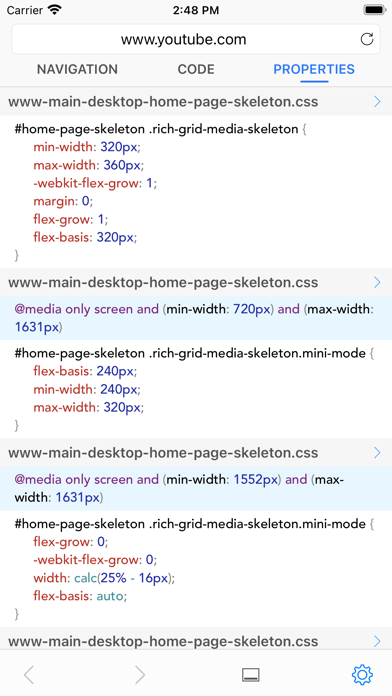
• View Connected Styles: Learn which styles are applied to the selected element of the web page by viewing them in the code or simulator.
• Image Handling: View all known image formats added to the web page or CSS file.
• Request Management: Create unique requests with input support for Method, Headers, Cookies, and Body. Also, view, edit, or re-execute previously made requests.
• Built-in Code Beautifier: Beautify the source code and easily format it using the built-in Code Beautifier tool.
• Detailed Request Inspection: Examine Header and Cookie values from the request response for additional analysis and debugging.
• Request Execution Time Viewing: Obtain information about the time spent executing the request for performance optimization.
• Copy to Clipboard: Copy the entire code, individual sections, or formatted code from all child elements of the selected code structure element to the clipboard.
• Copying Information from Application Panels: Easily copy any displayed information contained in the application panels for convenient data exchange.
• Disk File Opening: Easily open files saved on your disk directly in th