Nozbe

Nozbe Summary
Nozbe is a with in-app purchases iOS app in the Business category, developed by Nozbe.com. First released 5 years ago(Mar 2020), the app has 91 ratings with a 4.82★ (excellent) average rating.
Recent activity: 76 new ratings this week (15 over 4 weeks) with surging momentum. View trends →
Data tracking: SDKs and third-party integrations were last analyzed on Nov 4, 2025.
Store info: Last updated on App Store on Dec 17, 2025 (version 1233).
Nozbe was last scanned for SDKs 2025-11-04. Below is the overview of third party companies detected in the app. The full list of raw SDKs, app permissions and unknown SDKs is available here.
 Facebook
 Sentry.io
4.82★
Ratings: 91
Screenshots




App Description
WHY YOU NEED NOZBE IN YOUR COMPANY?
Because you can work better, faster and with less stress. With Nozbe, you’ll be able to share projects, delegate tasks, communicate in comments, and achieve your goals together. No matter where you are and what device you’re using.
Nozbe - The fastest way to DONE
Communicate effectively, manage & achieve your business goals with our to-do app. Have everything in one place: your personal and team projects, discussions, files & deadlines.
Nozbe is a collaboration and task & project management app for small and medium-sized companies and single users.
KEY FEATURES
- Easy to implement & use - All your team members will quickly get the hang of it.
- Free - Up to 3 active projects and 3 people.
- Available on any device - Nozbe comes as a Mac app + iPhone/iPad app + Web app if needed.
- Works offline - And then seamlessly syncs on all devices when you’re back online.
- Projects → Tasks → Comments → DONE! - Simple structure of shared projects, shared tasks, and comments.
- Incoming view - Where you receive tasks from others, control your deadlines and see where you’re needed.
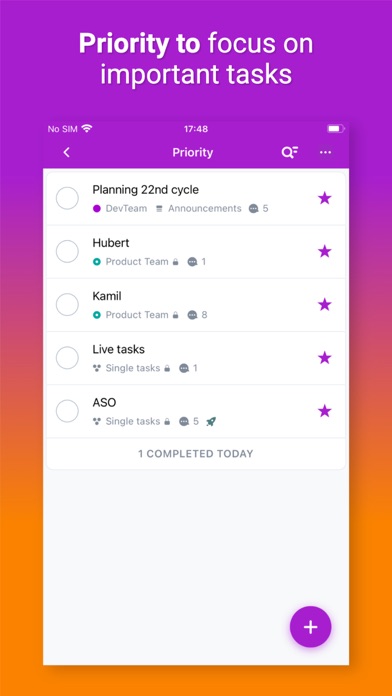
- Priority view - Where you keep the key and most urgent tasks to work on them.
- Activity - To track what’s going on in the projects you want or need to observe.
- Single tasks - For ideas and stuff that still needs shaping up.
- Reminders - To never miss a thing or deadline.
- Tags, project sections & colors and groups - To manage your tasks and projects and save time for actual work.
- Suitable for teams of 100, 50, 5 and 1 - You can use it with your team or as a solopreneur/freelancer.
- Multiple teams - To own or be a part of more than just one team, even a team of 1.
- Joint Projects - To be able to work with people from the outside on a specific project.
- GCal integration - So that you can see your scheduled tasks in your Google Calendar.
- Task Me - To assign single tasks to other people.
- File attachments to comments - To have all the materials related to a given task under one roof and easily accessible.
- Linked tasks - To create chains of tasks and quickly find related tasks.
- Widget - See your Priority tasks on your home screen
WHAT YOU GET
- Collaborate with your team to get your work done – create projects and complete them together
- Communicate through tasks and ditch chaotic emails and chat – use task comment