Shovel - Study Planner

Shovel - Study Planner Summary
Shovel - Study Planner is a with in-app purchases iOS app in the Education category, developed by How To Study Smart, LLC. First released 6 years ago(Jul 2019), the app has 222 ratings with a 3.81★ (average) average rating.
Recent activity: 9.00 new ratings this week View trends →
Store info: Last updated on App Store on Nov 11, 2025 .
3.81★
Ratings: 222
Screenshots



App Description
Become a STRESS-FREE student with TIME-BLOCKING and proper EXECUTIVE FUNCTIONING SKILLS.
**This is only a companion app. Requires account setup on our web platform shovelapp.io**
Shovel is a unique study planner that will help you build a solid foundation for life.
Shovel is the only study planner that will tell you if you can get every task done on time or if you need to adjust your schedule, way before you run into trouble!
SHOVEL FEATURES:
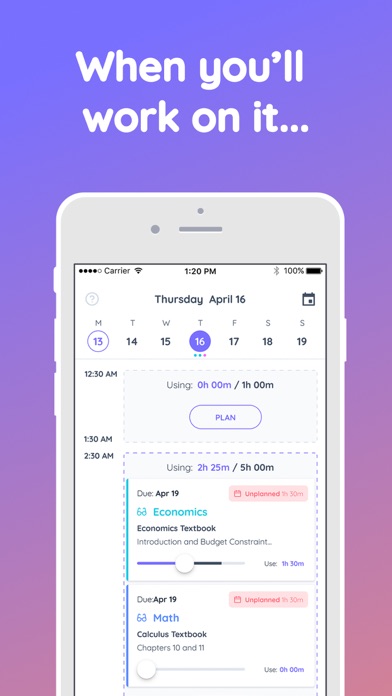
TIME-BLOCKING
• Plan exactly WHAT task you will work on, WHEN, and for HOW LONG.
TIME CUSHION
• Know if you have enough time to get your task done on time, continuously in REAL-TIME.
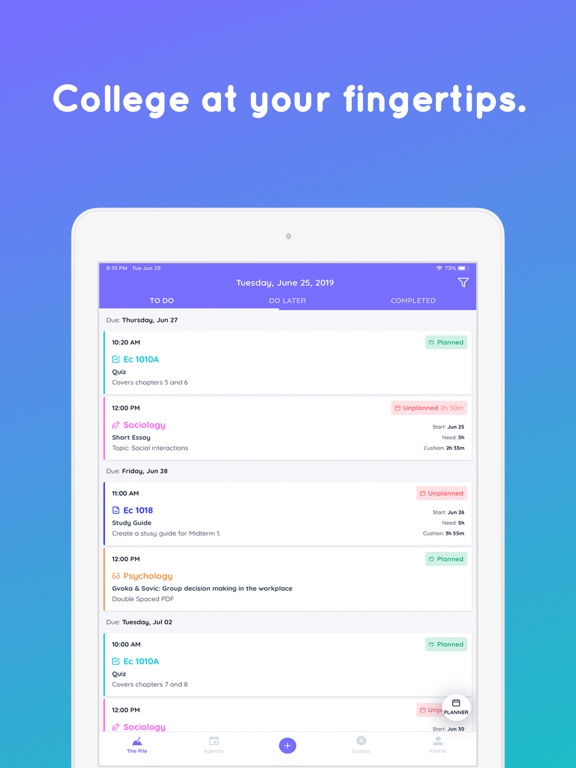
EVERY TASK FROM EVERY CLASS IN ONE PLACE
• Real-time information on every task
• The Time You Have Available
• The Time You Need to Complete Every Task
• Time Cushion Information for Every Task
YOUR IDEAL SCHEDULE
• Build your dream week. Block out the times when you’re busy, including 'Me-Time' for fun and personal activities and see how it affects your study schedule going forward. Shovel will tell you if you can do it all, or if you need to adjust your plan.
ROTATING CLASS SCHEDULE
• Create events that repeat every XX weeks with ease.
DETAILED TASK MANAGEMENT
• Know how long each reading will take (we do the math for you!)
• Estimate how long to study for each exam
• Estimate how long you need for each assignment
• See how changes affect your future study time
• Track your progress on every task
• Move tasks to Completed or Do-Later
• Adjust on the go
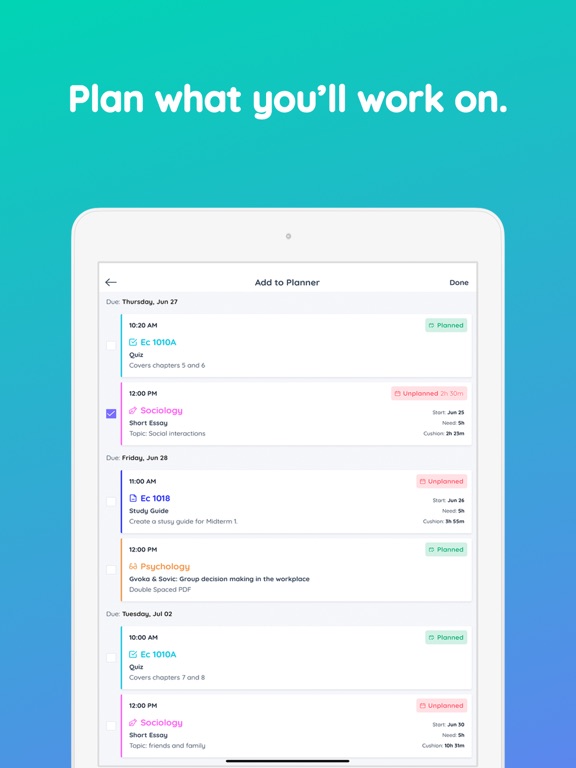
PLANNER ON STEROIDS
• Assign tasks to specific study times
• Know how long you’ll work on each task and when
• See which tasks you haven’t planned or how much of a task you haven’t planned yet
TIMELINE OF EVERY DAY
• See how you use every minute
• Classes, Activities, Meals, Me Time, and Events
• Even the time you spend walking to and from
• Unplanned Study Times
• Planned Study Times (with the tasks you plan on doing)
NOTIFICATIONS
• Never miss a beat. Get notified about the things you have to do, and make sure you record the things you've done.
TIME EVERYTHING
• Use a built-in timer to track time spent on each task
WEIGHTED GRADES
• Know how you're doing in each class by putting in your grades properly weighted based on your grading rubric
CREATE
• Tasks
• Weekly commitments
• Event