My Sun Direct App

My Sun Direct App Summary
My Sun Direct App is a mobile iOS app in Entertainment by Sun Direct. Released in Aug 2019 (6 years ago). It has 20 ratings with a 1.75★ (poor) average. Based on AppGoblin estimates, it reaches roughly 90 monthly active users . Store metadata: updated Nov 17, 2025.
Store info: Last updated on App Store on Nov 17, 2025 .
1.75★
Ratings: 20
Screenshots


App Description
Sun Direct transmits digital satellite television signals across India and become one of the leading players in the DTH space.
This is an exclusive App for all Sun Direct subscribers where they can easily renew subscriptions using PayU / PayTM payment gateways.
Highlights: Key Features that can be used by all Sun Direct App subscribers:
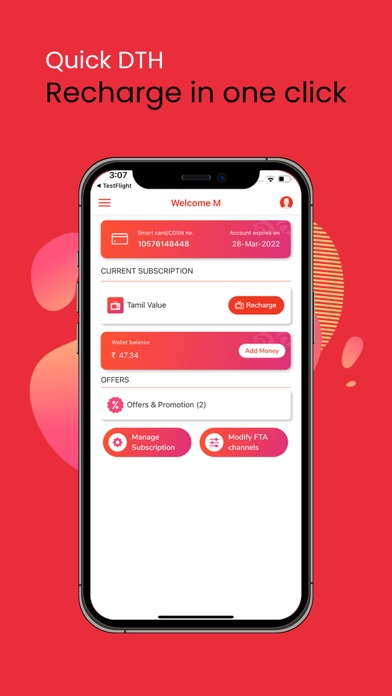
Recharge: Now recharge your My Sun Direct account in a few steps
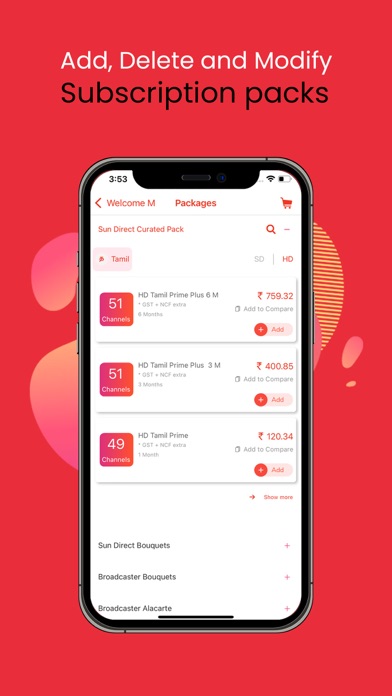
Account Management Process: Manage your My Sun Direct App account - add, delete and modify your subscription packs including add-on and track transactions through the My Sun Direct App
Browse all recharge packages by product and language
· Customers can either select regular packages and add any Add-On pack available
· Consumers can choose individual channels with available A-La-Carte packs
Account Balance: Check our balance and account expire date, you can do a repeat recharge in one click. You can add money in your Sun direct Wallet.
Login: We have a three way of login process enabled with secure verification. Anytime you can change the password and mobile number using OTP.
Manage Subscription: For adding add/drop of new channels and packs, Click Manage Subscription button.
Recommended packs: We provide the recommended packs based on your language and offer eligibility.
Help: We have enabled multiple ways to reach us for any of your requirement. Provided with one number solution 24 x 7, regional level contact no’s, mailing option and even details of your nearest service Centre. All these function are just a tap away. Change plan option for active customers and Frequently asked questions are also available.
Register complaint: For New Complaint, click the Register complaint button and share your complaints. And you can check the complaint status also
Error on screen: For Screen errors, click the Error on screen button and submit for the set top box refresh or create service request.
Transaction History: For Transaction details, click the Transaction History button view the details of the transactions made.
Upgrade STB: For Upgrading your set top box, click the Upgrade STB button and create a service request.
Edit profile: For viewing your profile details, Click Edit profile button. Here you can change your email, mobile number and password.
Settings: To change the mode and language, you can use the settings button.
Search: Sea