FlipKlok: FlipClock & Pomodoro
FlipKlok: FlipClock & Pomodoro Summary
FlipKlok: FlipClock & Pomodoro is a with in-app purchases iOS app in Lifestyle by 志杰 朱. Released in Jul 2020 (5 years ago). It has 9.00 ratings with a 4.89★ (excellent) average. Based on AppGoblin estimates, it reaches roughly 15 monthly active users and generates around $<10K monthly revenue (100% IAP / 0% ads). Store metadata: updated Mar 1, 2026.
Store info: Last updated on App Store on Mar 1, 2026 .
4.89★
Ratings: 9.00
Screenshots


App Description
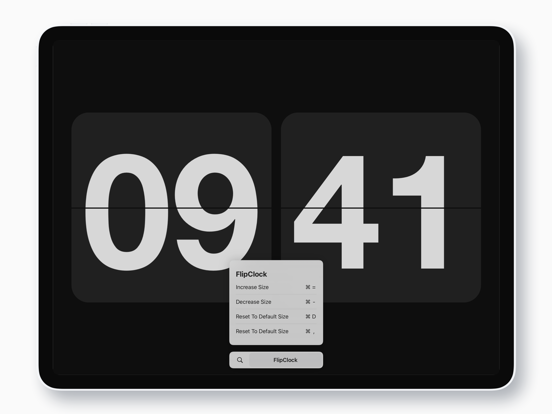
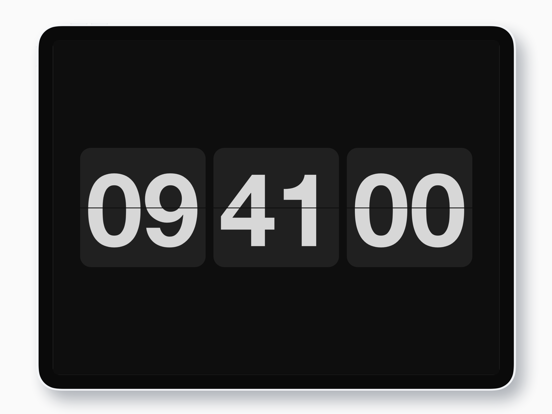
A beautifully crafted flip clock that transforms your device into an elegant desk companion. Inspired by the classic airport departure board aesthetic, FlipKlok delivers authentic page-flip animations, customizable themes, and haptic feedback that brings mechanical beauty to every flip.
Perfect for focus sessions, desk display, or bedside use. With large, readable fonts and full-screen mode, FlipKlok works seamlessly as a screensaver or nightstand clock. Available for iPhone, iPad, and macOS Catalyst—one purchase, all your devices.
— Key Features —
- **Pinch to Zoom**: Adjust clock size with intuitive pinch gestures. Double-tap to reset. Fine-tune font scale in settings.
- **Second Display Styles**: Choose from various stunning second hand effects to match your style.
- **Backgrounds & Textures**: Frosted glass, romantic starry sky, vintage noise textures, and more exquisite materials to choose from.
- **Flip Animation Speed**: Customize flip animation speed from fast to elegant.
- **Themes & Colors**: Light, dark, system, or custom colors. Full color picker and hex code support.
- **Preset Themes**: Curated theme collections with one-tap application.
- **Add Stickers**: Use your system keyboard stickers, or create your own text/image stickers to personalize your home screen.
- **Home Screen Widgets**: Add clock widgets to your home screen. Customize colors, show/hide seconds and date.
- **Clock Display Options**: Toggle seconds, countdown timers, and date display. Calendar integration for date information.
- **Status Indicators**: Display battery level and weather information (temperature unit customizable).
- **Sounds & Alarms**: Authentic flip sounds and alarm system with customizable notifications.
- **Floating Clock**: Floating clock with millisecond precision, perfect for time-sensitive tasks.
- **Display & Rotation**: Portrait, landscape, or system orientation. 12/24-hour format. Always-on display. Seconds toggle.
- **App Icons**: Change your app icon to match your home screen aesthetic.
— Experience & Details —
- **Desk & Bedside Mode**: Place on a stand or charger as a screensaver or nightstand clock. Large fonts remain readable from across the room. Works as a desktop wallpaper and theme.
- **Universal Purchase**: Optimized for iPhone, iPad, and Mac. One purchase, all platforms.
- **Authentic Design**: Realistic flip effects with min