Atomic Metronome

Atomic Metronome Summary
Atomic Metronome is a mobile iOS app in Music And Audio by RT Sixty Ltd. Released in Feb 2021 (5 years ago). It has 148 ratings with a 4.70★ (excellent) average. Based on AppGoblin estimates, it reaches roughly 86 monthly active users . Store metadata: updated Mar 23, 2023.
Store info: Last updated on App Store on Mar 23, 2023 .
4.7★
Ratings: 148
Screenshots
App Description
Introducing Atomic – the atomic clock of metronomes! Atomic is advanced, simple and intuitive. Packed with customisable features and bombproof precision timing control.
Features of Atomic include:
• Click Sequencer - design your own click patterns
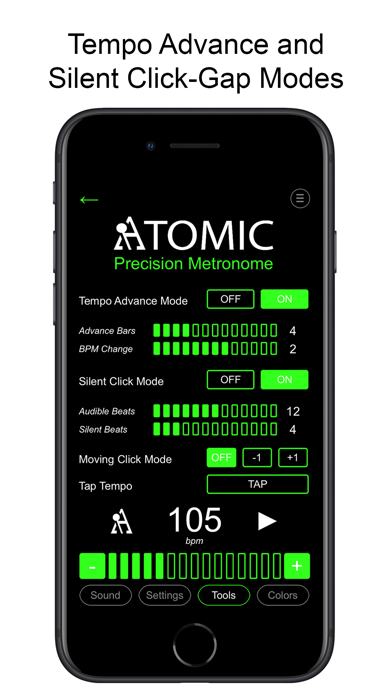
• Tempo Advance mode - auto bpm increase
• Silent Click / Click Gap mode
• Moving click mode
• Save Setlists and click track settings
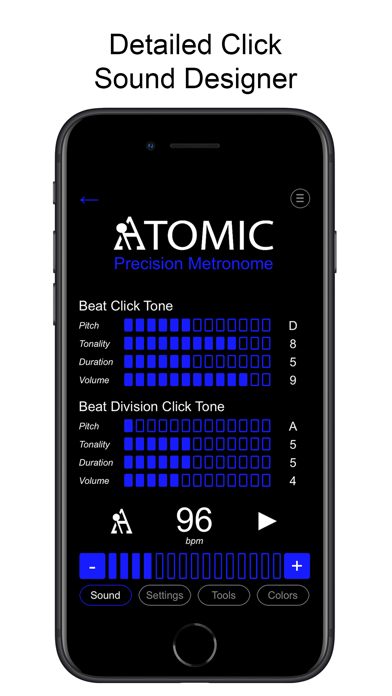
• Detailed Click Sound Designer
• Advanced time signatures
• Fully customisable color schemes
• Tempo range from 10 bpm to 300 bpm
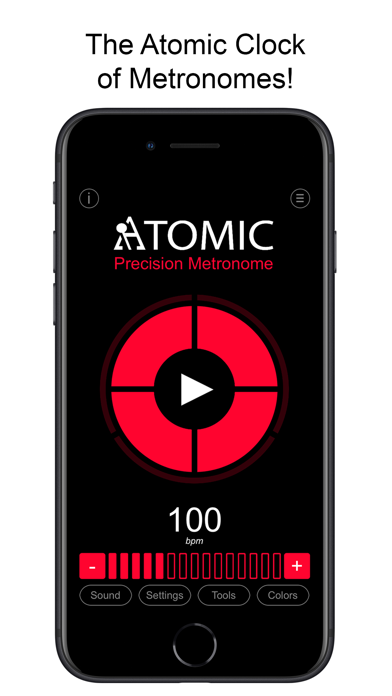
The main metronome display shows the number of beats per bar in the center circle, with beat intervals displayed in the outer circle. The beat and interval segments count in time with the click, giving a novel and intuitive representation of musical measures and time signatures – this is particularly useful if you are working in a complex time signature or if you are new to musical concepts. You can change the tempo (bpm) of the metronome playback from the main display, and the number of beats-per-bar and intervals-per-beat can be selected in the Settings section. You can also design the click sequence by choosing which beats and sub-divisions are audible and a which are muted. From the Settings menu, you can also choose to audibly accent the first beat of each bar, and you can switch off the interval sound and display all together if you prefer a more simple setup.
You’ll most likely want to go straight to the Colors tab and set the Atomic display to your personal color choice. There are also many ways to adjust the sound of Atomic to suit your preference and practice scenario.
If you access the Sounds tab, you can adjust many sonic aspects of the beat and beat division click sounds. Firstly, the musical pitch of the main click and beat division notes can be selected independently from A5 (frequency = 880 Hz) through the musical octave to A6 (1760 Hz). Some people prefer a higher pitch click, whereas other prefer it to be lower, it also depends on the type of music you are practicing and the noise level in your practice room, which may help you decide what settings to use for the click. You can change the tonality of the beat or beat division click from a dull thud to something more musical with harmonic overtones. Equally, you can extend the click duration so it resonates for longer, or shorten it to be quite snappy. The re