Chemical Balancer & Elements

Chemical Balancer & Elements Summary
Chemical Balancer & Elements is a mobile iOS app in Education by Faruk Sinopluoglu. Released in May 2021 (4 years ago). It has 15 ratings with a 4.20★ (good) average. Based on AppGoblin estimates, it reaches roughly 25 monthly active users . Store metadata: updated May 15, 2021.
Store info: Last updated on App Store on May 15, 2021 .
4.2★
Ratings: 15
Screenshots



App Description
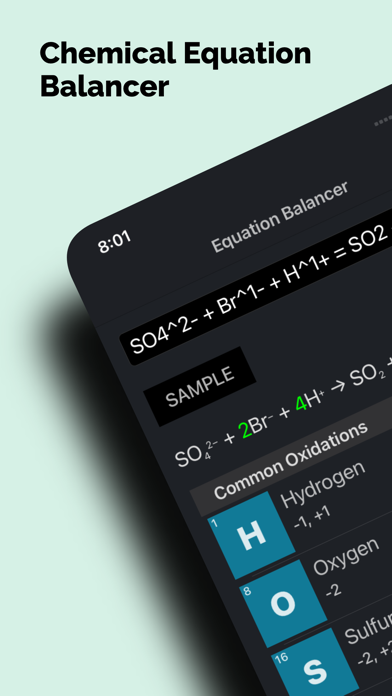
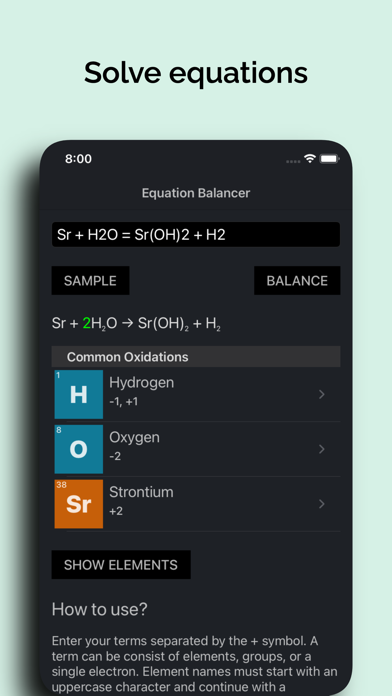
Balance your chemical equations with the Chemical Balancer. Just enter the equation and get the coefficients for it. It supports elements with charges.
Also includes the full list of periodic table elements. Get detailed info about all of the 118 elements. For every element you can see;
- Atomic properties such as electronegativity and oxidation states...
- Physical properties such as boiling and melting points, heat of vaporization...
- Basic info for the elements such as discovery year, and whom it's discovered by...
- A brief description of the element
- List of isotopes.
and lots of other info like CAS number and radioactivity...
How to use?
Enter your terms separated by the + symbol. A term can be consist of elements, groups, or a single electron. Element names must start with an uppercase character and continue with a lowercase character. For example, Fe is a valid input, but fe is not. Use parenthesis to group your elements, e.g., (OH). You can specify the count of the elements, groups, and terms with using a number after them, e.g., Fe2, (OH)3. You can set the charge of the term with the ^ symbol, the value of the charge and the sign, e.g. Fe^2+, F^1-, (OH)^1-. Electrons in the equations is represented with the e letter. The left side and the right side of the equation must be separated with the = symbol.
Some equations cannot be balanced. And some equations have multiple independent solutions, means they are a combination of more than one equation. And some equations can be balanced by adding electrons to the left of the right side.
You can use the Sample button to see some examples to help you enter your own equations.