Stars Blinker
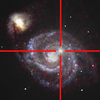
ASO Keyword Dashboard
Tracking 99 keywords for Stars Blinker in Apple App Store
Stars Blinker tracks 99 keywords (no keywords rank yet; 99 need traction). Key metrics: opportunity 70.7, difficulty 39.4.
Tracked keywords
99
0 ranked • 99 not ranking yet
Top 10 coverage
—
Best rank — • Latest leader —
Avg opportunity
70.7
Top keyword: maps
Avg difficulty
39.4
Lower scores indicate easier wins
Opportunity leaders
- 67.8
maps
Opportunity: 73.0 • Difficulty: 44.4 • Rank —
Competitors: 226
- 68.5
changes
Opportunity: 73.0 • Difficulty: 44.2 • Rank —
Competitors: 203
- 67.6
mark
Opportunity: 73.0 • Difficulty: 42.4 • Rank —
Competitors: 163
- 67.0
path
Opportunity: 73.0 • Difficulty: 41.9 • Rank —
Competitors: 182
- 65.1
vision
Opportunity: 73.0 • Difficulty: 40.8 • Rank —
Competitors: 87
Unranked opportunities
maps
Opportunity: 73.0 • Difficulty: 44.4 • Competitors: 226
changes
Opportunity: 73.0 • Difficulty: 44.2 • Competitors: 203
mark
Opportunity: 73.0 • Difficulty: 42.4 • Competitors: 163
path
Opportunity: 73.0 • Difficulty: 41.9 • Competitors: 182
vision
Opportunity: 73.0 • Difficulty: 40.8 • Competitors: 87
High competition keywords
time
Total apps: 189,727 • Major competitors: 2,958
Latest rank: — • Difficulty: 55.0
different
Total apps: 100,105 • Major competitors: 1,703
Latest rank: — • Difficulty: 52.3
save
Total apps: 93,521 • Major competitors: 1,629
Latest rank: — • Difficulty: 53.0
add
Total apps: 90,160 • Major competitors: 1,554
Latest rank: — • Difficulty: 52.8
easily
Total apps: 85,281 • Major competitors: 1,267
Latest rank: — • Difficulty: 52.4
All tracked keywords
Includes opportunity, difficulty, rankings and competitor benchmarks
| Major Competitors | |||||||
|---|---|---|---|---|---|---|---|
| online | 68 | 100 | 52 | 81 73,707 competing apps Median installs: 550 Avg rating: 4.1 | — | — | 1,307 major competitor apps |
| maps | 73 | 100 | 44 | 68 11,891 competing apps Median installs: 450 Avg rating: 3.9 | — | — | 226 major competitor apps |
| changes | 73 | 100 | 44 | 69 13,199 competing apps Median installs: 450 Avg rating: 4.1 | — | — | 203 major competitor apps |
| images | 70 | 100 | 48 | 74 28,261 competing apps Median installs: 450 Avg rating: 4.0 | — | — | 312 major competitor apps |
| date | 69 | 100 | 49 | 77 44,180 competing apps Median installs: 300 Avg rating: 4.2 | — | — | 497 major competitor apps |
| image | 70 | 100 | 46 | 74 27,960 competing apps Median installs: 450 Avg rating: 4.0 | — | — | 305 major competitor apps |
| save | 67 | 100 | 53 | 83 93,521 competing apps Median installs: 650 Avg rating: 4.1 | — | — | 1,629 major competitor apps |
| aimed | 71 | 100 | 34 | 56 2,198 competing apps Median installs: 250 Avg rating: 4.1 | — | — | 16 major competitor apps |
| time | 65 | 100 | 55 | 88 189,727 competing apps Median installs: 450 Avg rating: 4.1 | — | — | 2,958 major competitor apps |
| picture | 71 | 100 | 46 | 72 20,619 competing apps Median installs: 589 Avg rating: 4.1 | — | — | 318 major competitor apps |
| search | 68 | 100 | 52 | 80 61,686 competing apps Median installs: 500 Avg rating: 4.1 | — | — | 980 major competitor apps |
| mark | 73 | 100 | 42 | 68 11,559 competing apps Median installs: 450 Avg rating: 4.1 | — | — | 163 major competitor apps |
| path | 73 | 100 | 42 | 67 10,760 competing apps Median installs: 500 Avg rating: 4.2 | — | — | 182 major competitor apps |
| vision | 73 | 100 | 41 | 65 8,228 competing apps Median installs: 368 Avg rating: 4.1 | — | — | 87 major competitor apps |
| area | 72 | 100 | 44 | 70 16,758 competing apps Median installs: 398 Avg rating: 4.0 | — | — | 207 major competitor apps |
| easily | 67 | 100 | 52 | 82 85,281 competing apps Median installs: 450 Avg rating: 4.1 | — | — | 1,267 major competitor apps |
| allows | 67 | 100 | 50 | 82 80,121 competing apps Median installs: 350 Avg rating: 4.0 | — | — | 658 major competitor apps |
| check | 68 | 100 | 51 | 81 71,580 competing apps Median installs: 600 Avg rating: 4.1 | — | — | 1,279 major competitor apps |
| location | 69 | 100 | 48 | 76 39,863 competing apps Median installs: 400 Avg rating: 4.0 | — | — | 498 major competitor apps |
| back | 70 | 100 | 48 | 76 36,404 competing apps Median installs: 550 Avg rating: 4.2 | — | — | 702 major competitor apps |
| made | 70 | 100 | 49 | 76 36,159 competing apps Median installs: 500 Avg rating: 4.1 | — | — | 576 major competitor apps |
| gallery | 73 | 100 | 40 | 66 8,915 competing apps Median installs: 500 Avg rating: 4.0 | — | — | 104 major competitor apps |
| colors | 72 | 100 | 43 | 69 13,817 competing apps Median installs: 550 Avg rating: 4.1 | — | — | 266 major competitor apps |
| two | 70 | 100 | 46 | 75 31,389 competing apps Median installs: 450 Avg rating: 4.1 | — | — | 436 major competitor apps |
| instruments | 71 | 100 | 35 | 56 2,340 competing apps Median installs: 550 Avg rating: 4.0 | — | — | 27 major competitor apps |
App Description
After shooting pictures of stars clusters, nebulae, galaxies and so on, often you would check if there are changes compared to the “normal" appearance of the photographed area.
To do it, usually you have to search for a picture (or map) of the same area and check brightness and location of each object.
Unless you have a blink comparator that, alternating the vision of two shots obtained at different times, allows to detect and highlight changes or transient phenomena (comets, variable stars, novae and supernovae, asteroids etc.). In the comparator, the sample image and the reference are shown alternately after being aligned with each other. If an object is present in only one of the pictures, it blinks and can be easily found and marked. Instead, if an object has changed position between two shots, during the animation it bounces back and forth, showing the path traveled.
With Stars Blinker you can:
- load pictures from the local Photo Gallery or from your iCloud;
- easily align the two images: just mark the same three stars on each picture and press a button: the sample image is rotated, resized and moved to overlap the reference picture;
- use images made with different instruments (I.e. comparing your picture with snapshots taken from online maps and catalogues);
- manually refine alignment;
- adjust blinking time interval;
- invert colors to compare picture in negative;
- zoom and pan the animation to frame a specific area or to examine in detail the images;
- subtract Reference image from Sample to emphasize any changes;
- insert a mark to highlight the position of a Transient;
- add labels to report subject, date and time of shooting etc.;
- save animations as short movies in your local Photo Gallery.