Elders-Congregation

Elders-Congregation Summary
Elders-Congregation is a mobile iOS app in Tools by Martha Dariela Cavazos. Released in Jun 2021 (4 years ago). It has 4.00 ratings with a 4.00★ (good) average. Based on AppGoblin estimates, it reaches roughly 12 monthly active users . Store metadata: updated May 8, 2023.
Store info: Last updated on App Store on May 8, 2023 .
4★
Ratings: 4.00
Screenshots



App Description
This system was created to assist the elders and ministerial servants in the congregation. The following functions will be very useful to you.
◉ Territory limits (kml)
◉ Function to export all group reports to PDF file.
◉Locations:
You can add the publisher locations and add an icon for each one. So you can see where each of them are at the time of a catastrophe.
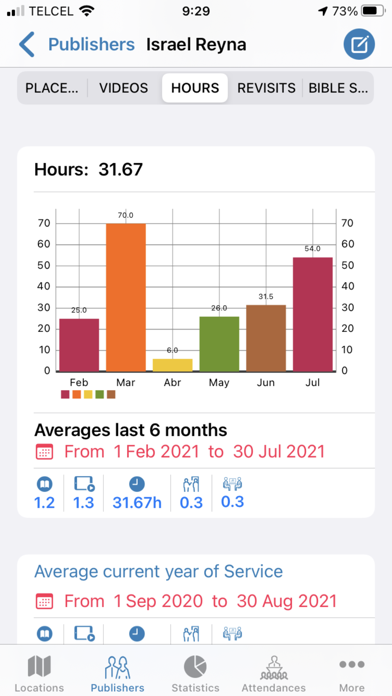
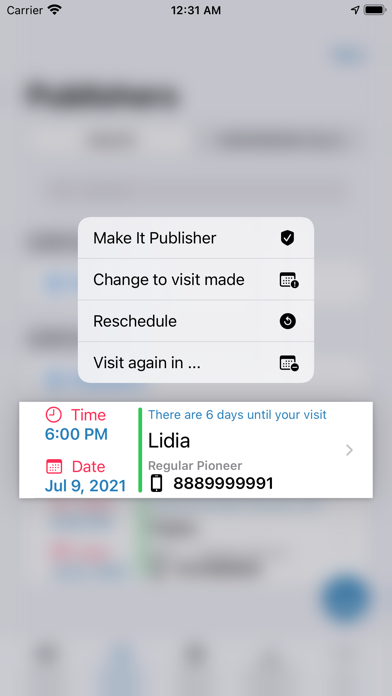
◉Publishers: Add publishers, edit and delete. Add service reports to it, add herding visits to it. Keep a history of those visits and of those service reports.
◉Attendances:
Record attendance, both for sign congregations and for Spanish.
◉Statistics:
Calculate publisher posts, videos, hours, return visits, and courses. You can check it by category (Precursor or Publishers) and you can choose to view the last 6 months or by the month you like from the last 6.
◉Adjustments:
You can customize the application. You even have the option of "Sign Language". Use it and you will see that some things are adjusted for sign congregations.
◉ Added a new function in the "Settings" module to switch languages. Then remove the app and reopen it and ready.
◉ Database Backup and Restore
◉ You can now export publisher reports to a CSV file.
◉ Now you can export the attendances to a CSV New Features:
◉ Now you can export to PDF the total calculations of the Publishers
◉ Now you can export to PDF the total calculations of the Auxiliaries
◉ Now you can export to PDF the total calculations of the Regulars Pionner
◉ Export report in CSV
This is to send to the Secretary so he can import it into his Elders-Congregation app
◉ Import report in CSV
This is to place it in the CSV Reports folder so that the Elders-Congregation app can apply the report to the appropriate publisher automatically.
Note: Remember that these files have to have this simple structure: 0,0,0,0,0,notes.
Where each zero is: publications, videos, hours, return visits, courses, notes.
Do not add any other formatting or styles to it. When there is nothing in any field, put a zero. With the exception of the notes, that can be left blank if there is no note.
◉ Export and Import report in TXT
This is to send to the clerk so he can import it into his Elders-Congregation app
◉ Import report in TXT
This is to place it in the TXT Reports folder so that the Elders-Congregation app can apply the report to the approp