GEMBA Note for Business 6

GEMBA Note for Business 6 Summary
GEMBA Note for Business 6 is a mobile iOS app in Business by MetaMoJi Corporation. Released in Jul 2021 (4 years ago). Store metadata: updated Oct 14, 2025.
Store info: Last updated on App Store on Oct 14, 2025 .
0★
Ratings: 0
Screenshots



App Description
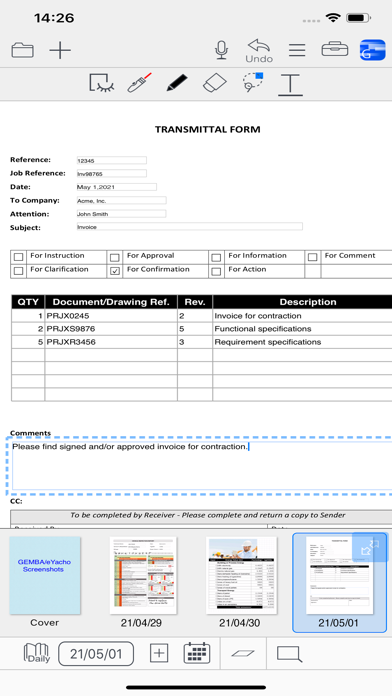
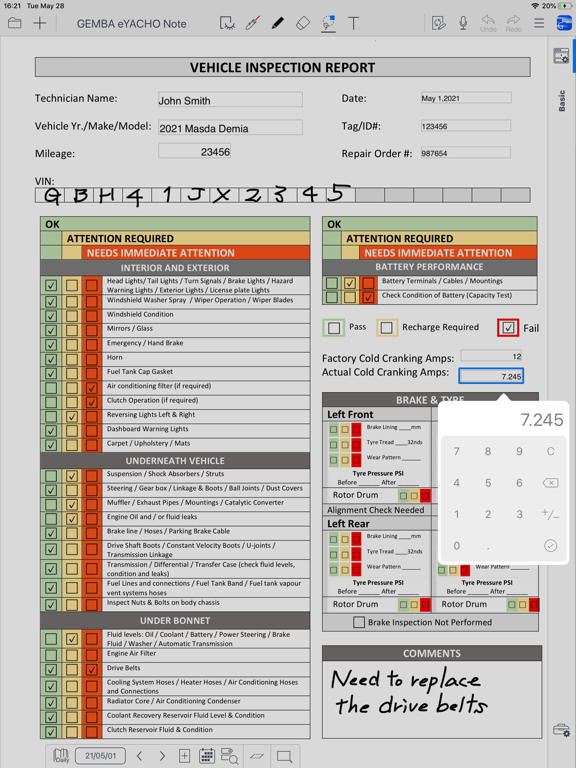
GEMBA Note for Business is a state-of-the-art app that digitizes the paper forms and workbooks used for services and industries involving field-based activities.
◆Dramatically improve the productivity of your team or organization
● Work that could only be done back in the office can now be done in the field.
● Speedy documentation; instant reporting from the field and completion of approvals
◆Improving the quality of work and reducing errors on site.
● Quickly and reliably record handwriting, voice recordings, photos and videos
● Intuitive TODO management helps you manage your tasks
● Diary management allows you to keep track of your schedule and tasks
◆An easy-to-use system that meets the needs of a wide variety of sites
● Create a toolbox of the specific functions you need for your job and share it with your team
● Data linkage with a wide range of equipment and devices
◆Easy and reliable communication in real-time, even at a distance
● Create shared documents where authorized users can collaborate in real-time or on-demand.
◆Helps to identify problems early and avoid risks
● A "management console" can be built to consolidate information on site from the manager's point of view.
● Instantly consolidate reports from the field and issue instructions in real time
Feature Overview:
● Manage approvals using stamps and signatures with management of requests to specific authorizers.
● Add photos of the area or object to be inspected and attach to pins on an imported drawing from PDF or image.
● Maintain a diary with pages automatically timestamped, allowing you to organize and view your records in a calendar view
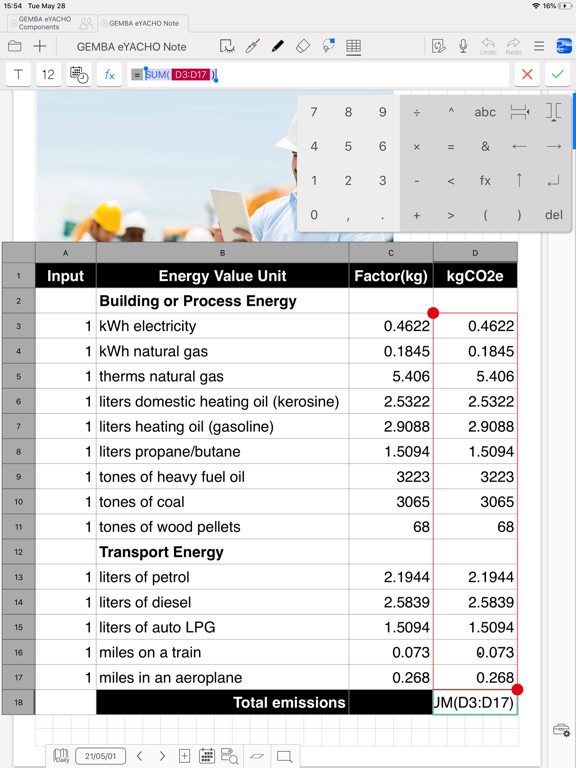
● Using the spreadsheet component enter data, automatically calculate results, and perform analysis
● Capture video and audio quickly. Easily play within your note pages
● Jump to notes taken on a specific day using the calendar view
● Search for target templates or content using tags, enabling to-do lists and much more
● Customize search and filter conditions
● Write, sketch, and draw notes with a variety of pens, paper layouts, and graphics. Includes calligraphy pens and special inks from a vast color palette
● Take photographs using the camera or import existing images straight into your documents
● A vector graphics system (as use