Cephable

Cephable Summary
Cephable is a iOS app in the Productivity category, developed by Enabled Play LLC. First released 4 years ago(Feb 2022), the app has 8.00 ratings with a 5.00★ (excellent) average rating.
Store info: Last updated on App Store on Feb 10, 2026 .
5★
Ratings: 8.00
Screenshots

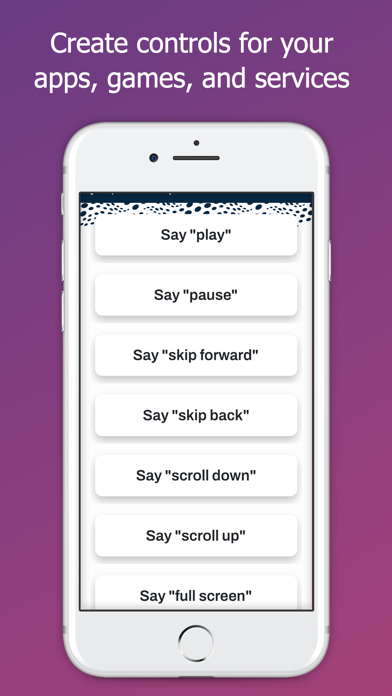
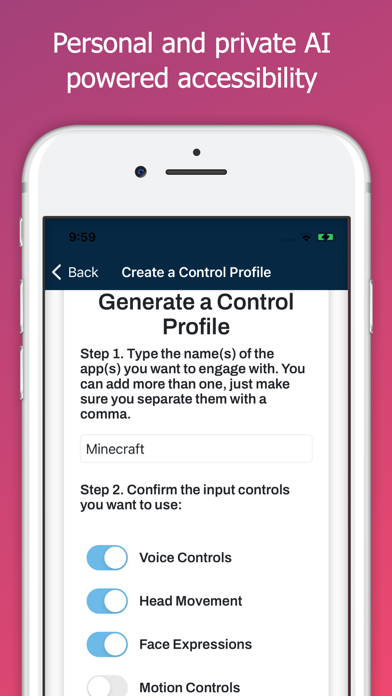


App Description
The Cephable Companion App is your personal AI for hands-free control and productivity.
Control. Create. Automate.
Connect your mobile device to your Mac or Windows computer or console and control your favorite apps using voice commands, dictation, quick actions, and more. Whether you’re multitasking at work, gaming, or creating content, Cephable gives you fast, flexible ways to control your day, across the tools you already use—all with local AI that doesn’t process in the cloud.
Boost your productivity
Control presentations hands-free- Advance slides, open apps, and stay in command of your meeting without ever touching your computer.
Dictate from your phone- Write documents, respond to messages, or update your CRM using only your voice.
Use Quick Actions to streamline your tools- Use personalized shortcuts for everyday apps like Notion, Slack, Chrome, or Excel
Switch apps with a simple voice command- Jump from tabs to tools, from email to editing, all without breaking your flow.
Hands-Free Gameplay
Use voice commands, facial expressions, and Quick Actions to play supported games—whether you're using a keyboard, a controller, or going fully hands-free. Cephable adds new ways to play without locking you into one style.
Privacy is built in, not bolted on
Your voice and video stay local- Cephable never records, streams, or sends your audio or video to the cloud. All inputs are processed on-device—privately and securely.
Your data is yours- Cephable doesn’t use your commands or activity to train models for others. Everything stays private—and your app controls move with you across connections.
Built to empower, not exploit- Cephable is designed to enhance your control—not monitor it. No invasive tracking. No creepy data collection.
Download the Cephable Companion App to add remote dictation and voice input to your setup. Pairs with the Cephable desktop app for Mac and Windows.
Learn more at cephable.com