PianoVa for songs

PianoVa for songs Summary
PianoVa for songs is a with in-app purchases iOS app in Music And Audio by RENKUL, INC.. Released in May 2022 (3 years ago). Store metadata: updated Oct 6, 2025.
Store info: Last updated on App Store on Oct 6, 2025 .
0★
Ratings: 0
Screenshots




App Description
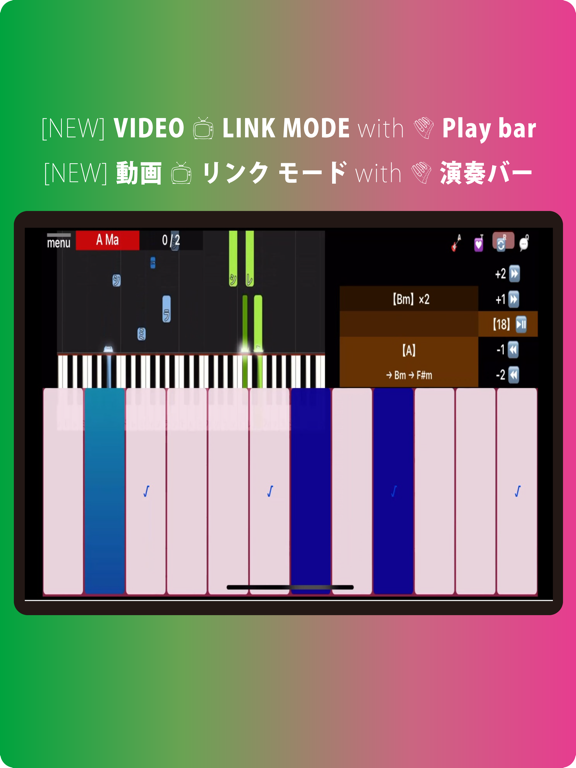
● [NEW] Video link! You can perform in sync with a real piano performance video (with performance bar)!
You can now play chords while checking the sound of an expert's performance, or mute the video sound to check and sample the bars and fingering, making it easy and game-like to play chords with a feeling close to a real performance!
*Speakers will be temporarily switched to mix video audio and instrument sounds. Control Center > MUSIC Please change the speaker as appropriate with the "◎" mark.
◆ Equipped with [AirGuitar] mode.
the song is compatible with [AirGuitar] mode (3000 songs ), the Chord progression will automatically proceed according to the number of times played.
Not only Beginner, it is the best performance support function that even those who have experienced musical instruments can concentrate on singing or other.
◆ Like the piano, it is up from the left in ascending order, and One chord is composed of 12 notes. Demonstrate the expressive power that makes the best use of the wide range of 5 octaves. With just one finger, you can play the glissando of only One chord, which is difficult with a normal keyboard. You can also adjust the length of the keyboard from the menu, making it suitable for people with large fingers.
◆ [Chord-Tambourine] → While it is a simple performance that you just hit a big button at a constant tempo, the composition sound of the sound is automatically changed by the number of fingers you touch, and you can also play "chord glissando ↗" by swiping.
[Air Guitar] Mode Combine with music for unprecedented playing comfort.
◆ Can be fixed to a portrait screen suitable for playing. It is no longer necessary to press Unpin Vertical Screen from the settings on the OS side.
◆ Introduced Reward Ads. Even in the free version, all functions.
◆ Built-in 5 octave x 12 instrument sounds. Immediate scale change by "KEY" ±.
◆ Equipped with a completely original "chord-input-keyboard" that allows you to set almost all "chords" with 2or3 taps with one finger.
Ex.) Press the "C" (Do sound) button twice for [C major,] and press it three times for [C minor]. Or you can intuitively select [Csus4] with "C" + "sus4" and make those sounds.
◆ ± 12 "KEY" button corresponding to "Batch change of chord notation".
* It is also possible to raise or lower only the sound with KEY ± without changing the chord no