Tiles Explorer
ASO Keyword Dashboard
Tracking 81 keywords for Tiles Explorer in Apple App Store
Tiles Explorer tracks 81 keywords (1 keyword ranks; 80 need traction). Key metrics: 0% top-10 coverage, opportunity 70.3, difficulty 42.7, best rank 120.
Tracked keywords
81
1 ranked • 80 not ranking yet
Top 10 coverage
0%
Best rank 120 • Latest leader —
Avg opportunity
70.3
Top keyword: mark
Avg difficulty
42.7
Lower scores indicate easier wins
Opportunity leaders
- 67.6
mark
Opportunity: 73.0 • Difficulty: 42.4 • Rank —
Competitors: 163
- 65.9
displayed
Opportunity: 73.0 • Difficulty: 40.0 • Rank —
Competitors: 71
- 66.3
currently
Opportunity: 73.0 • Difficulty: 45.8 • Rank —
Competitors: 113
- 66.2
position
Opportunity: 73.0 • Difficulty: 40.8 • Rank —
Competitors: 92
- 67.2
amount
Opportunity: 73.0 • Difficulty: 41.9 • Rank —
Competitors: 186
Unranked opportunities
mark
Opportunity: 73.0 • Difficulty: 42.4 • Competitors: 163
displayed
Opportunity: 73.0 • Difficulty: 40.0 • Competitors: 71
currently
Opportunity: 73.0 • Difficulty: 45.8 • Competitors: 113
position
Opportunity: 73.0 • Difficulty: 40.8 • Competitors: 92
amount
Opportunity: 73.0 • Difficulty: 41.9 • Competitors: 186
High competition keywords
time
Total apps: 189,727 • Major competitors: 2,958
Latest rank: — • Difficulty: 55.0
new
Total apps: 182,233 • Major competitors: 3,779
Latest rank: — • Difficulty: 55.7
help
Total apps: 162,255 • Major competitors: 2,471
Latest rank: — • Difficulty: 54.9
track
Total apps: 125,728 • Major competitors: 1,581
Latest rank: — • Difficulty: 52.7
best
Total apps: 124,596 • Major competitors: 2,644
Latest rank: — • Difficulty: 53.9
All tracked keywords
Includes opportunity, difficulty, rankings and competitor benchmarks
| Major Competitors | |||||||
|---|---|---|---|---|---|---|---|
| explore new | 71 | 100 | 37 | 56 2,229 competing apps Median installs: 575 Avg rating: 4.2 | 120 | 120 | 40 major competitor apps |
| best | 66 | 100 | 54 | 85 124,596 competing apps Median installs: 550 Avg rating: 4.1 | — | — | 2,644 major competitor apps |
| new | 65 | 100 | 56 | 87 182,233 competing apps Median installs: 550 Avg rating: 4.1 | — | — | 3,779 major competitor apps |
| level | 68 | 100 | 50 | 79 55,879 competing apps Median installs: 550 Avg rating: 4.1 | — | — | 1,188 major competitor apps |
| health | 69 | 100 | 48 | 77 43,586 competing apps Median installs: 400 Avg rating: 4.1 | — | — | 541 major competitor apps |
| workout | 72 | 100 | 42 | 69 13,906 competing apps Median installs: 483 Avg rating: 4.3 | — | — | 157 major competitor apps |
| within | 68 | 100 | 50 | 80 67,116 competing apps Median installs: 550 Avg rating: 4.1 | — | — | 1,298 major competitor apps |
| option | 72 | 100 | 45 | 71 19,019 competing apps Median installs: 550 Avg rating: 4.0 | — | — | 325 major competitor apps |
| time | 65 | 100 | 55 | 88 189,727 competing apps Median installs: 450 Avg rating: 4.1 | — | — | 2,958 major competitor apps |
| apple | 69 | 100 | 50 | 77 44,752 competing apps Median installs: 792 Avg rating: 4.2 | — | — | 1,181 major competitor apps |
| help | 65 | 100 | 55 | 87 162,255 competing apps Median installs: 450 Avg rating: 4.1 | — | — | 2,471 major competitor apps |
| visit | 70 | 100 | 47 | 75 31,633 competing apps Median installs: 500 Avg rating: 4.0 | — | — | 694 major competitor apps |
| directly | 69 | 100 | 50 | 78 51,983 competing apps Median installs: 400 Avg rating: 4.1 | — | — | 710 major competitor apps |
| explore | 68 | 100 | 53 | 80 67,947 competing apps Median installs: 600 Avg rating: 4.1 | — | — | 1,357 major competitor apps |
| mark | 73 | 100 | 42 | 68 11,559 competing apps Median installs: 450 Avg rating: 4.1 | — | — | 163 major competitor apps |
| track | 66 | 100 | 53 | 85 125,728 competing apps Median installs: 433 Avg rating: 4.1 | — | — | 1,581 major competitor apps |
| around | 69 | 100 | 52 | 78 49,503 competing apps Median installs: 550 Avg rating: 4.1 | — | — | 1,030 major competitor apps |
| moment | 72 | 100 | 44 | 69 14,890 competing apps Median installs: 547 Avg rating: 4.2 | — | — | 257 major competitor apps |
| ios | 70 | 100 | 47 | 76 34,885 competing apps Median installs: 500 Avg rating: 4.0 | — | — | 439 major competitor apps |
| area | 72 | 100 | 44 | 70 16,758 competing apps Median installs: 398 Avg rating: 4.0 | — | — | 207 major competitor apps |
| many | 68 | 100 | 50 | 81 76,848 competing apps Median installs: 500 Avg rating: 4.1 | — | — | 1,349 major competitor apps |
| visited | 70 | 100 | 33 | 52 1,354 competing apps Median installs: 350 Avg rating: 3.9 | — | — | 13 major competitor apps |
| click | 71 | 100 | 45 | 74 26,659 competing apps Median installs: 400 Avg rating: 4.0 | — | — | 275 major competitor apps |
| current | 68 | 100 | 51 | 81 72,990 competing apps Median installs: 700 Avg rating: 4.1 | — | — | 1,490 major competitor apps |
| part | 70 | 100 | 48 | 74 29,289 competing apps Median installs: 400 Avg rating: 4.1 | — | — | 405 major competitor apps |
App Description
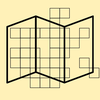
The explorer tiles are based on OpenStreetMap 256x256px tiles on zoom level 14.
What is the point of explorer tiles? Explore the map with your workouts and get the biggest possible square and visit as many tiles as you can!
Check out VeloViewer for further information.
Tiles Explorer will help you to keep track of your explored tiles.
The app covers a map with tiles. There are four tile types (explored, explored and part of the maximum square, not explored, marked).. You can pick which types should be displayed on the map.
Explored tiles are tiles you visited during a workout.
You can also see your current position to check which tile you are currently in and to estimate the distance to the next tile.
There is an option to mark tiles. This can help to keep track which tiles you want to visit next.
Select a color for each tile type (explored, explored and part of the maximum square, not explored, marked) to visualise your tiles.
To mark a tile, just click any and use the star button on the map.
Tiles Explorer shares its database with the app Workout Map.
Import your explored tiles directly from Apple Health with Workout Map or within Tiles Explorer.
There is also an statistics tab to compare your explored tiles over different time ranges.
For the best performance, only a certain amount of tiles are displayed at once. You might need to zoom in on the map to show the tiles.
When moving around the map, it takes a moment to display the tiles for the new visible area on the map.