myReiki: Reiki Timer & Music

myReiki: Reiki Timer & Music Summary
myReiki: Reiki Timer & Music is a with in-app purchases iOS app in the Health And Fitness category, developed by Jordi Martinez Hernandez. First released 2 years ago(Mar 2023),
Store info: Last updated on App Store on Oct 15, 2024 .
0★
Ratings: 0
Screenshots

App Description
If you are looking for an application for your Reiki sessions, music therapy, meditation or yoga, our app will allow you to use our music or that of your device and complement it with one of our bells and use it as a Reiki timer.
One of the greatest benefits of Reiki is that unblocks our flow of vital energy and helps to awaken our defenses thus balancing our mind and our spirit. It is not a healing technique but a natural therapy which helps us to find balance and harmony in life.
A Reiki session lasts about 45 minutes and it really helps people, as they report experiencing feelings of relief and improvement in a multitude of pains and illnesses such as stress, anxiety, muscle pain and even chronic diseases when treated through a Reiki massage.
This is where the 7 main chakras that every person has in their body are involved, they are aligned along the spinal column and it is through which our energy flows. Each chakra is connected physically, emotionally, mentally and spiritually to each of our organs and glands and that is why when one of these is blocked our immunological and emotional defenses decay and physical and mental illnesses occur.
The app is structured in 2 main screens: Main screen and Session screen
1. Main screen:
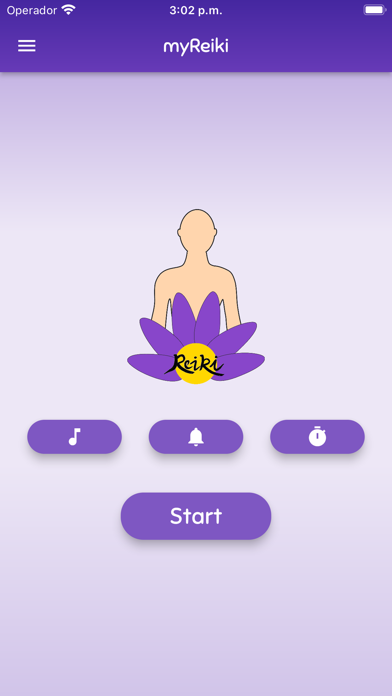
When you start the application you will find the main screen, is composed by:
- 3 buttons to configure the Reiki session (music, bell and time)
- A button on the bottom to enter the session screen
- App menu
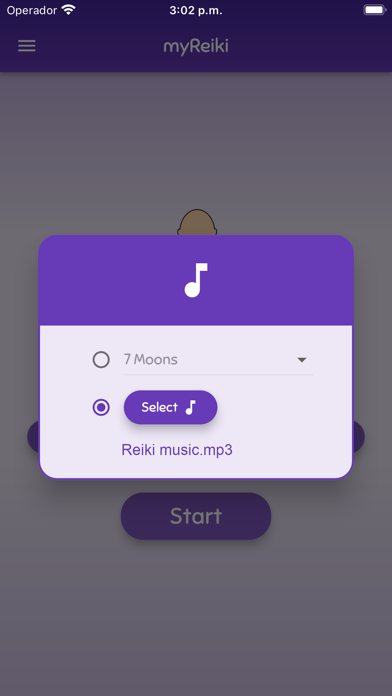
· Music configuration
The first configuration button is for the music, you have the option to choose a bell from the available list or activate the selector and select a song from your device.
Note: In order to access and select music from your own device, you must allow the storage permission when required, otherwise you will have to grant permission manually from the privacy options of your device.
· Bell configuration
In this dialog you can choose a bell from the available list, select the bell interval time and if you want to include vibration or not.
· Time configuration
You can configure the session time with the wheel.
· myReiki menu (upper left corner)
The menu allows you to access the following sections: Settings and Premium version
- Settings
In this dialog you can change the app language, the font as well as the app theme.
- Premium version (in-app purchases)
In this section you can purchase