Lean Value Stream Mapping Rpt

Lean Value Stream Mapping Rpt Summary
Lean Value Stream Mapping Rpt is a mobile iOS app in Productivity by MCS Media, Inc.. Released in Jan 2024 (2 years ago). It has 4.00 ratings with a 5.00★ (excellent) average. Based on AppGoblin estimates, it reaches roughly 16 monthly active users . Store metadata: updated May 24, 2024.
Store info: Last updated on App Store on May 24, 2024 .
5★
Ratings: 4.00
Screenshots


App Description
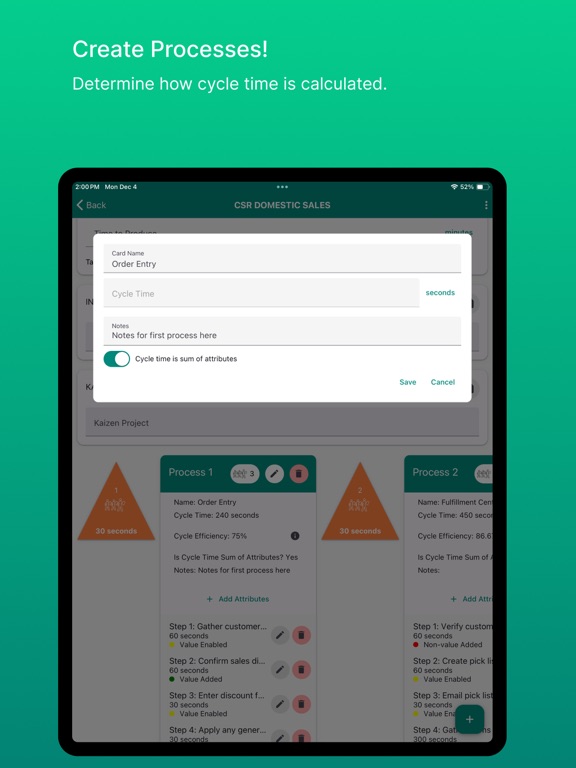
Value Stream Mapping is the visual management and representation of a current and future state for waste identification and elimination relative to common processes, customer, or some other attribute or function (i.e., value stream). This app allows you to document current process attributes of cycle times, number of process workers, QCO, value added, value enabled, or non-value added, type of waste, notes, images, etc. displayed in the appropriate process box. Each process box allows for either the activities/attributes to be summed for a process box total cycle time or the process box can have a single cycle time for all attributes/attributes. Future state maps created from a copy of the Current State map allow for comparisons of value-added times, total cycle times, total lead times, and total delay/queue times. This app provides fundamental information on how to create a value stream map as well as providing the ability to document all process attributes and wastes in a standardized, customizable, and sharable format on the cloud.
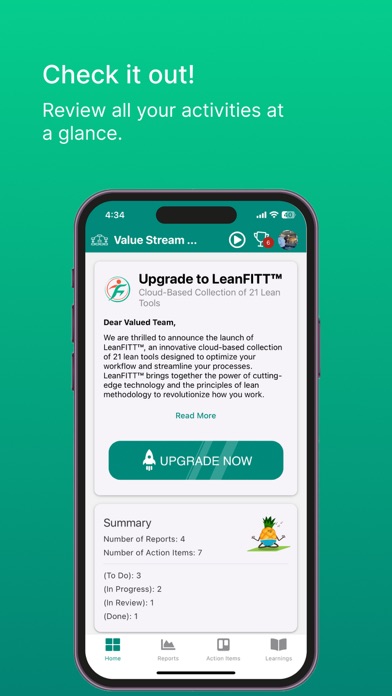
The Dynamic Kanban Action Item Board allows Action Items to be visually managed using 4 “buckets” of To Do, In Progress, In Review, and Done allowing for Assignor to track progress by a simple drag and drop function to each bucket. Emails are automatically sent to Assignee(s) for all Action Items.
The 4 buckets functions as follows:
To Do – The Assignor will create the Action Item and reside there until the Assignee receives the email notification and acknowledges receipt to the Assignor via email or text. The Assignor then moves it to In Progress.
In Progress – The Assignee will work on the Action Item and once completed notify the Assignor. The Assignor then moves it to In Review.
In Review – The Assignor will ensure the Action Item is completed and move it to Done, or if not completed, make comments and move it back to In Progress, and subsequently notify the Assignee.
Done – The Assignor moves the Action Item to Done once they are satisfied that it has been fully completed.
Beyond educational purposes, this app provides suggested activities for creating a customizable and standardized use of a Value Stream Mapping report and Action Item tracking.
This app features:
An overview (Learnings) of the importance of data collection relative to value stream mapping.
A standardized approach and applic