Who Touched My Phone :Guardian
Who Touched My Phone :Guardian Summary
Who Touched My Phone :Guardian is a with in-app purchases iOS app in Tools by Emre Erol. Released in Jul 2023 (2 years ago). It has 334 ratings with a 4.44★ (good) average. Based on AppGoblin estimates, it reaches roughly 532 monthly active users and generates around $<10K monthly revenue (100% IAP / 0% ads). Store metadata: updated Feb 3, 2026.
Recent activity: 2.00 new ratings this week View trends →
Store info: Last updated on App Store on Feb 3, 2026 .
4.44★
Ratings: 334
Screenshots

App Description
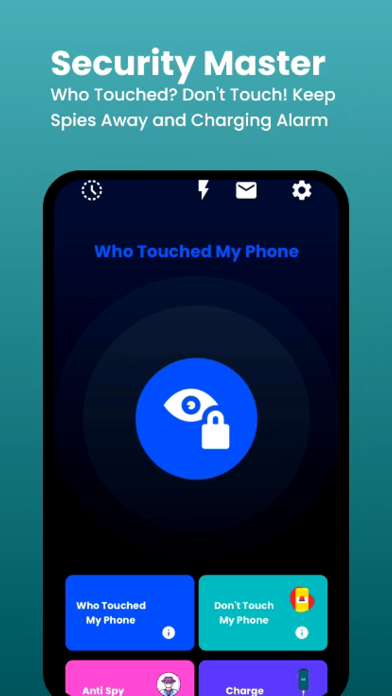
Who Touched My Phone: Guardian helps you protect your phone from unwanted access with smart motion detection and privacy-first security tools. Turn your iPhone into a personal phone guardian and stay in control wherever you leave your device.
Whether you’re at a café, office, gym, or home — instantly know if someone touches, moves, or unlocks your phone.
__________
WTMP – Lockwatch & Intruder Selfies
Wondering who touched your phone or who unlocked it?
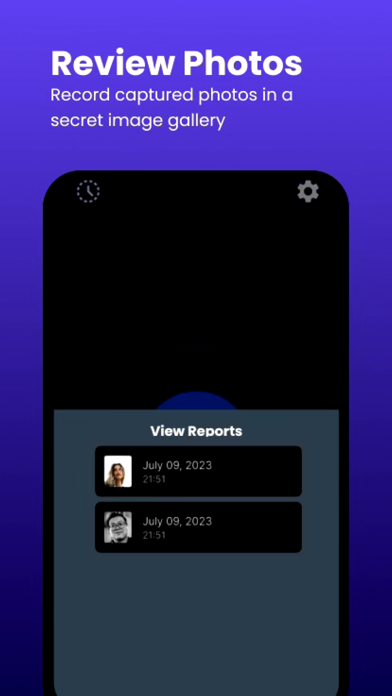
The lockwatch feature automatically captures intruder selfies when someone tries to unlock your phone without permission.
Each event is saved with time and date inside a secure secret vault, protected by your PIN.
All photos and reports stay on your device — no personal data is accessed, stored, or shared.
__________
Motion Alarm – Don’t Touch My Phone
Activate a powerful motion alert to protect your device from theft or unwanted handling.
This antitheft system works like a third eye / hidden eye or smart eye for your phone.
If someone touches or moves your phone, a loud alarm is triggered instantly — and only you can stop it using your PIN.
Perfect for phone security in public places.
__________
Anti Spy Setup – Privacy Checklist
Reduce the risk of spyware, snooping, or unauthorized access.
Anti Spy Setup provides step-by-step guidance to:
• Review app permissions
• Secure system privacy settings
• Prevent unwanted snoop attempts
A simple way to strengthen your mobile security without technical knowledge.
__________
Charge Alert
Enable Charge Alert to trigger an alarm when your charging cable is unplugged.
The alert can only be disabled with your PIN — adding an extra layer of phone security against tampering or theft.
__________
▶ How to Use
WTMP (Who Touched My Phone)
Open the app → tap WTMP → activate → lock your phone.
If someone unlocks it, an intruder selfie is captured and saved.
Motion Alarm (Don’t Touch My Phone)
Open the app → tap Don’t Touch My Phone → activate → place your phone on a surface.
Any movement triggers a loud alert.
Anti Spy Setup
Open the app → tap Anti Spy Setup → Follow the guided checklist to secure privacy and system settings.
Charge Alert
Plug the phone → Open the app → tap Charge Alert → activated. Unplugging the cable triggers an alarm.
__________
Premium Access
Upgrade to premium to unlock all