ezPDF Reader: PDF Reader, Annotator & Form Filler
ezPDF Reader: PDF Reader, Annotator & Form Filler Summary
ezPDF Reader: PDF Reader, Annotator & Form Filler is a with in-app purchases iOS app in Productivity by Unidocs Inc.. Released in Oct 2010 (15 years ago). It has 36 ratings with a 1.47★ (poor) average. Store metadata: updated Apr 24, 2017.
Store info: Last updated on App Store on Apr 24, 2017 .
1.47★
Ratings: 36
Screenshots

App Description
ezPDF Reader is the world's first and only PDF viewer with the embedded multimedia (audio & video) playing capability. Easy annotations and PDF form-filling features are widely used.
For iPad Users, please download the iPad version in AppStore.
https://itunes.apple.com/us/app/ezpdf-reader-pdf-reader-annotator/id407445075?mt=8
For the business use of this advanced technology, content developments or interactive eBook productions, please contact us for our SDK library / API at info@unidocs.com
● High-Quality Text-to-Speech (TTS) Features
- TTS Feature is added with In-App Purchase option. Supporting English, Chinese, Japanese & Korean.
- Please turn off the silent mode to hear from the speaker.
● Multimedia PDF Viewer - Audio and Video
ezPDF Reader is designed specifically for PDF documents and contents, but also able to play multimedia files embedded into PDF. (Multimedia file format must be compatible to your iOS device) It is the perfect solution for PDF based audio/video-enabled eBooks.
● PDF Form Filler
If the PDF file is designed with the PDF-form features, you can simply type in the form field and apply marks on buttons. Import data and export data. Fill out your form, sign, flatten, and then send via email.
● Annotation Features on PDF
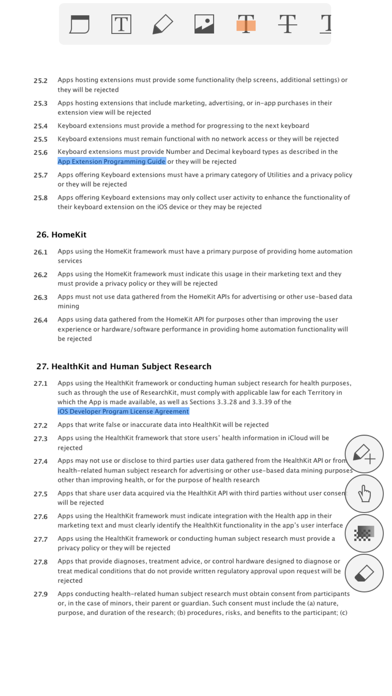
The useful tool to add text in text box and sticky notes; highlight, underline, or cross out texts; draw lines, arrows, rectangles, ovals, free text, image and freehand drawings. Add memo, change color/thickness, resize and move them around as you like. All these comments are compatible with Adobe® Acrobat®. (PC or Mac version)
- Show, import, export and email annotation list
- Flatten annotations
- show and hide annotation toolbar
* Important - In order to use annotations and PDF Form features, you need to change the Viewing mode to "Slow/More" from the settings.
● Customized Viewing
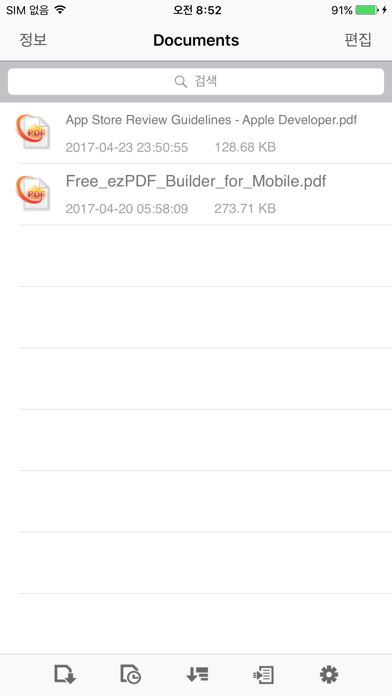
Documents appear as they would be on your PC, but customized to fit your mobile device's screen. Scanned and text based PDFs are all supported, including JPEG2000 and JBIG2 compression. (Must set PDF viewing option as Slow/More from Settings) Select Text Reflow, Fit to Text Column, Copy and Paste text in PDF view and bookmark as you go.
PDF Form to fill in, check buttons, and choose from a list.
Play embedded multimedia files of audio and video files (Must be iOS compatible)
Annotation features - Apply h