Panorama.
Panorama. Summary
Panorama. is a mobile iOS app in Photo And Video by Limit Point Software. Released in Mar 2012 (13 years ago). It has 5.00 ratings with a 1.80★ (poor) average. Based on AppGoblin estimates, it reaches roughly 5.00 monthly active users . Store metadata: updated Jan 22, 2024.
Store info: Last updated on App Store on Jan 22, 2024 .
1.8★
Ratings: 5.00
Screenshots
App Description
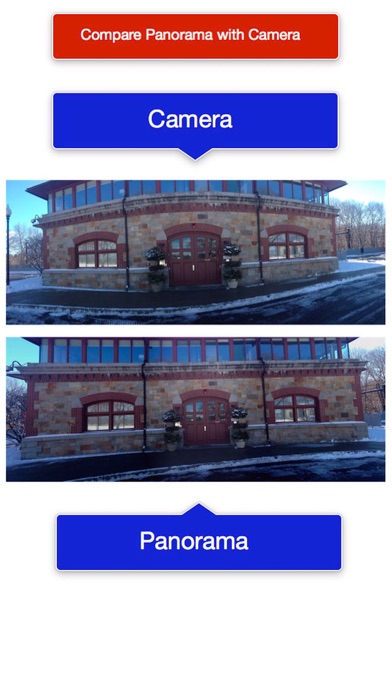
Panorama is a Camera app alternative for photo stitching that avoids curvature of horizontal edges in photos. (See first screenshot for an illustration.) An additional feature not available in the Camera app:
Panorama enables the creation of rectangular panoramas:
The 'Build View' provides a stitcher for an arbitrary set of photos that have overlapping regions for horizontal or vertical stitching (For vertical select 'Build Vertical' to rotate input by 90º left and then result by 90º right, since the stitcher only stitches left to right).
A rectangular panorama is vertical & horizontal stitching combined. (See the third video preview titled 'Rectangular Panorama' for an example.)
In this way you can build two vertically registered panoramas, and then use those to build a horizontally registered panorama (or vice verse): as long as you are careful the photos are aligned for registration.
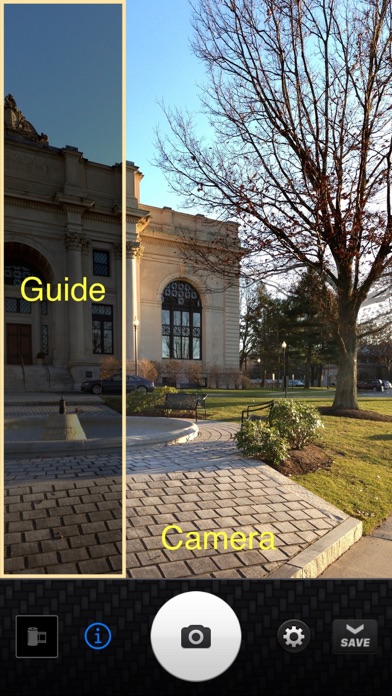
The camera view provides an overlay view of the previous photo taken so that the next photo can be properly aligned with the previous photo. This is important for proper registration when stitching the photos together.
You can create vertical panoramas also: to do this you need first TURN ON the option to 'lock orientation' in the Settings view.
Then the camera guide works as expected for taking your photos for a vertical panorama: In other words you need to prevent the camera view from taking photos in landscape mode. Then the registration guide will appear at the BOTTOM of the view, as opposed to the left side.
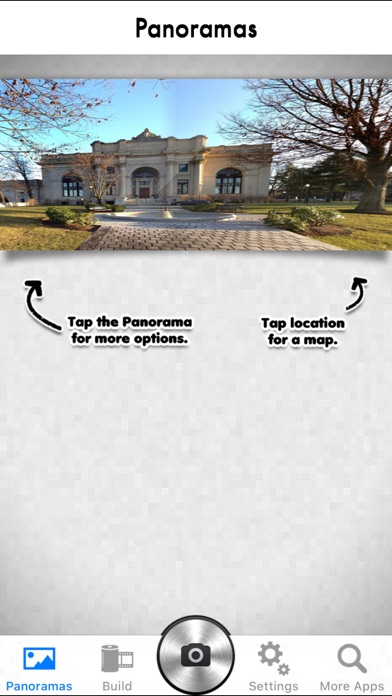
• Use the integrated image editor, in the options menu for all panoramas in the gallery. Enhance, add text, crop and more.
Image editing options: Enhance (Hi-Def, Illuminate, Color Fix), crop, rotate, brightness, contrast, saturation, sharpness, draw, text, redeye, whiten, blemish and meme.
• Build custom panoramas or creatively blend images into photo montages from the camera roll of Photos using the Build pane.
• Use the Build pane to merge two or more vertical overlapping panoramas to easily create 2x2 or 3x3 rectangular panoramas.
• Shoot a scene and save the photos into the gallery for merging later if you prefer. This allows you to save time and battery during a shoot.
• Undo and redo a panorama in the gallery to try different settings or options, such as exposure matching or merge quality.
• High resolution of the 2 an