harpSampler
harpSampler Summary
harpSampler is a mobile iOS app in Music And Audio by Gianluca Natalini. Released in Jul 2012 (13 years ago). It has 2.00 ratings with a 3.00★ (mixed) average. Based on AppGoblin estimates, it reaches roughly 8.00 monthly active users . Store metadata: updated Jan 14, 2026.
Store info: Last updated on App Store on Jan 14, 2026 .
3★
Ratings: 2.00
Screenshots



App Description
"harpSampler" transforms your device into a professional multi-touch harp with sound sampler.
Simply create your own sound sample (an "A" or "LA" note for musical instrument sound or any note for special sounds or special effects):
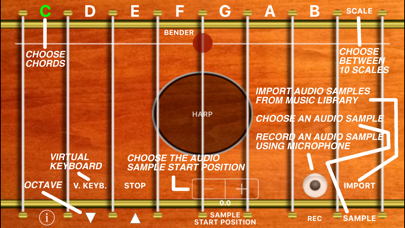
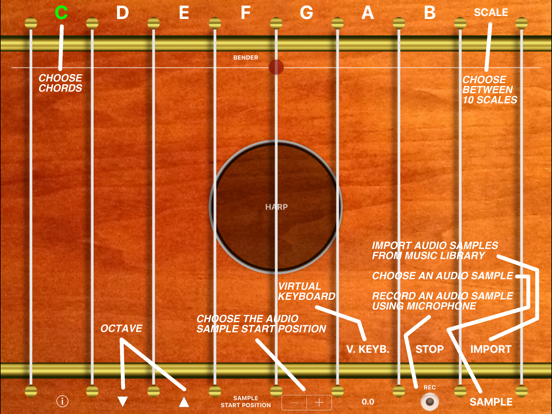
- using the "REC" button of harpSampler (uses the internal microphone of the device to record the sound sample for the harp)
- importing the sound sample that you have created with a wave editor for MAC or PC in your device through iTunes synchronization
- using copy / paste for the audio file you have created using the technology "iTunes File Sharing"
Once imported the sound sample, harpSampler tool will automatically create the complete "Harp" (with 8 octaves). At which point you can play your harp (with the sound created by you or using the default "HARP" sound included in the application bundle), or entertain your friends with a scale of special effects (harp style).
The software is able to read all files / audio samples that are compatible with your portable device (.wav, .mp3, .m4a, .caf, etc ...), you can then create your sound (you only need one audio file) using standard wave editor for Mac or PC, add reverb, chorus, special effects (you can manipulate the sound as you wish), save it in the file format that you prefer and use harpSampler to automatically create the complete musical instrument, to be played like an harp.
Using the "SAMPLE START POSITION" control you can choose the exact play start position of the sound sample ("wave cut").
Using the "REC" button you can record your live performance or record a new sound sample to be assigned to the musical instrument.
Using the different scales (You can choose the scale You want from the "SCALE" menu), you do not need necessarily to be an expert musician to play some beautiful scales with your harp.
Also, using the "chords" control (C, D, E, F, G, A, B) you can choose the chord for your harp or scale ("chords" work together with the "scale") .
With harpSampler You can create the harp of your dreams or, in general, you can create any kind of musical instrument, or special effects generator and play it like an harp!
Features:
- Import any sound, and automatic generation of the musical instrument (8 octaves)
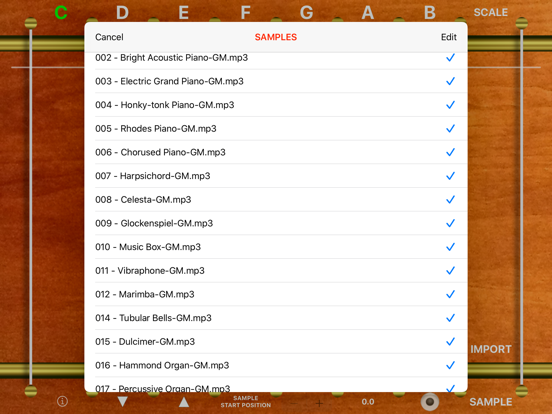
- Storing infinite sounds using the archive of sound samples "Samples Archive" of harpSampler
- Harp multi-touch for live music performances
- Check for increase / decr