Motion Graphics Linearity Move

Motion Graphics Linearity Move Summary
Motion Graphics Linearity Move is a free, with in-app purchases iOS app in Art And Design by Linearity GmbH. Released in Jan 2024 (2 years ago). It has 622 ratings with a 4.36★ (good) average. Based on AppGoblin estimates, it reaches roughly 1.8K monthly active users and generates around $<10K monthly revenue (100% IAP / 0% ads). Store last updated Aug 4, 2026
Motion Graphics Linearity Move SDKs Summary
App not yet scanned for SDKs.
4.36★
Ratings: 622
Screenshots


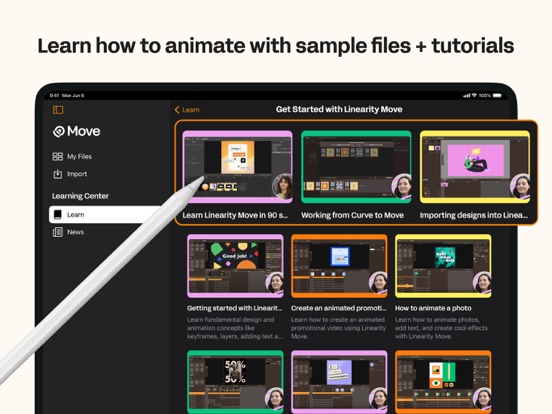
App Description
Bring your ideas to life with motion graphics designed for modern creatives.
Linearity Move is a motion design app for iPad and Mac that transforms static visuals into dynamic animations — fast, intuitive, and built for designers, marketers, and anyone who wants to create professional motion graphics without a steep learning curve.
Whether you're creating motion graphics for brand visuals, social media, explainer videos, or logo reveals, Move gives you everything you need to design, animate, and export — all in one motion design tool.
CREATE MOTION GRAPHICS EFFORTLESSLY
Turn vector art, illustrations, or text into expressive motion graphics in just a few steps. Start with artwork from Figma, Illustrator, Sketch, or Linearity Curve — Move keeps all your layers and groups intact for total control over every element.
Adjust keyframes directly on the canvas to craft your motion design frame by frame. Every change updates in real time so you can fine-tune timing and rhythm as you work.
POWERFUL MOTION DESIGN CONTROLS
From simple fades to complex morphs, Move gives you professional motion graphics tools that feel intuitive.
Morphing: Transform one shape into another for seamless logo or icon animations.
Pinning: Anchor start and end points for fluid, natural movement.
Animation presets: Apply ready-made motion effects with a single tap, then customize every detail.
Custom timing curves: Fine-tune easing with precise numeric controls for a cinematic feel.
Real-time keyframing: Every tweak updates automatically on the canvas.
Add images, videos, and audio with full timeline control over music, sound effects, and voiceovers to create rich motion graphics with sound.
ONE INTERFACE FOR DESIGN AND ANIMATION
Switch between Design mode to edit shapes, nodes, and text, and Animate mode to craft motion graphics with precise control. Import your Linearity Curve files directly to start animating without rebuilding your designs.
No need to jump between separate design and motion graphics apps — everything happens in one intuitive interface optimized for touch and desktop.
MOTION DESIGN FOR EVERYONE
Choose from ready-made motion graphics templates for social stories, ads, product demos, and logo animations to get started in minutes. Every template is fully editable, so you can adapt it to your brand and publish fast.
FLEXIBLE EXPORTS FOR EVERY PLATFORM
Expor