myRemedy: Medicinal plants

myRemedy: Medicinal plants Summary
myRemedy: Medicinal plants is a with in-app purchases iOS app in the Health And Fitness category, developed by Jordi Martinez Hernandez. First released 2 years ago(Feb 2023), the app has 10 ratings with a 4.30★ (good) average rating.
Store info: Last updated on App Store on Oct 15, 2024 .
4.3★
Ratings: 10
Screenshots

App Description
Headache, migraine, cough, flu, hypertension, low blood pressure, obesity, diabetes, sleep problems... are some of the most common symptoms and diseases of our day to day. In myRemedy you can find the most recommended natural remedies to alleviate and treat these problems and thus benefit from natural medicine.
This app will provide you with natural alternatives to traditional pharmaceutical products that will help you alleviate a multitude of health problems, at a lower cost and free of side effects.
The app is structured:
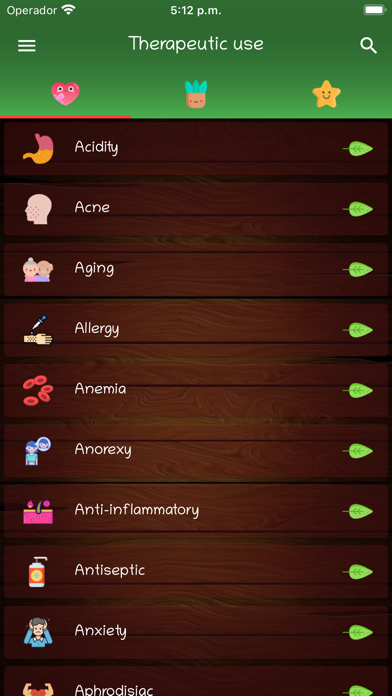
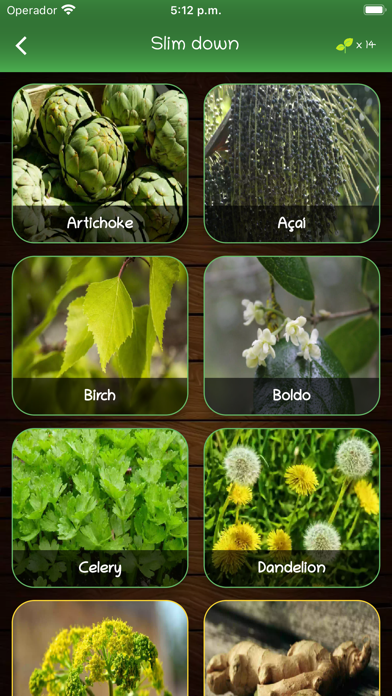
· Therapeutic uses: First tab of the app, here you can find a list of the most common therapeutic uses. Tap on a therapeutic use to access the most recommended medicinal plants to treat and alleviate these problems.
· Medicinal plants: In the second tab you will find a list with all the medicinal plants available. You will be able to know its therapeutic properties, uses and precautions that you must take into account before using them. You can access the information sheet by making a simple tap on a plant.
The information sheet is divided into 4 main tabs: Description, Properties, Uses, Precautions
From the information sheet, you can also:
- Open the plant image by double tapping or long press on the image
- Add or remove it from favorites
- Share its information with your contacts through messaging applications.
· Favorites: Third tab, in this section are saved your favorite medicinal plants so that you can access their information quickly and easily.
You can add or delete a medicinal plant by making a long press on the plant or from its information sheet.
From the 3 main tabs you can access the app search button (located in the upper right corner). Depending on the tab in which you are, you will filter the therapeutic uses, medicinal plants or favorites.
· myRemedy menu (upper left corner)
The menu allows you to access the following main sections: Settings, Relaxation, Source of information and Premium version
- Settings
In this section you can change the app language (English, Spanish, French, German, Italian, Portuguese), the font as well as the app theme.
- Relaxation section
In the 'Relaxation' section we have included slides with relaxing music (Experiences) that will help you disconnect and calm your mind. You can choose between several, such as 'River' or 'Forest'.
- Source of information
You can access the