CAD FastView King: DWG Viewer

CAD FastView King: DWG Viewer Summary
CAD FastView King: DWG Viewer is a with in-app purchases iOS app in Productivity by 镇源 余. Released in Aug 2023 (2 years ago). It has 28 ratings with a 4.18★ (good) average. Based on AppGoblin estimates, it reaches roughly 137 monthly active users and generates around $<10K monthly revenue (100% IAP / 0% ads). Store metadata: updated Jan 21, 2026.
Data tracking: SDKs and third-party integrations were last analyzed on Feb 11, 2025.
Store info: Last updated on App Store on Jan 21, 2026 .
4.18★
Ratings: 28
Screenshots



App Description
"CAD FastView King" is a multifunctional CAD drawing viewing and sharing application that supports a wide range of features, including fast viewing of DWG drawings, PDF conversion and generation, drawing printing, iCloud cloud synchronization, Wi-Fi printing, and more. It can view various formats of drawings such as DWG/DXF/DWT/PDF, and offers features like layer layout, multiple viewing options, and cloud drawing management.
Used by millions of professionals worldwide, including architects, engineers, construction specialists, field technicians, and contractors from various industries. Whether it's mechanical drafting, electrical design, civil engineering, or interior decoration, CAD QuickView King can handle it all effortlessly!
Committed to creating a mobile product that satisfies CAD users globally, CAD QuickView King provides users with high-quality products and services and continually improves product quality while developing more practical features.
Here are the main features of the CAD FastView King application:
1.Fast and efficient:
Rapidly browse mainstream CAD drawings, compatible with various formats such as DWG/DXF/DWS/DWT.
2.Perfect display:
High-definition and multiple zoom levels for viewing CAD drawing information, eliminating issues with Chinese character encoding. Provides layer layouts and multiple viewing backgrounds.
3.One-click iCloud sync:
Easily sync your CAD drawings on iPhone, iPad, and Mac computers.
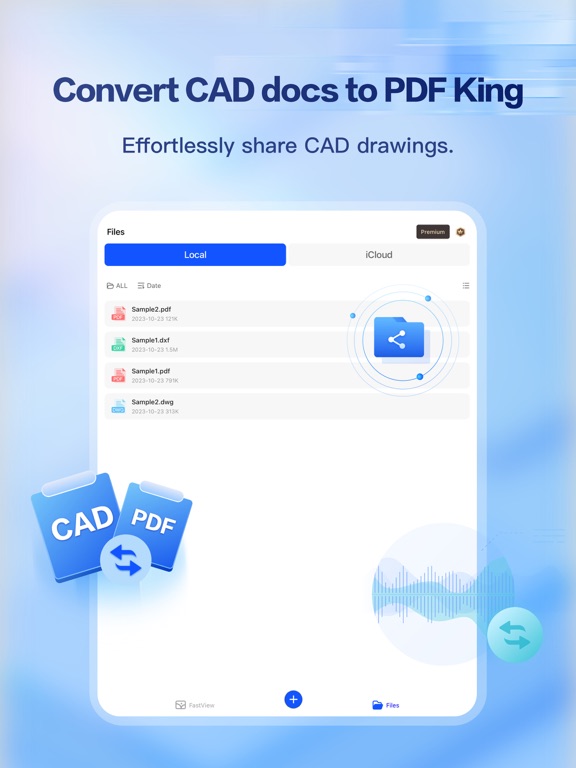
4.Convert to PDF:
Convert CAD drawings to PDF for easier communication and seamless sharing on social media, making CAD drawing exchange hassle-free.
5.Wi-Fi file printing:
One-click printing for convenient and hassle-free operation.
6.Instant feedback:
Professional customer service is available for online inquiries and quick feedback.
----------------------------------
Premium members will enjoy CAD viewing packages, as follows:
1、Import drawings unlimited times;
2、Unlimited high-definition viewing;
3、Unlimited CAD to PDF conversion;
4、Enjoy permanent pop-up ads;
And other functional benefits:
wifi printing, cloud synchronization, etc.;
Subscription period: one week, one month, one year;
Payment: Payment will be made directly through the iTunes account after the user confirms the purchase.
Cancel renewal: If you need to cancel the renewal, please manually turn off the automatic