PDF Reader - Read PDF Files
PDF Reader - Read PDF Files Summary
PDF Reader - Read PDF Files is a with in-app purchases iOS app in the Productivity category, developed by Sanjaykumar Khunt. First released 1 year ago(Jan 2024), the app has 2 ratings with a 5.00★ (excellent) average rating.
Recent activity: 2 new ratings this week . View trends →
Store info: Last updated on App Store on May 15, 2025 .
5★
Ratings: 2
Screenshots





App Description
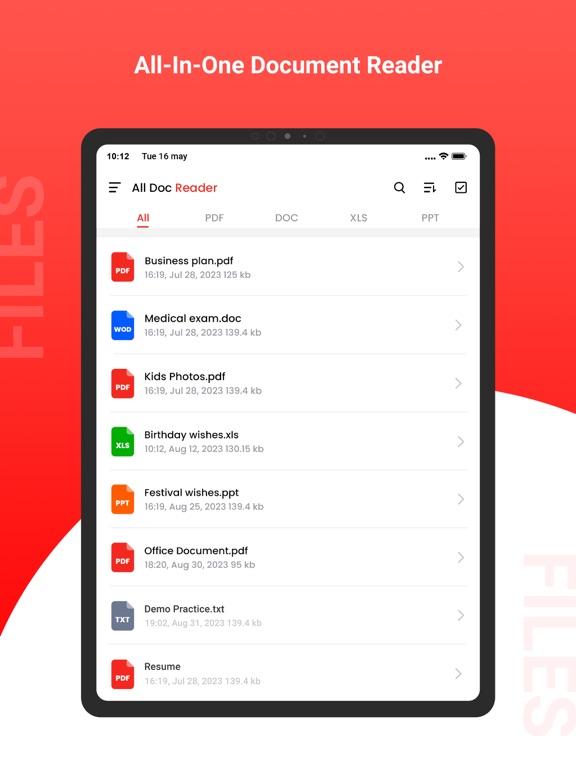
PDF Reader Pro is an all-in-one PDF reader & editor, without downloading multiple Apps, you can get all your PDF works done perfectly in PDF Reader Pro, here comes your almighty PDF tool:
1. PDF Editor: Edit PDF text and images easily on the phone
2. PDF Converter: Magically convert PDF to editable Word files
3. PDF Scanner: Scan paper documents to PDF clearly & quickly
4. PDF Signature App: Sign and fill PDF documents, e-signature is legal & secure
5. PDF Formfiller: Fill in a PDF file directly on the phone without printing or faxing
6. Protect PDF privacy, set the password for your PDF documents
7. Read PDF more easily, Black Mode & Reading Mode for your choice
8. Sync with Cloud documents, all PDF files in one place
9. Add annotations, Merge PDF, Compress PDF, etc
All-in-one PDF tool, Maximizing PDF productivity, The most efficient choice for PDF users!
◆ PDF Reader Pro meets all your PDF needs
"Edit, Sign and Fill PDF"
- Real text-editable PDF editor, more than annotating PDF, edit PDF text like Word
- Add, delete or rotate PDF images freely
- E-sign your PDF smoothly, safest & most secure e-signature
- Sign documents anywhere from any device
- Fill in a PDF file directly on the phone
"Protect PDF documents security"
- Protect PDF documents by adding passwords
- Add watermark to PDF documents
- Safest electronic signature
"All your PDF documents in one place"
- Sync with Google Drive, Gmail, OneDrive, Dropbox, handle all pdf files in one place
- Clearly categorized and well-organized PDF documents
"More highlight features"
- Annotate, highlight, comment PDF
- Merge multiple PDF documents into one PDF
- Organize PDF pages freely
- Compress PDF files to reduce the file size
- Extract text from PDF and images
"Add text to PDF. Type on a PDF"
- Make sure the 'Text' tool is selected. Click anywhere on the PDF page to add text.
"Change PDF text"
- Select the 'Text' tool in the top toolbar. Click any existing text to start editing. Make text bold or italic, change font size, font family and text color.
"Add image to PDF"
- Click the 'Images' menu and select 'New Image'. Select an image from your computer and then add it to the PDF page. You can drag with your mouse to move it, drag on the corners to resize it.
"Fill out PDF forms"
- Click any form field in the PDF and start typing. Form contains no input fields? Select the 'Text' tool to type text