Spkeasy: AAC App for Speech
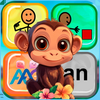
Spkeasy: AAC App for Speech Summary
Spkeasy: AAC App for Speech is a with in-app purchases iOS app in the Education category, developed by AAC Plus, Inc.. First released 8 months ago(Apr 2025), the app has 8 ratings with a 4.75★ (excellent) average rating.
Store info: Last updated on App Store on Nov 26, 2025 .
4.75★
Ratings: 8
Screenshots
App Description
Spkeasy is a revolutionary AAC app designed for children with autism, speech delays, cerebral palsy, Down syndrome, and other communication challenges.
We combine powerful AAC features with fun 3D environments to turn speech therapy into an adventure kids actually look forward to.
Explore Spkeasy app free for up-to 21 days or purchase it for life!
Key Features:
Spkpad: Smart AAC Communication - Our customizable communication system uses color-coded “Spklets” to help children form phrases and express themselves. Word prediction speeds up communication and encourages language development.
Command Center - Caregiver Control Made Simple - Parents, caregivers, teachers, and speech-language pathologists can fully customize the Spkeasy experience — from grid layout to vocabulary access — making it easy to adapt the app for home, school, or therapy.
Interactive 3D Environments - Children explore a fully interactive 3D environment where touching objects teaches real vocabulary. Open a fridge, flush a toilet, turn on lights — every action reinforces language through natural exploration.
3D Avatar Creator - Let kids express themselves by designing a custom avatar with diverse skin tones, clothes, hairstyles, and accessories.
Tons of Mini-Activities - Enjoy quick activities that build vocabulary, early math, and language skills, with gorgeous 3D visuals that make learning fun.
Smart Registration - Set preferences during setup to create a personalized experience tailored to each child’s communication level and needs.
Core Vocabulary + SymbolStix - Spkeasy builds core vocabulary in context, touch an object, and related AAC spklets appear automatically using SymbolStix icons.
Advanced Navigation - Use our Map feature to teleport between rooms and environments, making the app accessible for users with various mobility levels.
Word of the Day - Introduce a new vocabulary word daily to encourage growth, especially for non-verbal and emerging speakers.
Keyboard Mode - Advanced users can type full sentences directly with our integrated keyboard, so perfect for kids who are ready to expand beyond Spklets.
Visual Customization - Adjust Spklet size, spacing, font, background color, and more to match each learner’s sensory needs and preferences.
Analytics - Parents, caregivers, teachers and SLPs have the ability to track their children's progress throu