Frequency Generator (Sound)

Frequency Generator (Sound) Summary
Frequency Generator (Sound) is a with in-app purchases iOS app in Music And Audio by NETIGEN Kluzowicz sp. j.. Released in Oct 2024 (1 year ago). It has 6.00 ratings with a 3.67★ (average) average. Based on AppGoblin estimates, it reaches roughly 42 monthly active users and generates around $<10K monthly revenue (100% IAP / 0% ads). Store metadata: updated Jan 21, 2025.
Store info: Last updated on App Store on Jan 21, 2025 .
3.67★
Ratings: 6.00
Screenshots



App Description
Would you like to generate sounds, test your speakers or tune your instruments? If the answers is yes, download Frequency Genrator!
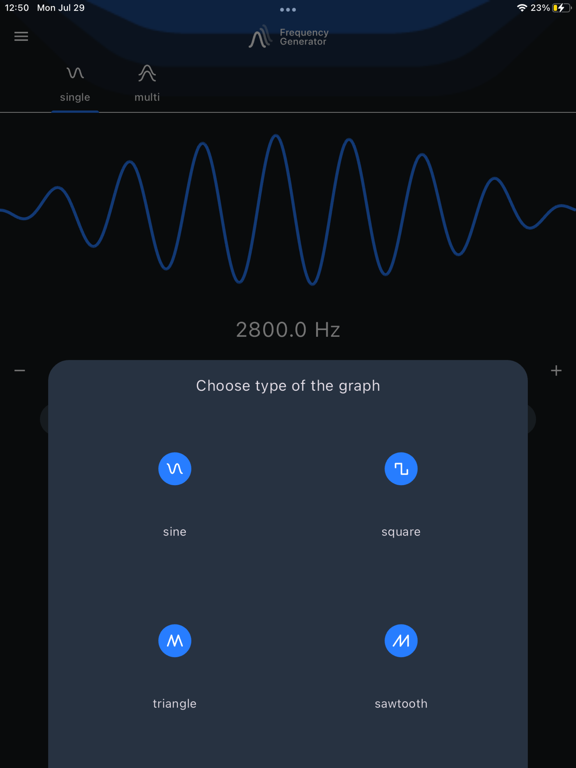
Using this application you can generate sound waves in different frequencies. The player lets you generate a sine, square, sawtooth or triangle sound wave with a frequency between 1Hz and 22000Hz (hertz).
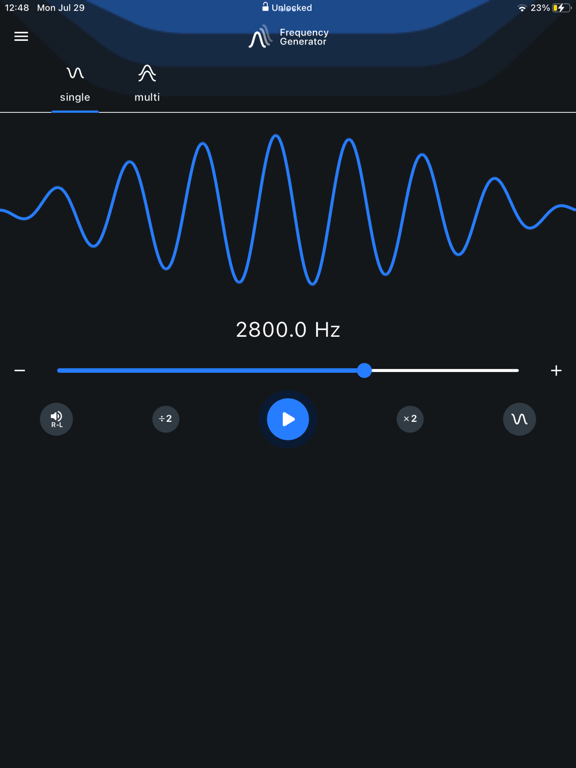
Single Oscillator Mode
Frequency Sound Generator allows you to easily change the soundwaves from the main menu. Simply tap on the sound wave icon and pick between sine, square, sawtooth or triangle.
Adjust the sound generating frequency easily by dragging the dot. Make use of the - & + buttons for added adjusting precision.
Change volume and balance. Tap on the R-L icon.
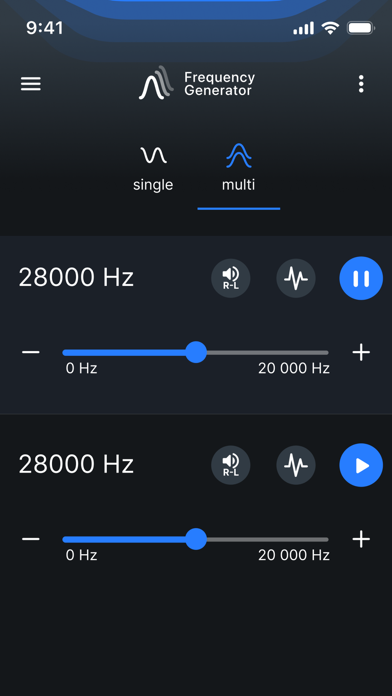
Multi Oscillator Mode
In this mode you can generate in one time three sounds. Set different freqencies, waves and volume.
Theme
Change the colour of your application.
Settings in Frequency Genarator:
- change frequency range slider range to allow you more precision while selecting frequencies,
- enable or disable run in background option,
- choose between two slider scales: linear or logarithmic,
- enable or disable volume booster,
- enable or disable decimal precision up two decimals in case of need for more precise sound generation,
- change +/- button step for even easier adjustments,
- enable or disable show octave buttons in Single Oscillator
- low latency setting enables high-performance low latency audio which makes slider more responsive and eliminates lag. (NOTE: Low latency setting may result in high frequencies on some devices sound inaccurate, especially on higher volume.)
Attention! Please, for the best experience of using the app, use a pair of good quality headphones. Mobile devices are not high-quality audio sources.