Galaxy Invader 1978
Galaxy Invader 1978 Summary
Galaxy Invader 1978 is a mobile iOS app in Games by Rob Wilmot. Released in Jun 2013 (12 years ago). It has 14 ratings with a 4.71★ (excellent) average. Based on AppGoblin estimates, it reaches roughly 33 monthly active users . Store metadata: updated Aug 31, 2018.
Store info: Last updated on App Store on Aug 31, 2018 .
4.71★
Ratings: 14
Screenshots
App Description
"" Retro excellence; a highly accurate emulation of an iconic 70's game.""
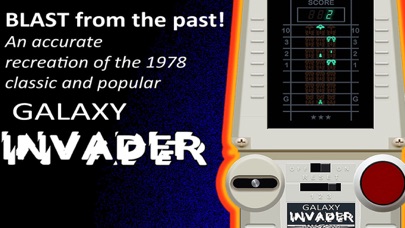
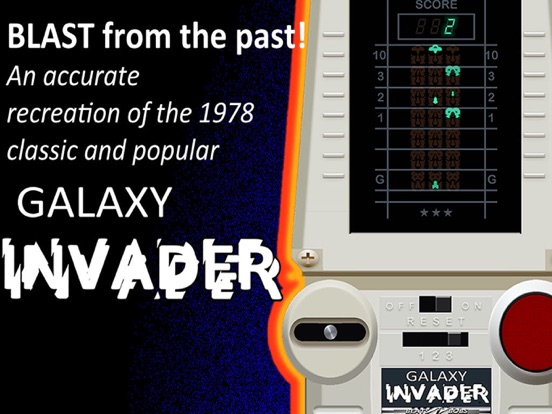
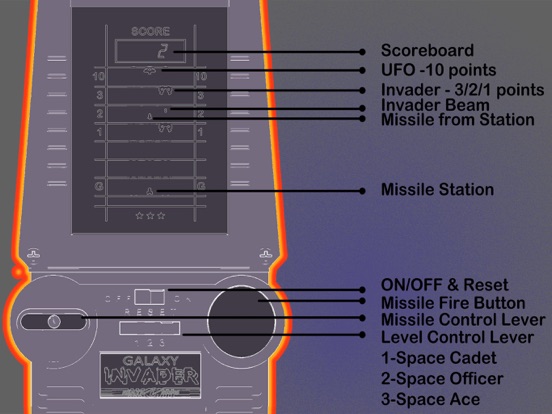
Blast yourself back to the 70's and 80's! When games were simple but still very addictive. An accurate recreation of the VFD LSI game by CGL, Gakken, Tandy and other companies of that time. Fun for all ages with three difficulty levels. All those retro sounds and that vacuum fluorescent display are here. This was a classic and very popular toy back then. Now it is a rare and collectible item but YOU can own it right now!
*Screenshots show the actual app in action and original artwork based on the original packaging. See how close to the real thing it is!
These types of machines were made by companies such as Grandstand, Tomy, Entex, CGL, Tandy, Bandai and Epoch to name but a few.
• Accurate simulation of the classic handheld machine
• Full retro sounds
• 3 difficulty levels
• Simple and addictive
• Totally nostalgic
HOW TO PLAY
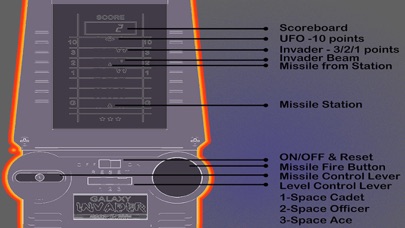
1. Choose one of the playing speeds (1,2,3) slow to fast.
2. Switch on power.
3. Move the missile station lever from side to side and push missile fire button. (UFO; 10 points, Invaders;3/2/1 points).
4. Game ends when all stations are destroyed by invaders or when invaders capture G-zone and raise their hands in victory (maximum score; 199 points).
5. Before playing again, switch off power and choose playing speed.
If using with iCade or compatible controller, press the iCade button on top left and you can now use joystick and red fire(5) button.
NOTE: pressing this without connection to a compatible Bluetooth controller will bring up the keyboard. If this happens just press the button again to turn it off.