SWVY: Seamless Carousel Maker

SWVY: Seamless Carousel Maker Summary
SWVY: Seamless Carousel Maker is a ad-supported, with in-app purchases iOS app in Art And Design by keang david. Released in Dec 2024 (1 year ago). It has 63 ratings with a 4.67★ (excellent) average. Based on AppGoblin estimates, it reaches roughly 257 monthly active users and generates around $<10K monthly revenue (44% IAP / 56% ads). Store last updated Jul 3, 2026
SWVY: Seamless Carousel Maker SDKs Summary
App not yet scanned for SDKs.
4.67★
Ratings: 63
Screenshots
App Description
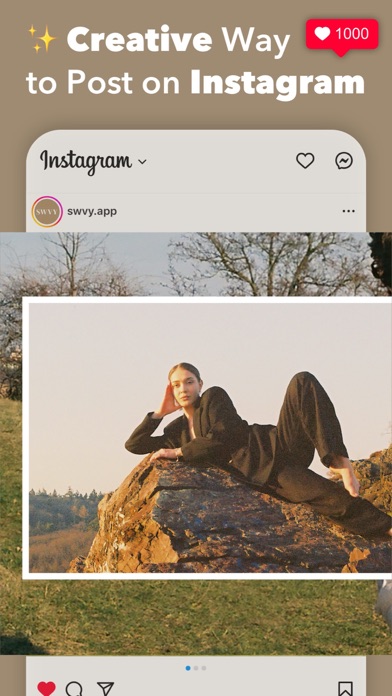
Unlock your creative potential with SWVY, the all-in-one app for crafting seamless and visually stunning Instagram carousel posts. Whether you’re showcasing your unique style, building your brand, or growing your business, SWVY provides you with the tools to design seamless carousel posts like a pro—quickly and easily, no experience required.
Here is our Key Features:
1. Seamless Carousel Posts
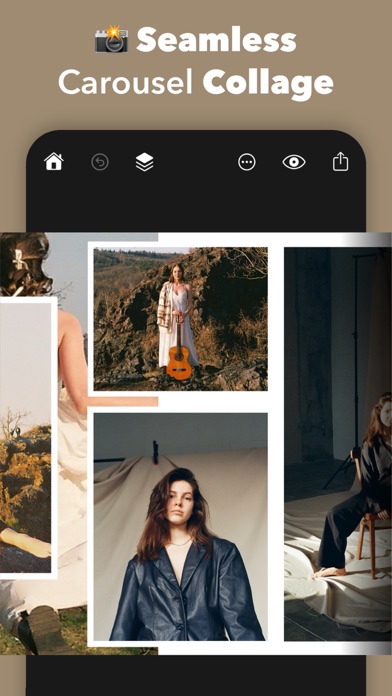
Create visually impressive carousels with aligned slides that flow smoothly, ensuring your posts look cohesive and polished.
2. Carousel Collage Layout Maker
Combine multiple images into stunning, connected designs that stand out, making it easy to craft beautiful and engaging carousel posts.
3. Pre-Made Templates
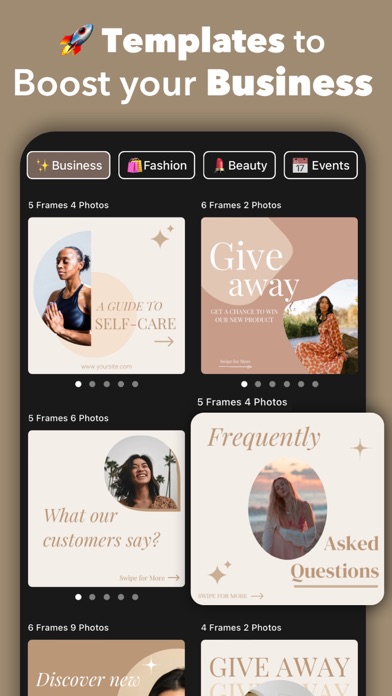
Access a variety of professionally designed templates for tips, guides, promotions, sales, ads, and giveaways. These templates are perfect for boosting your business, attracting customers, and creating impactful content in minutes.
4. Digital Scrapbook Maker
Create scrapbook-style carousels for Photo Dumps, Recaps, or storytelling. Mix photos, text, stickers, and frames for a creative and personal touch.
5. Add Beautiful Fonts
Customize your designs with captivating headlines, engaging captions, or creative messages. Choose from a variety of modern and elegant fonts, and adjust text size, color, and spacing to match your vision perfectly.
6. Stickers & Shapes
Enhance your posts with a wide selection of trendy stickers and customizable shapes that add personality and flair, making your carousels more engaging.
7. Photo Frames
Highlight your photos with Polaroid, film, or paper-style frames to add a stylish and professional look to your carousel designs.
8. Outline Tool
Use outline effects to make text, shapes, or cutouts stand out, drawing attention to key elements in your designs.
9. Drawing & Doodles
Personalize your designs with hand-drawn doodles, underlines, or creative shapes directly on your carousel.
10. Powerful Editor
Refine your work with advanced tools like cropping, resizing, layers, and zoom. This easy-to-use editor allows you to perfect your designs with precision and simplicity.
11. Instant Preview & Easy Sharing
Preview your entire carousel as it will appear on Instagram and share it directly to your feed with one tap.
12. Optimized for iPad
Enjoy a larger canvas and precise controls on iPad for an enhanced and immersive desig