Moniebook Register

Moniebook Register Summary
Moniebook Register is a free iOS app in Business by Moniepoint. Released in Jan 2026 (8 months ago). Store last updated Aug 6, 2026
Moniebook Register SDKs Summary
App not yet scanned for SDKs.
0★
Ratings: 0
Screenshots



App Description
Moniebook Register – The Smart Cashier POS App
Turn your phone or tablet into a complete Point of Sale (POS) system with Moniebook Register, the cashier-facing companion of the Moniebook POS software. Designed for small shops, growing retailers, and large businesses, it helps you record sales, manage payments, and serve customers faster.
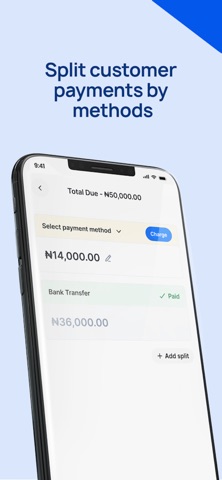
With an easy-to-use interface, cashiers can record sales in seconds, apply discounts, reward loyal customers, and keep track of every order. Moniebook Register supports multiple payment methods including cash, card, and transfer – with the ability to split payments across different methods on a single order.
Pair the app with a bluetooth printer to instantly generate receipts, making checkout seamless for customers. Add sales channels, register new customers, and manage credits directly from the app.
Key Features:
• Turn your phone/tablet into a full POS system
• Record and track sales easily
• Accept multiple payment methods & split payments
• Print receipts via Bluetooth printer
• Add sales channels & customers instantly
• Apply discounts, rewards, and credits
• Designed for both small and large businesses
• Works as the cashier-facing app for Moniebook POS
Whether you run a small shop, supermarket, pharmacy, or retail chain, Moniebook Register makes selling simple, smart, and reliable.
The Moniebook Register features includes:
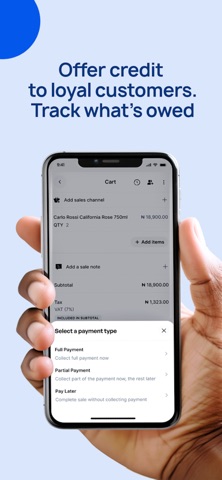
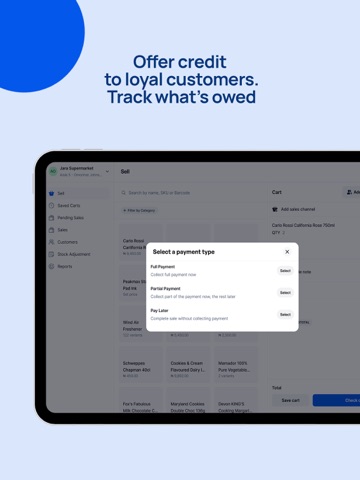
Credit Sales: Offer goods or services without full upfront payment. Track outstanding balances, attach due dates, and link invoices to specific customers. Ideal for businesses that extend credit to trusted buyers. (Configurable per business needs.)
Flexible Discounts: Apply discounts exactly how you want.
• Fixed Amount – Deduct a set amount from the total.
• Fixed Percentage – Automatically reduce the subtotal by a set %.
• Manual Amount – Let cashiers enter the amount at checkout.
• Manual Percentage – Cashiers can apply custom percentage discounts when authorized.
Customer Wallet: Quickly refund or credit a customer after returns. Maintain accurate inventory and financial records by linking refunds to past purchases. Hassle-free returns that make customers and merchants happy.
Bluetooth Printer Support: Print receipts directly from your phone or tablet — no terminals or USB printers required.
Split Payments: Offer flexible