Connecting The Dots Puzzle Pro
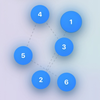
Connecting The Dots Puzzle Pro Summary
Connecting The Dots Puzzle Pro is a mobile iOS app in Games by Pat Belcastro. Released in Dec 2025 (3 months ago). Based on AppGoblin estimates, it reaches roughly 27 monthly active users . Store metadata: updated Dec 4, 2025.
Store info: Last updated on App Store on Dec 4, 2025 .
5★
Ratings: 0
Screenshots
App Description
Connect the numbered dots in order (1 → 2 → 3 → …) to complete each level. Easy to learn, satisfying to master—play at your own pace or race the clock with timed modes. Turn on Extreme Mode to make the dots move and turn up the tension.
Benefits
• Sharpen problem-solving: think ahead, nail the right sequence.
• Boost number sense: count, order, and recognize patterns effortlessly.
• Train deep focus: build concentration and patience dot by dot.
• Grow visual-spatial intelligence: see how small points form the big picture.
• Strengthen memory: link new clues to past knowledge for lasting recall.
• Think bigger: connect scattered info to reveal insights adults call the “big picture.”
• Refine fine motor control: steady hands, precise moves.
• Build confidence: finish challenges, feel the win.
How to Play
• Connect in order: Tap the next correct dot to draw the connection.
• Plan your route: Preview lines help you see exactly where your next link will form.
• Finish the chain: Reach the final number to complete the level.
Game Modes
• Difficulty & Timer: Choose a difficulty that fits your mood. Some difficulties include a countdown timer—keep an eye on the remaining time at the top of the game screen.
• Extreme Mode: Dots periodically move to nearby positions, increasing the challenge. Extreme Mode also uses a shorter timer than other difficulties.
Fine-tune Extreme Mode
• Adjust movement speed: Control how often dots move.
• More → Extreme Settings: Use the “Dot movement speed” slider to set the movement interval in seconds (lower = faster). Range approx. 0.10s (very fast) to 3.50s (slow).
• In-game slider: When Extreme is active, adjust the move interval directly from the Game screen without leaving your level.
Tips
• Scan the board: Find a natural path from 1 → N before you start connecting.
• Short drags help: On harder levels or while dots move, short, deliberate drags make accurate connections easier.
• If layout shifts: After device rotation or window size changes, restart the level to generate a fresh layout.
• If movement interrupts your drags: Increase the interval for slower movement or pause briefly to plan your next few links.
Rules & Feedback
• Order matters: Only the next numbered dot will connect; tapping the wrong dot is ignored.
• Win/Retry: Complete all connections to f