Flick: Smart TV Remote
ASO Keyword Dashboard
Tracking 0 keywords for Flick: Smart TV Remote in Apple App Store
Developer: Arpita Ghosh Category: tools
Flick: Smart TV Remote doesn't have tracked keywords yet.
No keywords tracked yet
We could not generate keyword insights for this app. Add more metadata or refresh the crawl to populate ASO keywords.
App Description
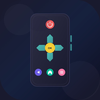
Flick turns your iPhone or iPad into a powerful remote control for your webOS Smart TV. Control your webOS television with intuitive gestures - no more searching for the lost remote!
INTUITIVE TOUCHPAD CONTROL
Navigate your TV just like a laptop trackpad. Move the cursor smoothly, tap to select, and scroll through content with natural gestures. Perfect for browsing apps and web content on your TV.
FULL REMOTE FUNCTIONALITY
• D-Pad navigation with responsive controls
• Volume and mute controls
• Channel up/down
• Media playback (play, pause, rewind, fast forward)
• Power on/off
• Home, Back, and Menu buttons
• Number pad for direct channel input
QUICK APP LAUNCHER
Launch your favorite streaming apps instantly:
• Netflix
• YouTube
• Apple TV+
• Prime Video
• Disney+
• And more...
SMART KEYBOARD INPUT
Type on your TV effortlessly. Search for movies, enter passwords, or browse the web using your phone's keyboard instead of the tedious on-screen TV keyboard.
INPUT SOURCE SWITCHING
Quickly switch between HDMI inputs, cable, and other connected devices with just a tap.
EASY SETUP
1. Connect your iPhone/iPad to the same WiFi as your TV
2. Flick automatically discovers your webOS ( LG ) TV
3. Accept the pairing request on your TV
4. Start controlling!
DESIGNED FOR webOS (LG)
Built specifically for webOS (LG) Smart TVs running webOS. Supports a wide range of webOS TV models from recent years.
PRIVACY FOCUSED
Flick communicates directly with your TV over your local network. No accounts required, no data collected, no cloud servers involved.
BEAUTIFUL DARK INTERFACE
Elegant dark theme designed for comfortable use in dimly lit rooms while watching TV.
REQUIREMENTS
• webOS (LG) Smart TV
• iPhone or iPad running iOS 17+
• Both devices on the same WiFi network
• "webOS/LG Connect Apps" enabled on your TV
Download Flick now and never lose your remote again!
INTUITIVE TOUCHPAD CONTROL
Navigate your TV just like a laptop trackpad. Move the cursor smoothly, tap to select, and scroll through content with natural gestures. Perfect for browsing apps and web content on your TV.
FULL REMOTE FUNCTIONALITY
• D-Pad navigation with responsive controls
• Volume and mute controls
• Channel up/down
• Media playback (play, pause, rewind, fast forward)
• Power on/off
• Home, Back, and Menu buttons
• Number pad for direct channel input
QUICK APP LAUNCHER
Launch your favorite streaming apps instantly:
• Netflix
• YouTube
• Apple TV+
• Prime Video
• Disney+
• And more...
SMART KEYBOARD INPUT
Type on your TV effortlessly. Search for movies, enter passwords, or browse the web using your phone's keyboard instead of the tedious on-screen TV keyboard.
INPUT SOURCE SWITCHING
Quickly switch between HDMI inputs, cable, and other connected devices with just a tap.
EASY SETUP
1. Connect your iPhone/iPad to the same WiFi as your TV
2. Flick automatically discovers your webOS ( LG ) TV
3. Accept the pairing request on your TV
4. Start controlling!
DESIGNED FOR webOS (LG)
Built specifically for webOS (LG) Smart TVs running webOS. Supports a wide range of webOS TV models from recent years.
PRIVACY FOCUSED
Flick communicates directly with your TV over your local network. No accounts required, no data collected, no cloud servers involved.
BEAUTIFUL DARK INTERFACE
Elegant dark theme designed for comfortable use in dimly lit rooms while watching TV.
REQUIREMENTS
• webOS (LG) Smart TV
• iPhone or iPad running iOS 17+
• Both devices on the same WiFi network
• "webOS/LG Connect Apps" enabled on your TV
Download Flick now and never lose your remote again!