myMoney - Expense Tracking

myMoney - Expense Tracking Summary
myMoney - Expense Tracking is a with in-app purchases iOS app in the Finance category, developed by astrovicApps. First released 12 years ago(Feb 2014),
Store info: Last updated on App Store on Jul 24, 2024 .
0★
Ratings: 0
Screenshots


App Description
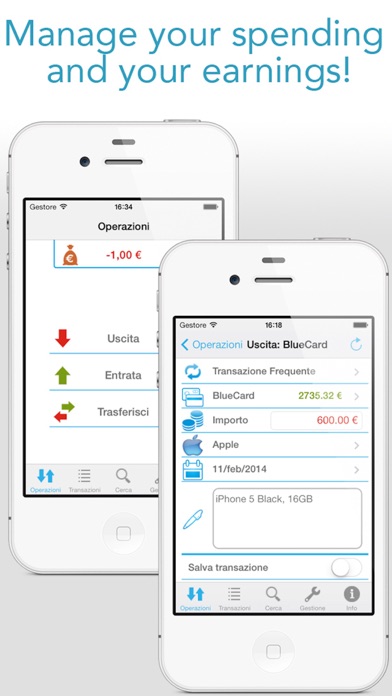
Easily manage your accounting!
myMoney is the application that helps you organize your accounting in an intuitive and fast way!
In just a few simple steps, you can password protect all your movements, view reports, statistics, graphs and send them by email, search transactions by filtering results, create custom categories, detailed and personalized PDFs, backups, Excel exports, Dropbox...
Moreover, it is compatible with aBill, so you can import all your receipts!
Here is a list of myMoney features:
OPERATIONS:
* Total account balance, divided by date
* Record Expenses and Income:
- Frequent transactions (insert, create, modify)
- Method (card, cash, other accounts..)
- Amount (updateable exchange rate and calculator)
- Category (customizable names and icons)
- Date (even future)
- Notes
* Perform money transactions between cards, cash, or other accounts
- Possibility to also perform transactions with negative amounts.
* Import data from aBill
TRANSACTIONS:
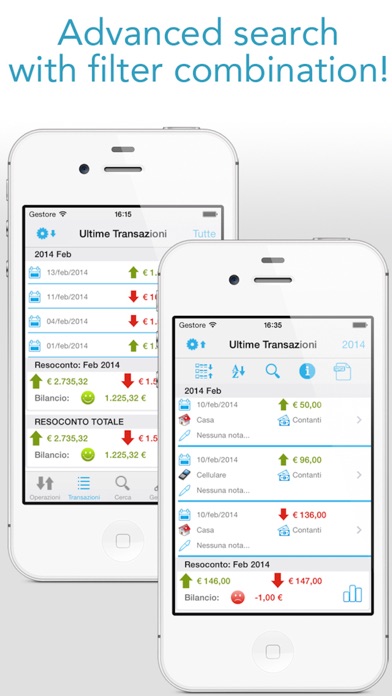
* List of transactions
* Monthly, annual and total reports and statistics
* Schematic statistics, sortable by name or amount
* Detailed, dynamic and clickable pie charts
* Send charts by email or through iTunes
* Detailed preview of transactions
* Complete detail of each individual transaction
* Modify or delete each individual transaction
* Transactions and Statistics in PDF format (Full Version)
* View, share, print transactions in PDF, CSV and XML Excel (Full Version)
* Search transaction within those displayed
* Number of latest transactions to display
* Ascending or descending chronological sorting
SEARCH:
* List of transactions filtered by:
- Category
- Method
- Type (income, expense, all)
- Notes
- Exact date
- Date range
* Info on the number of transactions found
* All operations performable from LAST TRANSACTIONS
MANAGEMENT:
* Cash management (modify amount)
* Management of cards or other accounts... (add, modify name and amount, delete)
- Simple instructions for credit card
* Perform money transactions between cards, cash, or other accounts
* Category management (modify, add, choose predefined or personal icons)
* Data Import and Export
- Instructions and suggestions for backup and synchronization
- Export backup files via iTunes
- Import backup files via iTunes
- View, share, print transactions in CSV Excel and XML Excel, also via email and iTunes (Fu