QueuePad for Customer Waitlist

QueuePad for Customer Waitlist Summary
QueuePad for Customer Waitlist is a free, with in-app purchases iOS app in Business by Ivant Technologies and Business Solutions, Inc.. Released in Mar 2015 (11 years ago). It has 18 ratings with a 4.11★ (good) average. Based on AppGoblin estimates, it reaches roughly 55 monthly active users and generates around $<10K monthly revenue (100% IAP / 0% ads). Store last updated Mar 13, 2024
QueuePad for Customer Waitlist SDKs Summary
App not yet scanned for SDKs.
4.11★
Ratings: 18
Screenshots
App Description
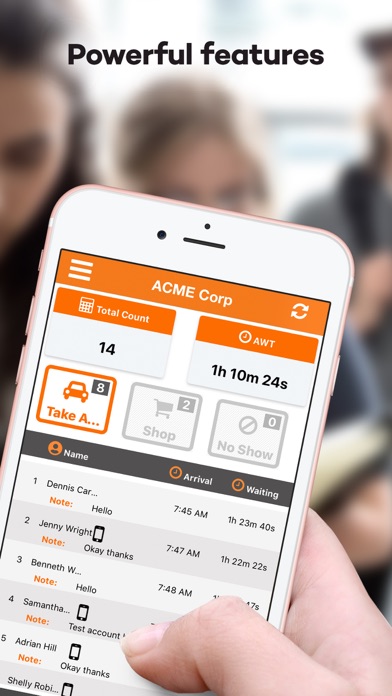
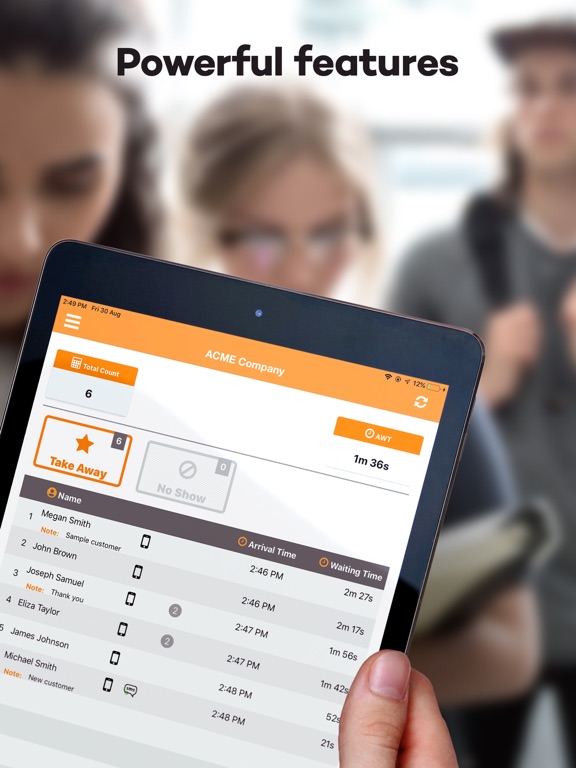
QueuePad is an easy-to-use and powerful customer wait-list management mobile app that lets you:
– Automate your customer wait-list functions.
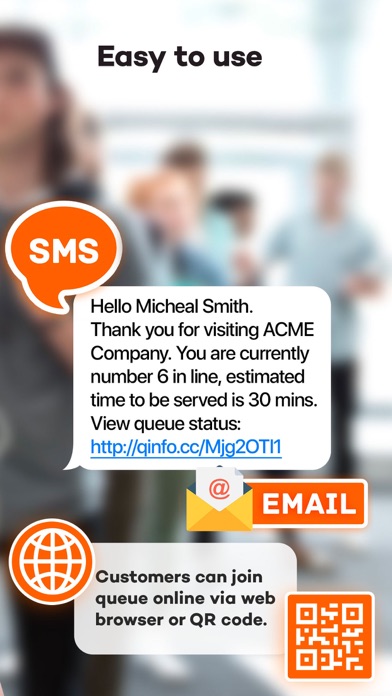
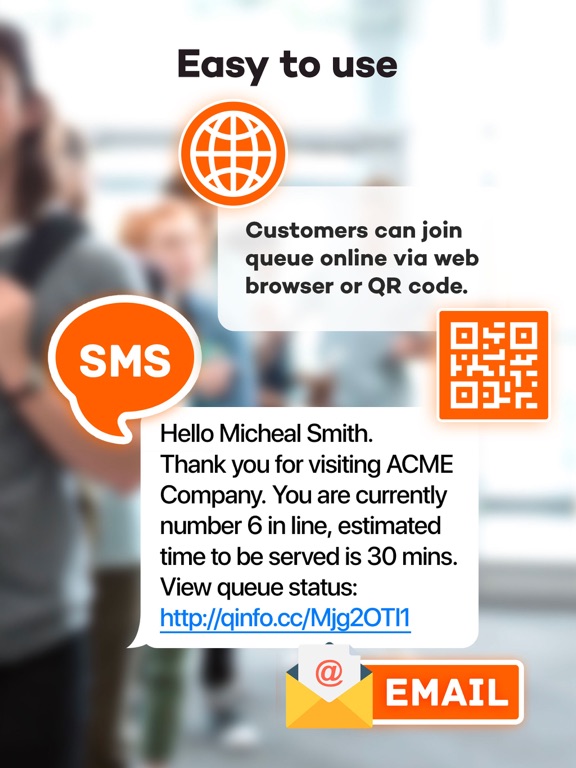
- Use email or SMS to notify customers of their queue position
- Customers do not need to download anything, they will just click on the URL link to open a web page showing their queue status
- Allow Customers to self check in using a web URL or scan a QR Code
– Project a professional image by utilizing new technologies and queue workflow.
- Call customers by name for personalized level of service.
- No need to print out the paper ticket.
– Gain insights on your level of customer service from the system reports.
- Show via Smart TV / PC Monitor the list of customer names waiting in line
- Multiple iOS devices can sync and manage the same customer queue
- more than 500,000 customers served worldwide!
The app is ready to use, no need to sign-up, and the basic set of wait-list functions are usable even without an internet connection.
Advanced features like notifications, synchronization will require WiFi and an internet connection.
This app is suitable for businesses like restaurants, bakeries, beauty shops, clinics, barber shops, salons, spas, repair shops, etc., wherever customers need to be queued by their name.
Features Overview:
1. Customer waiting list queue management
2. SMS notifications using 3rd party provider Twilio SMS Gateway API
3. Quick set up and easy to use, the customers themselves do not need to install anything
4. Customers can self check-in and see their real time queue status updates via a smart TV or a PC Monitor (requires internet)
5. A TV, PC Monitor or tablet device can be used to show the customer queue status.
6. Can handle multiple services or multiple queue lines
7. No internet connection needed for the basic set of wait list functions. The SMS, email and TV Screens will require WiFi internet.
8. Multiple devices can connect to the same Display Code and manage the same customer queue. Requires a WiFi connection.
9. Can generate graphical reports and Excel summary reports per selected date range
In App Subscription:
- 7 days FREE trial period is provided
- After the expiration of the 7 days FREE trail period, you will be charged the regular monthly subscription rate.
- Purchase monthly recurring subscription for US $19.99
- You will be charged in your local currency. Payment w