Intunator

Intunator Summary
Intunator is a mobile iOS app in Music And Audio by MARO Software UG Haftungsbeschraenkt & Co. KG. Released in Jul 2015 (10 years ago). It has 4.00 ratings with a 4.00★ (good) average. Based on AppGoblin estimates, it reaches roughly 17 monthly active users . Store metadata: updated Jul 16, 2022.
Store info: Last updated on App Store on Jul 16, 2022 .
4★
Ratings: 4.00
Screenshots
App Description
INTUNATOR - Improve your Intonation by Ear!
It's ingenious and simple!
The INTUNATOR is an innovative, new training aid to assist in the development of correct intonation for all wind and string instruments, as well as for vocalists. The App recognizes the note being played and plays it back with the correct intonation. While you are practicing, you will intuitively match the note you are playing to the note you are hearing. You are literally training your intonation by ear as you play.
At the same time, INTUNATOR is a high quality tuner. The App offers countless training options, and there are no limits to your creativity and flexibility.
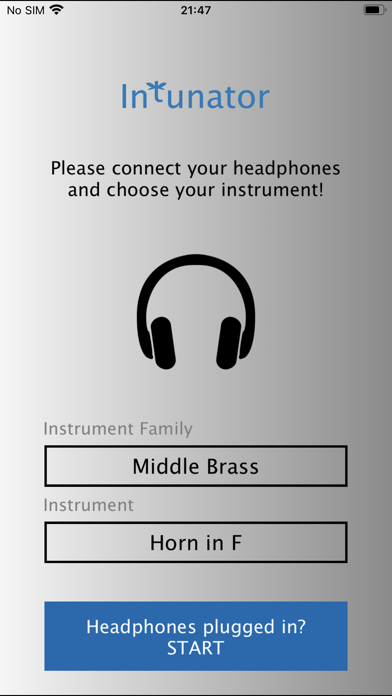
Simply connect your headphones, start INTUNATOR and play what you'd like on your instrument.
It's ingenious!
KEY FEATURES:
Pitch Detection:
INTUNATOR immediately and accurately recognizes the note being played or sung, thanks to its sophisticated tone detection algorithm.
Audio Output:
The recognized pitch is corrected in equal temperament (like the piano) and output is via headphones or speakers for length of time you choose. You may choose to have the output sound be played in fifths or octaves. Three special sounds were developed specifically for this purpose. When combined with the volume control on your mobile device, they allow you to create the optimal balance between your instrument and the tone being played back by the INTUNATOR.
Visual Aids:
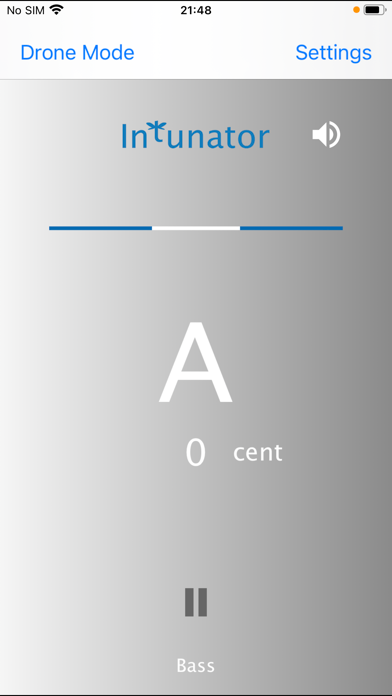
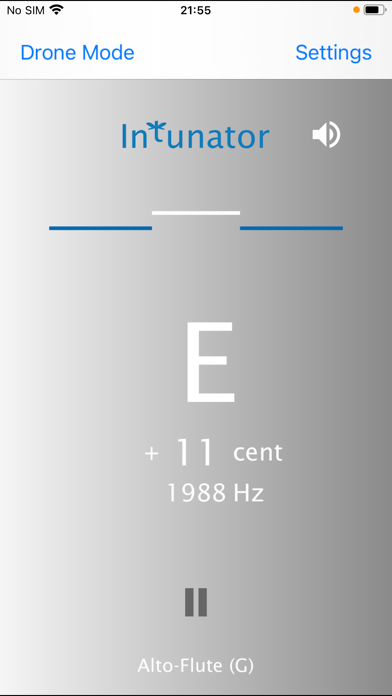
The note you are playing is shown on the Display. You may choose to have the notes named by letter (C,D,E) or using Solfege designations (do, re, mi). A simple graphic shows you your pitch deviation with a white line.
Drone Mode:
Train your intonation in Drone Mode over a continuous drone note of your choice. You may play freely in harmony with the audible drone tone, which will improve your perception of harmony and pitch, and thus your intonation. The notes you play are displayed in interval numbers 1 2 3 ... or in Solfege intervals (do re mi). The white line shows you if your intonation is correct or needs improvement. You may also practice in just temperament in the Drone Mode if you wish!
Transposition:
The note names are shown in their transposed form.
User's Assistent:
An automatic User's Assistant is there to insure a quick and easy application of the App for the user from day one.
There are many possible settings:
56 different instruments to choose