Piano Sight-Reading Trainer

Piano Sight-Reading Trainer Summary
Piano Sight-Reading Trainer is a mobile Android app in Education by ABRSM Publishing Ltd. Released in Jun 2017 (8 years ago). It has about 5.6K+ installs Based on AppGoblin estimates, it reaches roughly 62 monthly active users . Store metadata: updated Sep 12, 2024.
Recent activity: 4.00 installs this week (19 over 4 weeks) showing steady growth View trends →
Store info: Last updated on Google Play on Sep 12, 2024 .
0★
Ratings: 0
Screenshots


App Description
A fun way to improve your sight-reading skills for Piano
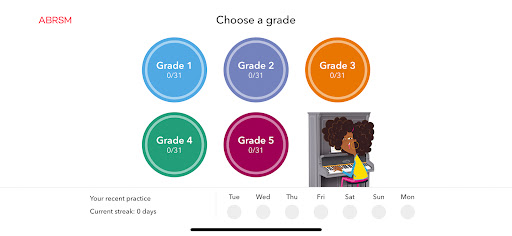
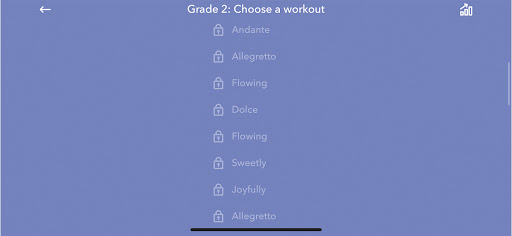
ABRSM Piano Sight-Reading Trainer contains 155 brand new specially composed pieces of sight-reading for Piano Grades 1 to 5. But, before you can play them you have to unlock them!
Each piece is preceded by a series of games designed to improve your ability to spot the features, patterns and characteristics of the music before you play it. Test yourself and see if you can achieve a three-star score in these fun games:
Rhythm Match - hear a rhythm and identify the corresponding notation.
Pitch Patterns, Quick Fire Five, What’s the Difference - study the music and answer a series of questions. Learn how to make the 30 seconds of preparation time you have in your exam really count!
Complete the challenges to unlock the pieces and start a practice streak.
Strong sight-reading skills empower musicians to communicate with one another through the language of music, as well as learn new pieces quickly and accurately. Regular practice with ABRSM Sight-Reading Trainer will help you avoid the pitfalls and achieve sight-reading success!
Hey, phone users! Music notation is complex and phone screens are small. This app is best viewed on an iPad but there's still lots you can learn and enjoy if you’re using the app on a smaller phone. Make sure you check out the preview screenshots in the App Store.