TrackView Viewer

TrackView Viewer Summary
TrackView Viewer is a ad-supported, with in-app purchases Android app in the Tools category, developed by TrackView. First released 3 years ago(Jun 2022), the app has accumulated 3.7M+ total installs and 12.5K ratings with a 3.60★ (average) average rating.
Recent activity: 10.2K installs this week (38.7K over 4 weeks) showing below average growth , and 33 new ratings this week (89 over 4 weeks) with declining momentum. View trends →
Data tracking: SDKs and third-party integrations were last analyzed on Nov 23, 2025. The app's network data flows (API traffic to/from the app and its SDKs) were last crawled on Oct 17, 2025.
Store info: Last updated on Google Play on Oct 27, 2025 (version 3842).
TrackView Viewer was last scanned for SDKs 2025-11-23. Below is the overview of third party companies detected in the app. The full list of raw SDKs, app permissions and unknown SDKs is available here.
 Jake Wharton
 Kotlin
 Google
 Bumptech
 Firebase
3.6★
Ratings: 12.5K
Screenshots

App Description
This is the viewer to monitor TrackView apps on other platforms.
This is the viewer app for TrackView. It can monitor TrackView apps on other platforms, e.g. iOS and PC.
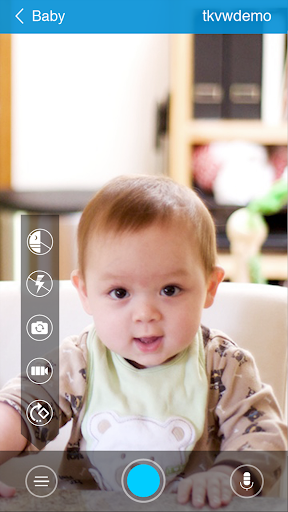
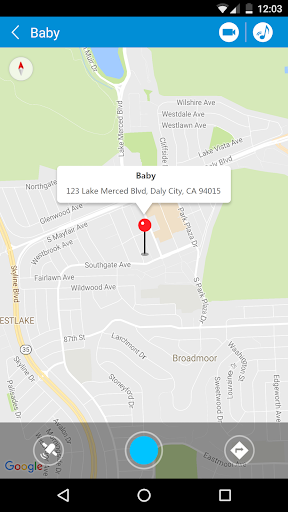
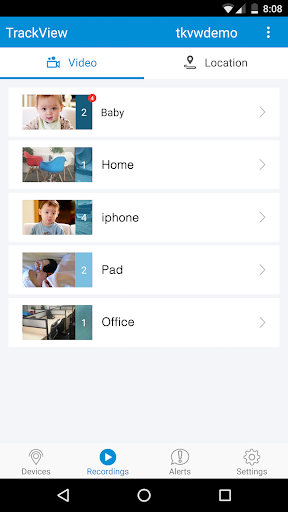
TrackView is designed for family safety applications. It turns your smartphones, tablets and PCs into a connected IP camera with GPS locator, event detection, alert and cloud/route recording capabilities. The Windows and Mac version are available for free download from our website.
TrackView offers in-app purchase. Please try the free features first before purchase. We do not process refund. Thanks.
No equipment to buy, no messy wires, you can install TrackView on your device in less than one minute!
Main Features:
*****************
1. Family locator and GPS finder
2. IP camera for home security
3. Event detection and instant alert to your mobile devices
4. Remote audio and video recording
5. Route recording for location history
6. Two-way audio
7. Remote buzz that rings a missing device, even if it’s in silent mode
8. Night vision mode that helps you see in the dark
9. Motion and sound detection
10. Cloud storage to backup your recordings
11. High reliability and excellent video quality at low bandwidth that saves your data usage
12. Super easy to install and one click connection from anywhere in the world
13. Remote control of Front and Rear camera switch
14. Integration with Gmail account
15. Secured access: You are the only one who can access your connected devices.
16. Multi-network support: TrackView supports all types of networks: Wifi, 2G, 3G, 4G etc.
17. Automatic network switch: When the network switches, TrackView will auto switch to the network available.
18. Real-time and low latency: to ensure you get updates on events immediately and watch video in real time.
19. Universal accessibility: Access any of your devices from anywhere in the world.
Three easy steps to get started in less than ONE minute:
****************************************************************
1. Installation
TrackView is easy to install. Just a couple of clicks, and you are there.
2. Login
You can use your existing gmail account user name and password to login to TrackView. Please use the SAME account to login to all devices. Before login, please also give a unique device name to your device so that you can distinguish them.
3. Enjoy your protection
Once you have multiple devices logged-in, you can monitor, track, or buzz a