Remote Control For Ruku TV
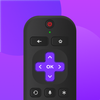

Remote Control For Ruku TV Summary
Remote Control For Ruku TV is a ad-supported, with in-app purchases Android app in the Tools category, developed by Dynamic Remote. First released 1 year ago(Apr 2024), the app has accumulated 1.8M+ total installs
Recent activity: 150 installs this week (10.1K over 4 weeks) showing steady growth View trends →
Data tracking: SDKs and third-party integrations were last analyzed on Aug 22, 2025. The app's network data flows (API traffic to/from the app and its SDKs) were last crawled on Nov 15, 2025.
Store info: Last updated on Google Play on Jul 16, 2025 (version 240).
Remote Control For Ruku TV was last scanned for SDKs 2025-08-22. Below is the overview of third party companies detected in the app. The full list of raw SDKs, app permissions and unknown SDKs is available here.
 Square
 BIGO Ads
 AppLovin
 ChartBoost
 Google
 Airbnb Engineering
 Kotlin
 Bumptech
 Firebase
0★
Ratings: 0
Screenshots


App Description
Remote control for Roku TV, supports all Roku TV devices!
Remote Control For Roku TV is a convenient smart Roku TV remote designed specifically for Roku smart TV box and Roku TV users. 📺✨ With this app, you can control all your Roku TV devices via WiFi, turning your phone into a Roku TV remote. 📱📶 It allows you to power on/off your Roku TV, adjust the volume, cast your phone screen, mirror your display, and browse, play, and launch your favorite TV channels, fully replacing all the functions of a physical Roku TV remote. 🎉🔊📲
Whether you want to watch your favorite shows on Roku TV 📺 or mirror/cast videos, pictures, and audio from your phone to your Roku device 📱, simply connect your Android mobile device and Roku device to the same WiFi network. The Roku TV remote control app will automatically connect to your Roku TV device.
Why choose Remote Control For Roku TV?
-Automatic Connection and Scanning 🔍: This app can automatically search for and connect to Roku devices without manual pairing and setup.
-Haptic Feedback 📳: Every operation provides precise haptic feedback, ensuring smooth and uninterrupted remote control.
-Keyboard Input ⌨️: Simplify text input and searching on your TV with a virtual keyboard.
-Screen Mirroring 📱➡️📺: Quickly mirror photos and videos from your phone to your Roku TV.
-Screen Casting 📱➡️🖥️: Real-time casting of your phone screen to your Roku TV.
-Power Controls 💡: One-touch power control for your Roku TV from your mobile device.
-Playback Control ▶️: Control playback of content on your Roku device or TV with play/pause, fast forward/rewind, and volume controls.
Which Roku TV models are currently supported? 📺
Through our continuous efforts, we currently support the following Roku TV models: Roku Express, Roku Express+, Roku Streaming Stick, Roku Streaming Stick+, Roku Premiere, Roku Premiere+, Roku Ultra."
Disclaimer/Trademarks:
‒ This app is NOT affiliated with or endorsed by Roku, Inc. Roku is the trademark of Roku, Inc. 📢⚠️
Troubleshooting:
‒ This TV control application can only connect when you and the Roku TV device are on the same WiFi network. 📶❗
Contact Us: cs@ldyt.online
If you would like to learn more about us, please visit https://ldyt.online for details. 🌐📧