Compass plus

ASO Keyword Dashboard
Tracking 108 keywords for Compass plus in Google Play
Compass plus tracks 108 keywords (no keywords rank yet; 108 need traction). Key metrics: opportunity 69.9, difficulty 48.9.
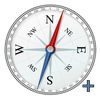
This app provides compass functionality along with some extra features.
Tracked keywords
108
0 ranked • 108 not ranking yet
Top 10 coverage
—
Best rank — • Latest leader —
Avg opportunity
69.9
Top keyword: upon
Avg difficulty
48.9
Lower scores indicate easier wins
Opportunity leaders
- 67.5
upon
Opportunity: 73.0 • Difficulty: 44.4 • Rank —
Competitors: 753
- 67.5
functionality
Opportunity: 73.0 • Difficulty: 80.5 • Rank —
Competitors: 913
- 67.9
towards
Opportunity: 73.0 • Difficulty: 44.4 • Rank —
Competitors: 759
- 68.7
field
Opportunity: 73.0 • Difficulty: 44.9 • Rank —
Competitors: 677
- 68.1
places
Opportunity: 73.0 • Difficulty: 59.5 • Rank —
Competitors: 1,096
Unranked opportunities
upon
Opportunity: 73.0 • Difficulty: 44.4 • Competitors: 753
functionality
Opportunity: 73.0 • Difficulty: 80.5 • Competitors: 913
towards
Opportunity: 73.0 • Difficulty: 44.4 • Competitors: 759
field
Opportunity: 73.0 • Difficulty: 44.9 • Competitors: 677
places
Opportunity: 73.0 • Difficulty: 59.5 • Competitors: 1,096
High competition keywords
without
Total apps: 113,596 • Major competitors: 12,654
Latest rank: — • Difficulty: 63.1
mobile
Total apps: 113,294 • Major competitors: 10,537
Latest rank: — • Difficulty: 60.5
share
Total apps: 102,576 • Major competitors: 11,283
Latest rank: — • Difficulty: 65.5
offers
Total apps: 82,090 • Major competitors: 9,319
Latest rank: — • Difficulty: 60.3
favorite
Total apps: 80,965 • Major competitors: 10,433
Latest rank: — • Difficulty: 69.6
All tracked keywords
Includes opportunity, difficulty, rankings and competitor benchmarks
| Major Competitors | |||||||
|---|---|---|---|---|---|---|---|
| character | 72 | 100 | 52 | 70 13,287 competing apps Median installs: 65,694 Avg rating: 3.1 | — | — | 2,166 major competitor apps |
| share | 66 | 100 | 65 | 86 102,576 competing apps Median installs: 35,820 Avg rating: 2.9 | — | — | 11,283 major competitor apps |
| mode | 69 | 100 | 65 | 78 35,564 competing apps Median installs: 53,723 Avg rating: 3.1 | — | — | 5,505 major competitor apps |
| right | 67 | 100 | 66 | 83 68,533 competing apps Median installs: 35,866 Avg rating: 3.0 | — | — | 8,317 major competitor apps |
| device | 68 | 100 | 72 | 81 52,389 competing apps Median installs: 37,519 Avg rating: 3.0 | — | — | 6,390 major competitor apps |
| users | 67 | 100 | 60 | 82 59,104 competing apps Median installs: 30,976 Avg rating: 2.8 | — | — | 6,026 major competitor apps |
| place | 69 | 100 | 57 | 78 37,575 competing apps Median installs: 32,284 Avg rating: 2.9 | — | — | 4,364 major competitor apps |
| list | 69 | 100 | 57 | 78 39,078 competing apps Median installs: 31,139 Avg rating: 2.8 | — | — | 3,448 major competitor apps |
| connection | 69 | 100 | 60 | 76 29,202 competing apps Median installs: 32,388 Avg rating: 2.9 | — | — | 3,022 major competitor apps |
| connectivity | 71 | 100 | 47 | 59 2,723 competing apps Median installs: 27,936 Avg rating: 2.8 | — | — | 255 major competitor apps |
| mobile | 65 | 100 | 60 | 86 113,294 competing apps Median installs: 25,796 Avg rating: 2.8 | — | — | 10,537 major competitor apps |
| key | 68 | 100 | 57 | 79 40,681 competing apps Median installs: 35,653 Avg rating: 3.0 | — | — | 4,828 major competitor apps |
| roll | 71 | 100 | 64 | 61 3,595 competing apps Median installs: 42,321 Avg rating: 3.1 | — | — | 568 major competitor apps |
| obtain | 72 | 100 | 44 | 66 6,975 competing apps Median installs: 33,614 Avg rating: 2.6 | — | — | 670 major competitor apps |
| motion | 71 | 100 | 50 | 62 4,015 competing apps Median installs: 49,305 Avg rating: 3.1 | — | — | 633 major competitor apps |
| search | 67 | 100 | 67 | 82 64,261 competing apps Median installs: 33,401 Avg rating: 2.9 | — | — | 6,565 major competitor apps |
| small | 70 | 100 | 51 | 75 24,961 competing apps Median installs: 32,987 Avg rating: 2.9 | — | — | 2,750 major competitor apps |
| favorite | 66 | 100 | 70 | 84 80,965 competing apps Median installs: 41,103 Avg rating: 3.0 | — | — | 10,433 major competitor apps |
| angle | 70 | 100 | 41 | 57 2,052 competing apps Median installs: 47,046 Avg rating: 2.9 | — | — | 282 major competitor apps |
| provides | 67 | 100 | 60 | 83 71,787 competing apps Median installs: 26,302 Avg rating: 2.7 | — | — | 6,088 major competitor apps |
| current | 69 | 100 | 54 | 78 37,523 competing apps Median installs: 28,093 Avg rating: 2.8 | — | — | 3,434 major competitor apps |
| upon | 73 | 100 | 44 | 67 8,881 competing apps Median installs: 28,496 Avg rating: 2.8 | — | — | 753 major competitor apps |
| allows | 67 | 100 | 58 | 84 77,278 competing apps Median installs: 26,241 Avg rating: 2.7 | — | — | 7,086 major competitor apps |
| without | 65 | 100 | 63 | 86 113,596 competing apps Median installs: 37,274 Avg rating: 2.8 | — | — | 12,654 major competitor apps |
| internet | 67 | 100 | 57 | 82 62,322 competing apps Median installs: 30,196 Avg rating: 2.8 | — | — | 5,670 major competitor apps |
App Description
This app provides compass functionality along with some extra features.
1. Default: The Default mode provides fundamental compass functionality. The North direction, on the compass dial, has been highlighted by illuminating N character with red color.
2. Favorite places: In this mode, three specific locations, namely Mecca, Jerusalem, and East, have been integrated. By selecting any of these locations, users can obtain the direction from their current location to the chosen destination.
3. Custom direction: This mode allows users to search for a specific place on the Google Map. Upon entering the desired location, the application generates a list of relevant places. Users can select a place from the list, and the app will display the direction by aligning the compass needle (indicated in red) towards the selected destination, originating from the user's current location.
Furthermore, the application offers the functionality to copy and share the following data with others:
o Magnetic field strength
o Azimuth, Pitch, and Roll angles
o Latitude, Longitude, Altitude, and Location accuracy
o Current location address
Some explanation of the key components of device orientation:
o Azimuth: This refers to the angle between the North and the direction in which the mobile device is pointing. The application visually represents the device direction with a small upward arrow. A zero azimuth indicates that the device is pointing north. Additionally, characters such as N, E, S, W, NE, NW, SE, and SW are associated with the azimuth to indicate the device's direction.
o Pitch: The pitch represents the top-to-bottom tilt of the device. A value of 0 indicates a flat orientation.
o Roll: The roll signifies the left-to-right tilt of the device. A value of 0 denotes a flat orientation.
Note: The Default and Favorite places functionalities can be accessed without internet. However, the Custom direction mode requires an internet connection for loading the Google Map and searching for specific places. Therefore, it is imperative to enable the device's GPS and ensure internet connectivity for utilizing this feature. For enhanced accuracy, users are advised to calibrate the magnetometer by waving the device in a figure-eight motion a few times.