3C All-in-One Toolbox


3C All-in-One Toolbox Summary
3C All-in-One Toolbox is a ad-supported, with in-app purchases Android app in Tools by 3c. Released in Sep 2012 (13 years ago). It has about 1.7M+ installs and 15.6K ratings with a 4.27★ (good) average. Based on AppGoblin estimates, it reaches roughly 8.9K monthly active users and generates around $<10K monthly revenue (42% IAP / 58% ads). Store metadata: updated Mar 14, 2026, version 200663.
Recent activity: 824 installs this week (3.2K over 4 weeks) showing steady growth , and -4 new ratings this week View trends →
Data tracking: SDKs and third-party integrations were last analyzed on Jan 12, 2026. The app's network data flows (API traffic to/from the app and its SDKs) were last crawled on Feb 26, 2026.
Store info: Last updated on Google Play on Mar 14, 2026 (version 200663).
3C All-in-One Toolbox was last scanned for SDKs 2026-01-12. Below is the overview of third party companies detected in the app. The full list of raw SDKs, app permissions and unknown SDKs is available here.
 Google
 Kotlin
 BouncyCastle
 Square
 AdMob
AdMob4.27★
Ratings: 15.6K
Screenshots

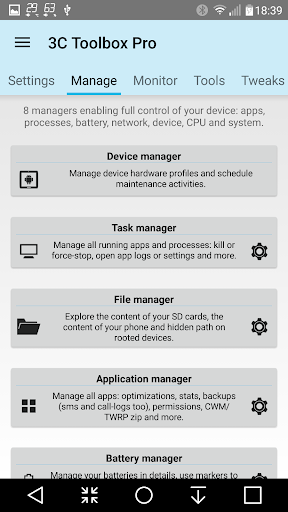
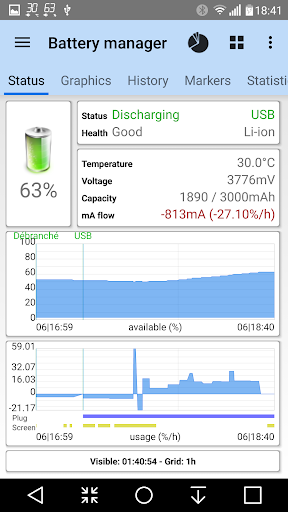
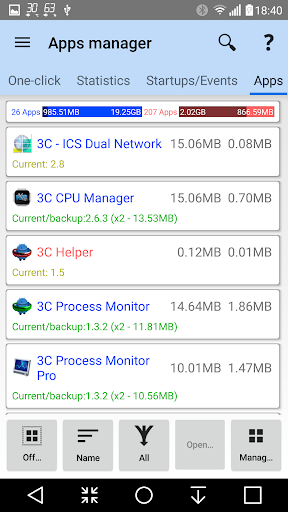
App Description
The ENTIRE 3C collection in just one package! *
The ENTIRE 3C collection in just one package! *
* Except 3C Sensitive Backups and 3C Legacy Stats which are not allowed by Google to be included in this app.
3C All-in-One Toolbox combines many features into one giant toolbox with a modern and easy-to-use interface. Every tool you need to monitor, control and fine-tune all your Android devices.
Fastest and most friendly support on Play Store. Feel free to send a request from app settings, help and support mentioning your concerns.
Permissions detailed here
Some features may require root or using 3C Companion app for PC starting with Android 6+.
This app offers 2 accessibility services to help you stop apps easily or backup apps' data automatically, both of which will never ever collect any information. Privacy Policy
★ Go pro or use in-app purchases to unlock the following features
Hide any tabs or any menu item
Edit main screen buttons up-to 4x6 grid
Multi/auto-select and sort apps
Auto backup and new app notification
Recording items and options
Create multiple schedules, watchers and profiles
Automatic battery markers and manage multiple batteries
Notification shortcut to access any features from status notification
Many extra widgets
Here are some of the app features:
★ Device manager offers very powerful profiles, task scheduling and device watchdog
★ File manager is a very simple, yet very powerful explorer with thumbnails, folder size and more. Stream your videos and photo directly to your favorite player. Both locally or from any Samba, FTP, WebDAV, Google Drive or Dropbox locations.
★ Application manager provides backup/restore of all your favorites apps, including ability to import Titanium Backup! Also allows you to secure and customize your apps' events, orientation, full-screen and control permissions with Xposed framework.
★ Battery manager helps you analyze and improve your consumption. Complete data (including mA) and charge cycles history, cu